¶ The biggest HexOS update yet: Buddy Backups, Virtual Machines, and more
We've shipped a lot lately: a built-in file browser, USB ISO burning, live per-app metrics, redesigned navigation, community translations, and a steady run of new curated apps. You can find the full rundown on our release notes page. This post is about what's next, and there's a lot to cover.
In short
- Buddy Backups and Virtual Machines are beginning to roll out to test users now.
- The file browser and app cards are both getting deeper integrations with apps.
- All of this makes up HexOS 1.1, which ships on Black Friday this year (Nov 27, 2026).
- The $199 early access sale ends December 1, when standard pricing of $299 per server takes effect.
¶ Buddy Backups
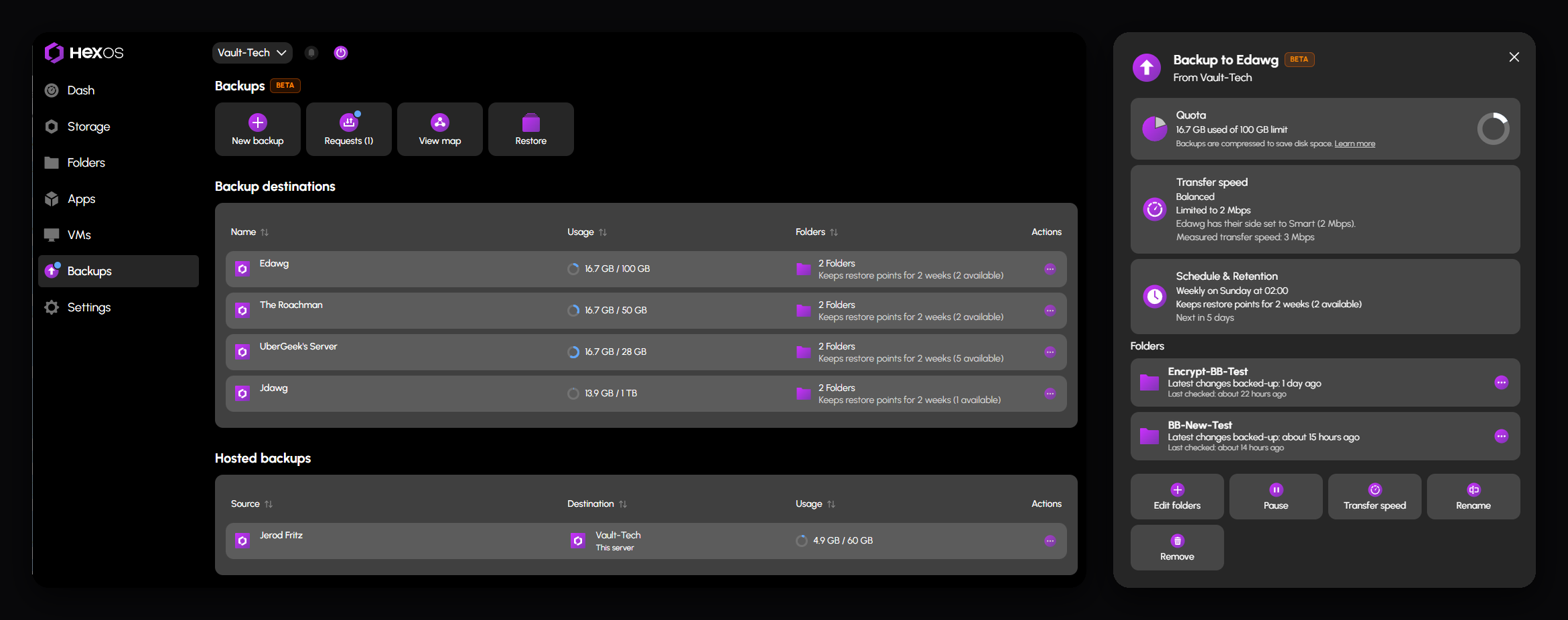
If you've followed HexOS for a while, you know we've been working toward this one for a long time. Buddy Backups let you back up your data to a server owned by someone you trust, whether that's a friend across town or a second HexOS box of your own in another location. No monthly per-terabyte bill. No giant cloud company holding your files. Just people backing each other up, on hardware they control.
We're starting to roll out access slowly, beginning with a small group of testers and expanding from there as the feature matures. Our target is to have Buddy Backups exit beta by the end of November.
Want to be a tester?
We are adding people in small groups. Being in the beta means the features are switched on for your account, you run them on a real server, and you tell us what confuses you. There is no minimum commitment, but the most useful feedback comes from a backup that runs on a schedule for a few weeks.
Read what the beta involves for what we ask of testers and what you can count on, then request a place with the signup form.
Another blog post will go up tomorrow with an even deeper dive on this feature and how it works. Stay tuned!
¶ Virtual Machines
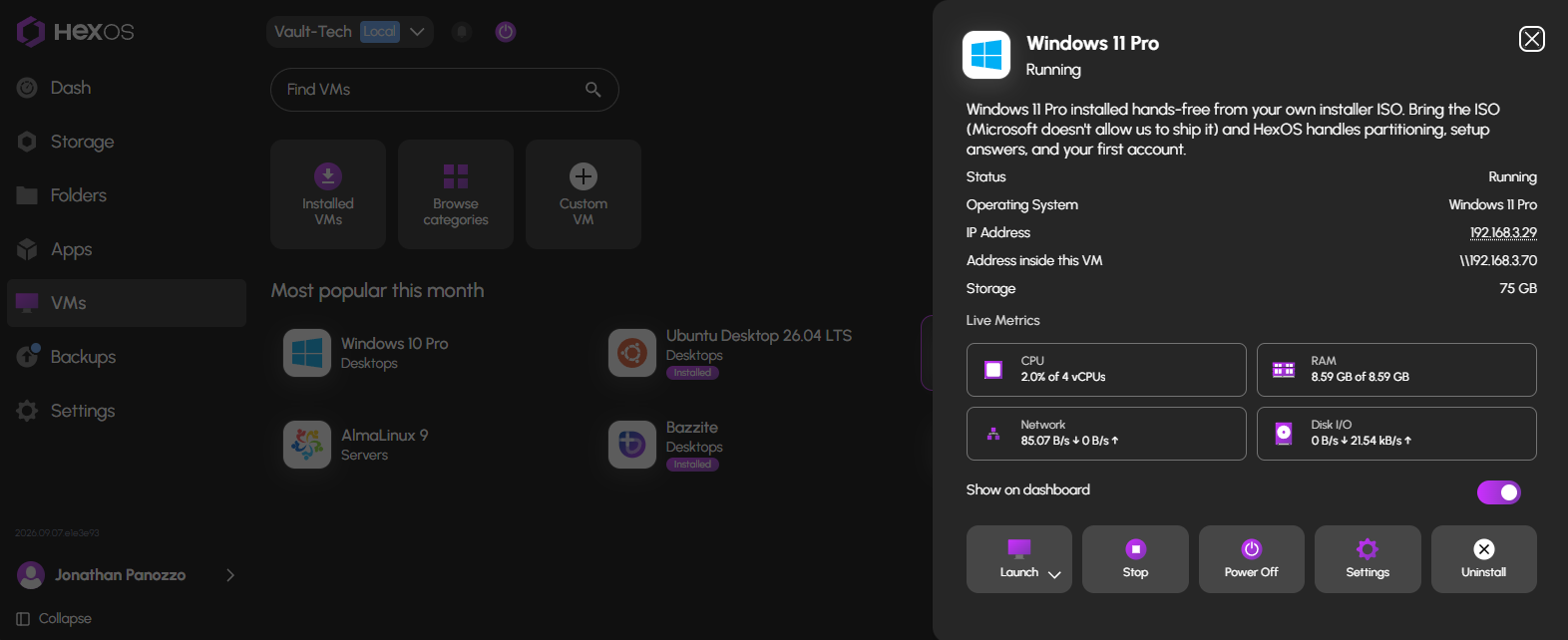
Right alongside Buddy Backups, Virtual Machines will start reaching test users very soon.
We wanted virtual machines in HexOS to feel like everything else in HexOS: something you can set up without a tutorial open in another tab. So the whole process is wizard-driven, start to finish. Pick what you want to run, answer a few questions, and HexOS handles the configuration. You can even select apps to install automatically the moment the operating system finishes installing, so your virtual machine is actually useful the first time you log into it.
Virtual machines are organized into three categories:
- Desktops — a full graphical OS you can use like any other computer.
- Servers — systems with no graphical desktop, for running services and workloads.
- Virtual Appliances — purpose-built images like OpenWRT or the Home Assistant virtual machine, ready to run with minimal setup.
There's a lot more to say here, and Virtual Machines will get their own dedicated post this week as well.
¶ Deeper app integrations
One theme is going to show up again and again in HexOS over the coming months: the Command Deck shouldn't just launch your apps, it should work with them. Two places you'll see this first are the file browser and your app cards.
¶ A file browser that does more than move files
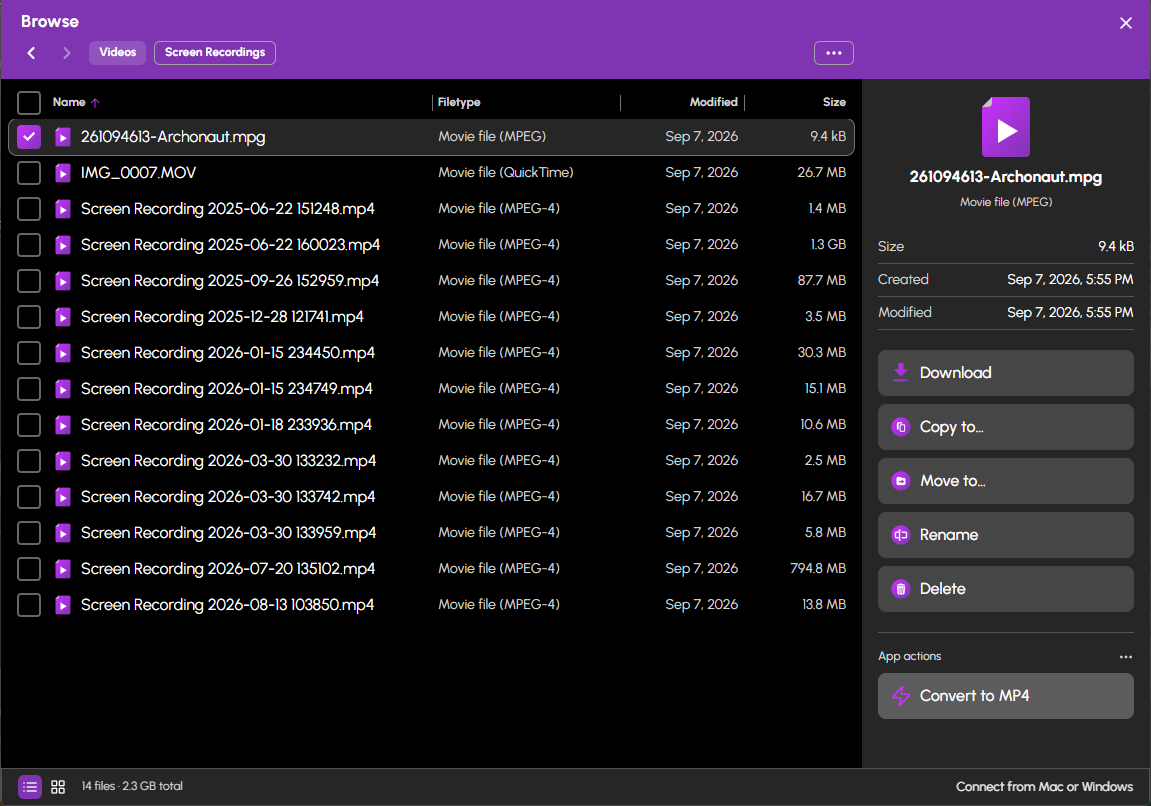
The file browser we shipped in August covers the essentials: browse, upload, download, copy, move, rename, delete. That's the starting point, not the whole plan. We want the HexOS file browser to be a tool you use for real work, not just a place to move folders around.
It already does something most file browsers don't: burn ISO images directly to a USB drive plugged into your server. Next up are integrations with the apps you've already installed. Take FileFlows as an example. Instead of opening FileFlows, configuring a flow, and pointing it at a directory, you'd click a file in the HexOS file browser and convert it from MPG to MP4 right there. FileFlows does the work; HexOS gives you the button. That's the pattern we're building toward across all kinds of file tasks.
¶ App cards that show you what's happening inside
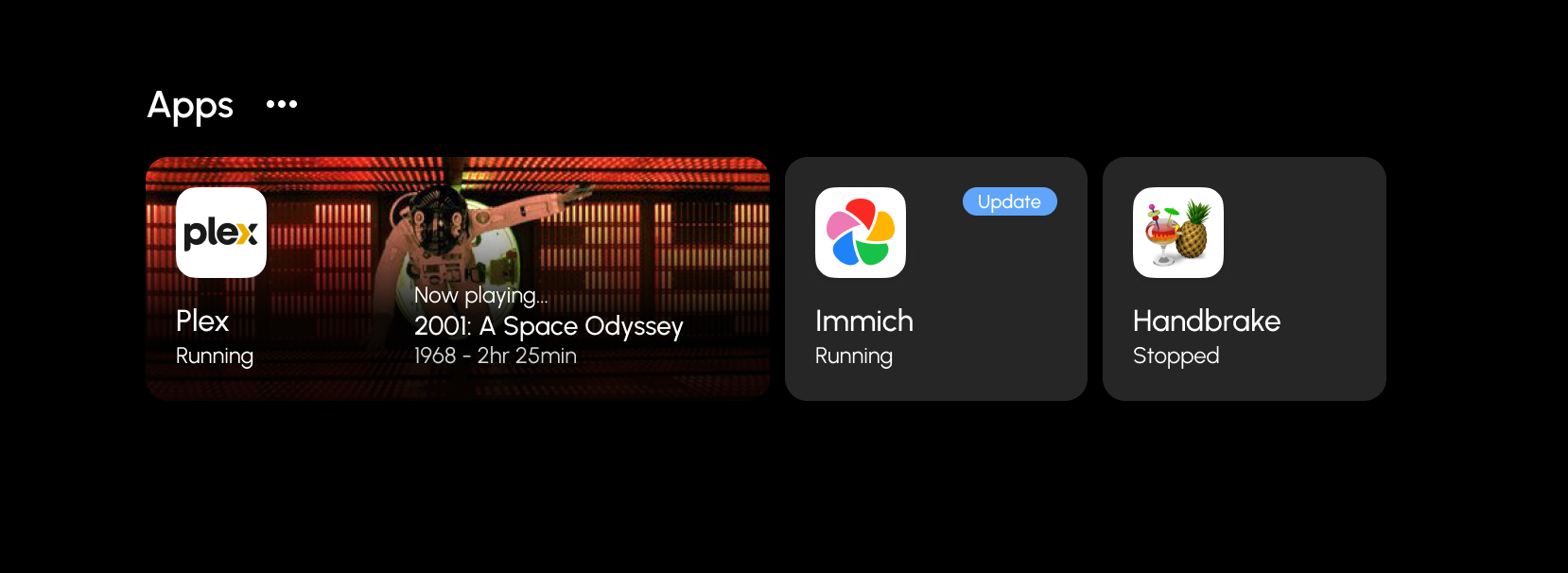
Today, an app card tells you an app is running and how much CPU and RAM it's using. But what about what's actually happening inside the app?
Picture your dashboard showing what's playing in Jellyfin right now, what's queued and downloading, or who's connected to your game server, all without opening any of them. Our vision is for the HexOS dashboard to be the single place to see everything happening on your system, apps included. There's a lot more to unveil here as we build it.
¶ HexOS 1.1 ships and early access pricing ends on Black Friday
All of this and more are the core of HexOS 1.1, and it all ships on Black Friday. That's also when early access pricing ends. The $199 early access sale ends December 1, and standard pricing of $299 per server for a lifetime subscription takes effect.
The detailed Buddy Backups post comes next, and as always, tell us what you think in the community.