¶ Repair access to a folder
Sometimes your computers can't open a folder on your server, or some of the files in it, even though HexOS shows the files are there. This page explains why that happens and how Repair access fixes it.
¶ When this happens
Every file and folder on your server carries a set of permissions. The permissions say who can open it. HexOS sets these permissions for you when you create a folder.
The permissions can change when files arrive from somewhere else. For example:
- You rebuilt your storage and copied your files back from a backup.
- You moved a folder from another server.
- You or someone else changed the permissions in TrueNAS.
When that happens, your computers can still connect to the folder, but they can't open what is inside:
- On a Mac, the folder opens but looks empty.
- On Windows or Linux, you see a message that you don't have permission.
Making the folder Public doesn't help, because Public only decides who can connect. It doesn't change the permissions on the files.
¶ How HexOS tells you
When you open a folder on the Folders screen, HexOS checks the folder and some of the files and folders inside it. If your computers can't open them, the folder's info panel shows a yellow message:
- This folder can't be opened from other computers when the folder itself is affected.
- Some files in this folder can't be opened from other computers when only the things inside it are affected.
This folder can't be opened from other computers
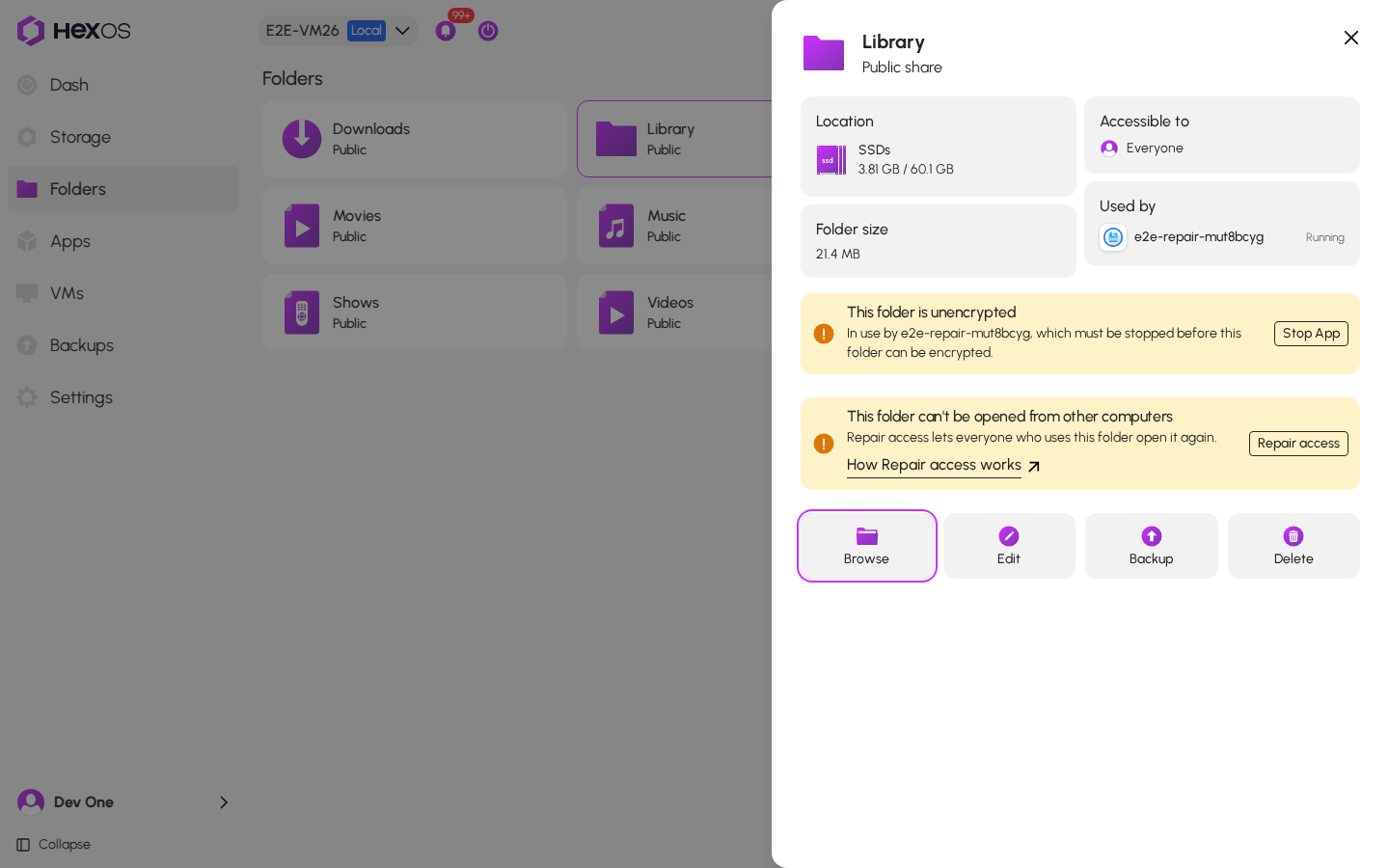
The message has a Repair access button and a How Repair access works link to this page.
Info: The yellow message comes from a sample of the files. If your computers still can't open some files and you see no message, ask in the HexOS Discord Community.
HexOS doesn't show the message for a locked folder. Unlock the folder first. It also doesn't show it for Virtualization Install Media, because HexOS manages that folder itself.
¶ HexOS checks every file first
When you click Repair access, HexOS reads the permissions of every file and folder inside before it changes anything. For each account on your server, and for your apps, it checks what that account can open now, and what it could open after the repair.
This takes a few seconds. HexOS never takes away access that a person already has. It asks before it changes what your apps can open.
¶ Your folder stays in use
HexOS doesn't turn sharing off or stop your apps during the repair. Your computers and apps can keep using the folder.
HexOS checks every file right before it changes anything. If an app changes the permissions on a file while the repair is running, that change can be replaced. Your files themselves are safe: only permissions change.
If an app uses the folder, the dialog says Stop the app that uses this folder first, if you can. Hold the pointer over the info icon to see which apps use it. To stop an app, click it on the Apps screen, then click Stop. Start it again when the repair is done.
¶ Repair access
- On the Folders screen, click the folder.
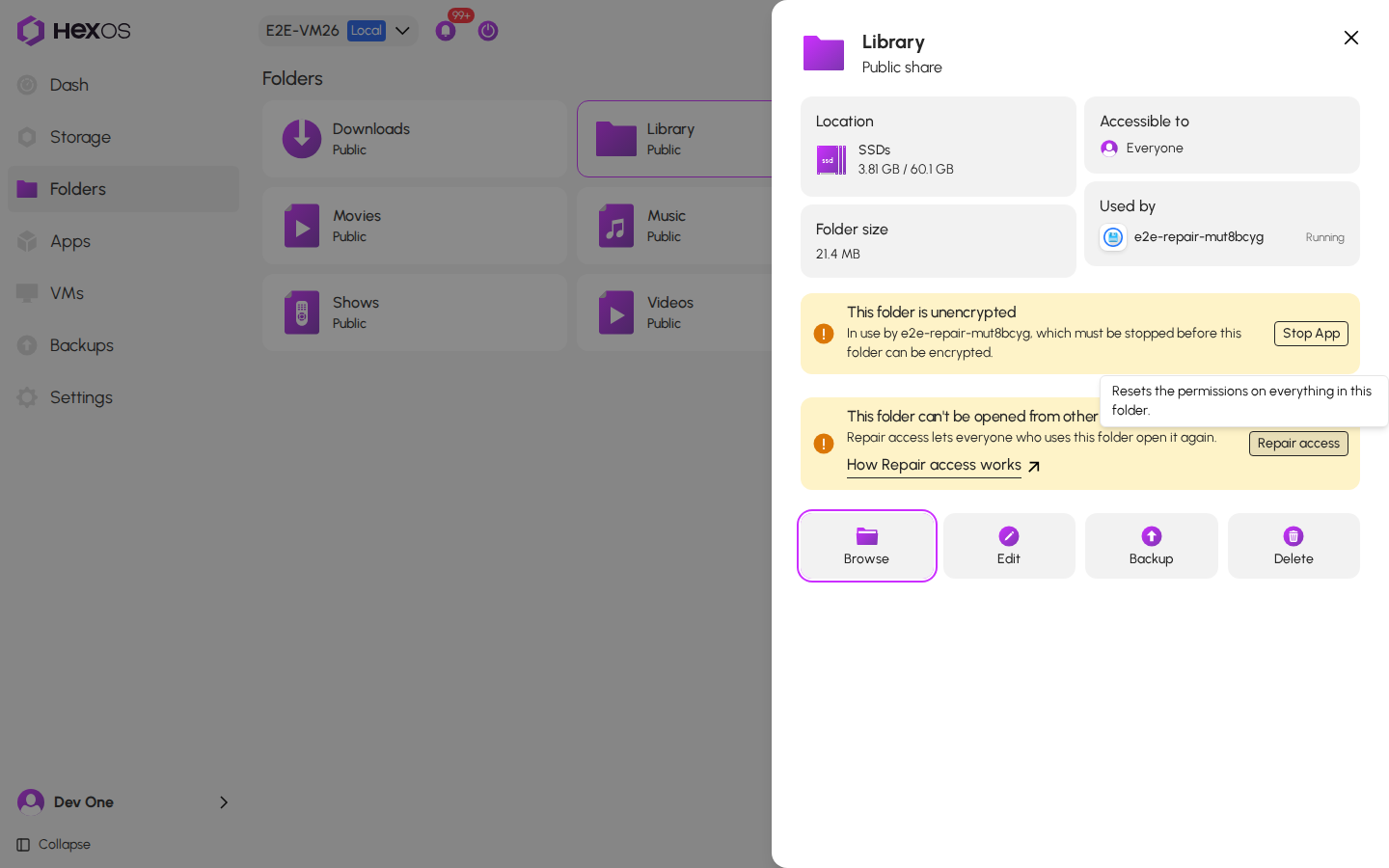
- In the yellow message, click Repair access. If you hold the pointer over the button, a short tip says what it does.
Repair access button and its tip
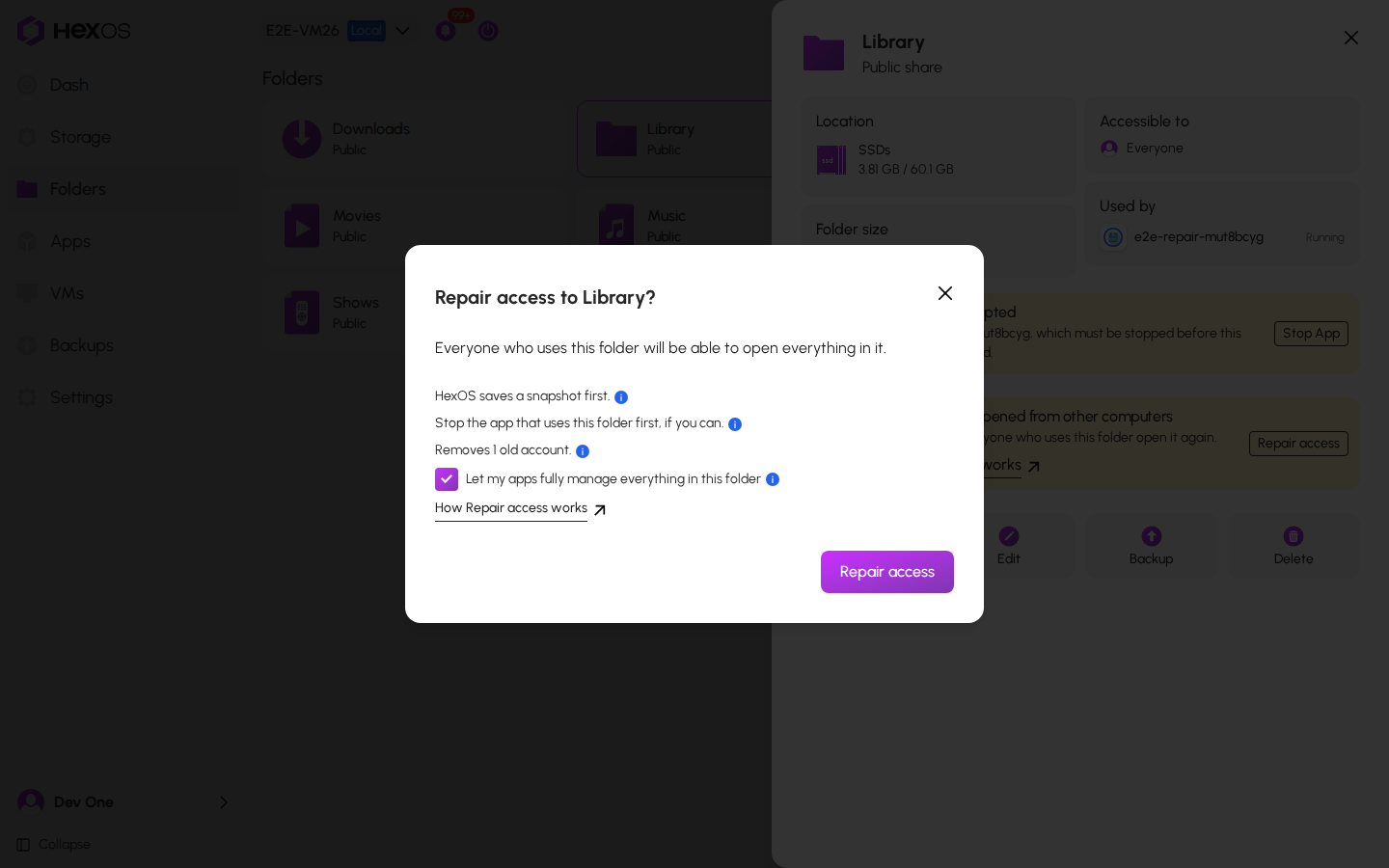
- Wait while the dialog shows Checking the files in this folder….
- Read the dialog. Hold the pointer over an info icon to read more about a line.
- HexOS saves a snapshot first. The snapshot keeps a copy of the old permissions.
- Stop the app that uses this folder first, if you can. This line shows only when an app uses the folder. The section above, "Your folder stays in use", explains why.
- Removes 1 old account. Some files still name an account that isn't on this server, usually one from an old server. Repair access removes it.
- If the dialog shows a box that starts with Let my apps, read the next section, then check the box.
- Click Repair access.
Repair access dialog
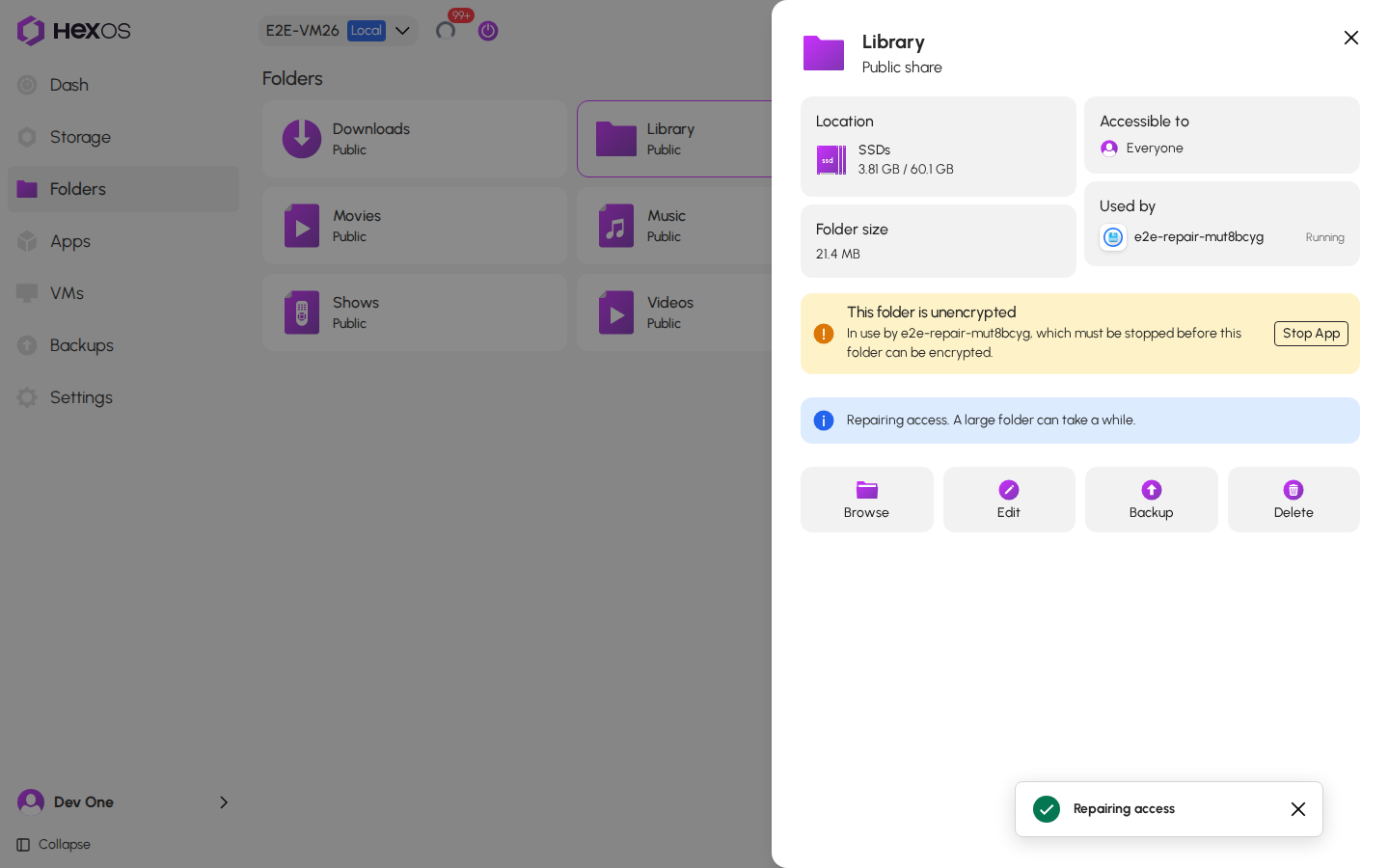
- HexOS starts the repair. The info panel shows Repairing access. A large folder can take a while. The Activity Center shows each step.
Repairing access
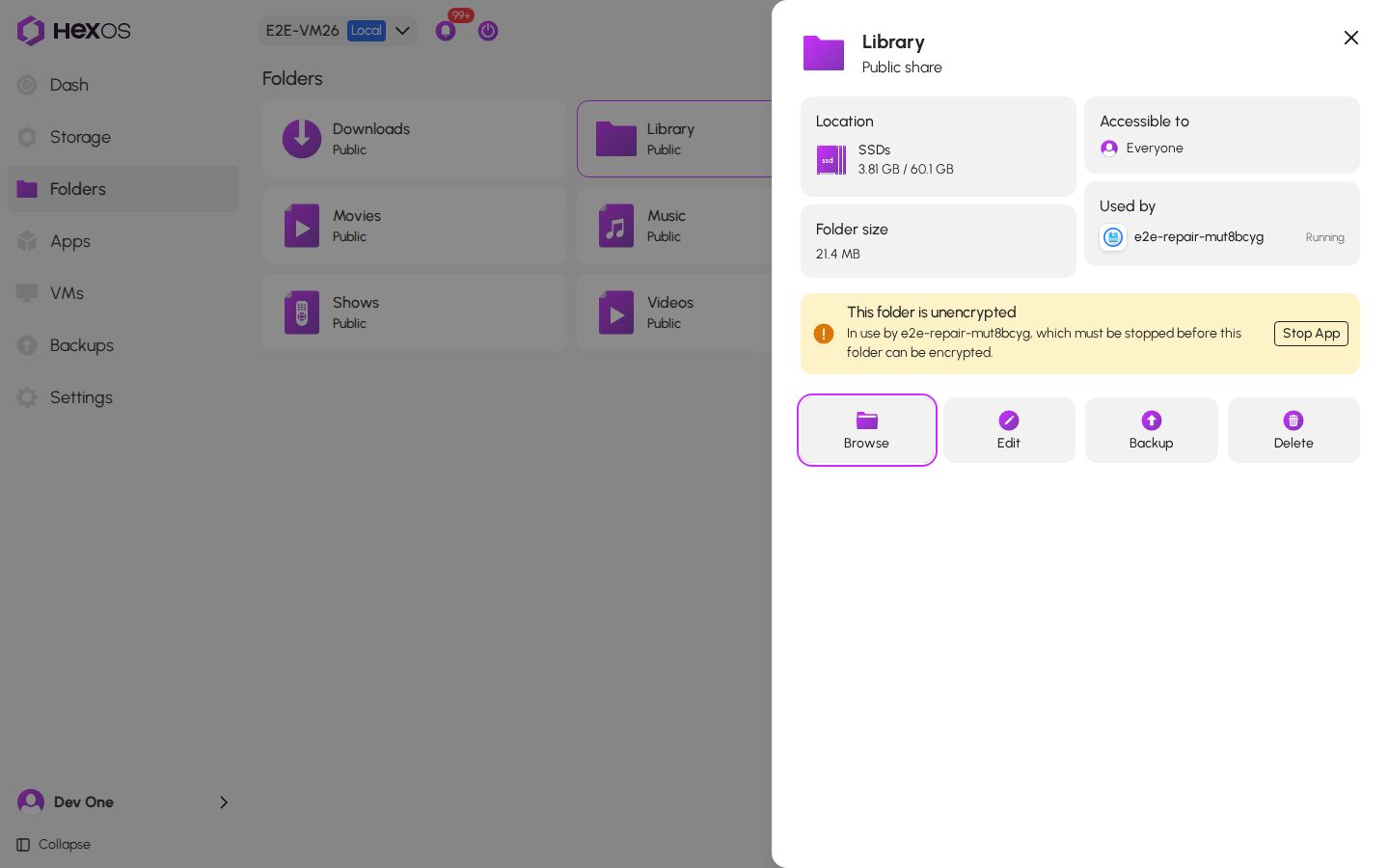
- When the repair is done, HexOS checks every file again, and the message goes away. Your computers can open the folder and everything in it again.
The folder after the repair
While HexOS repairs a folder, you can't edit, delete or lock that folder. HexOS repairs one folder at a time.
¶ Your apps keep working
When you install an app, HexOS gives the app access to the place you choose for it. That place is often a folder inside a shared folder, for example Movies inside Media.
Repair access gives every file in the folder the same permissions. That would replace the app's own access, and the app could stop opening files that you added yourself. So HexOS asks first:
- Let my apps read everything in this folder, when your apps only read the files.
- Let my apps read and change everything in this folder, when your apps also change them.
- Let my apps fully manage everything in this folder, when your apps could also change who can open the files. HexOS gives apps this on their own folders when you install them, so you see this one most often.

The Repair access button stays off until you check the box. HexOS gives your apps only what they had before, now for the whole folder. Each app still sees only the folders you set up for it.
If you don't want to give your apps the whole folder, close the dialog. Nothing changes.
¶ When someone would lose access
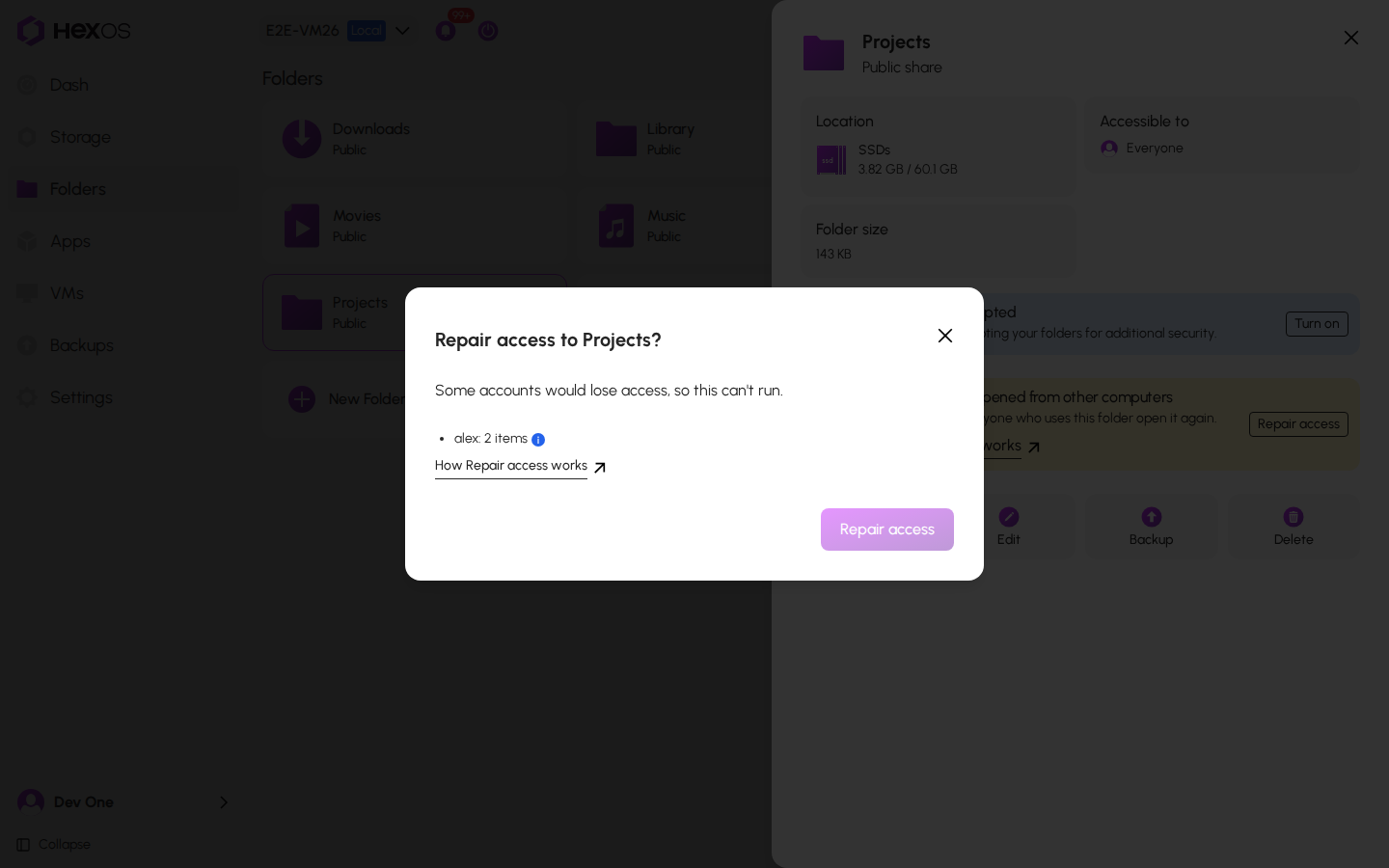
Sometimes a person's account has its own access to some files in the folder, for example a folder that only one family member can change. Repair access would take that away, so HexOS doesn't run it.
The dialog shows Some accounts would lose access, so this can't run, and lists each account with the number of files it would lose. The Repair access button stays off. Nothing changes.
An account would lose access
HexOS also doesn't run the repair when it can't read some of the files, or when files keep changing while it checks (for example, an app that is busy with the folder). Stop the apps that use the folder, then try again.
Help: If an account would lose access and you still need your computers to open the folder, ask in the HexOS Discord Community.
¶ What the repair changes
Repair access sets the permissions on the folder and on everything in it back to the way HexOS sets them. After the repair, everyone who can connect to the folder can open everything in it.
Warning: Repair access replaces restrictions that were set on files outside HexOS, for example in TrueNAS. It also removes accounts that aren't on this server.
Repair access doesn't change:
- Your files. Nothing is deleted, moved or changed. Only the permissions change.
- Access that people have. If a person would lose access, the repair doesn't run.
- Who can connect to the folder. A Public folder stays public. A Private folder still lets in only the users you chose in HexOS.
- Separate storage areas inside the folder. Some apps keep their data in a storage area of its own (a dataset) inside a folder. Repair access leaves those alone.
¶ HexOS saves a snapshot first
Before it changes anything, HexOS saves a snapshot of the folder. A snapshot records the folder as it is at that moment, including the old permissions. It uses almost no space at first. HexOS keeps it, so the folder can be put back if something goes wrong.
¶ If something goes wrong
- If the repair can't finish, the Activity Center shows Failed to repair access to folder and says why. Click Repair access again.
- If some files still can't be opened after the repair, the Activity Center says so. Ask in the HexOS Discord Community.
- If your server or HexOS restarts during the repair, HexOS carries on by itself when it starts again.
Help: If a folder still can't be opened after the repair, ask in the HexOS Discord Community.