¶ Drive failure
How to identify a failed drive and replace it without losing data.
Warning: Replace one drive at a time and let the pool finish resilvering before touching another. Removing a second drive mid-rebuild can lose the pool.
¶ Step 1: Identify the drive that has failed. In this case, it’s showing missing because it doesn’t work at all or show up as connected
Step 1 screenshot
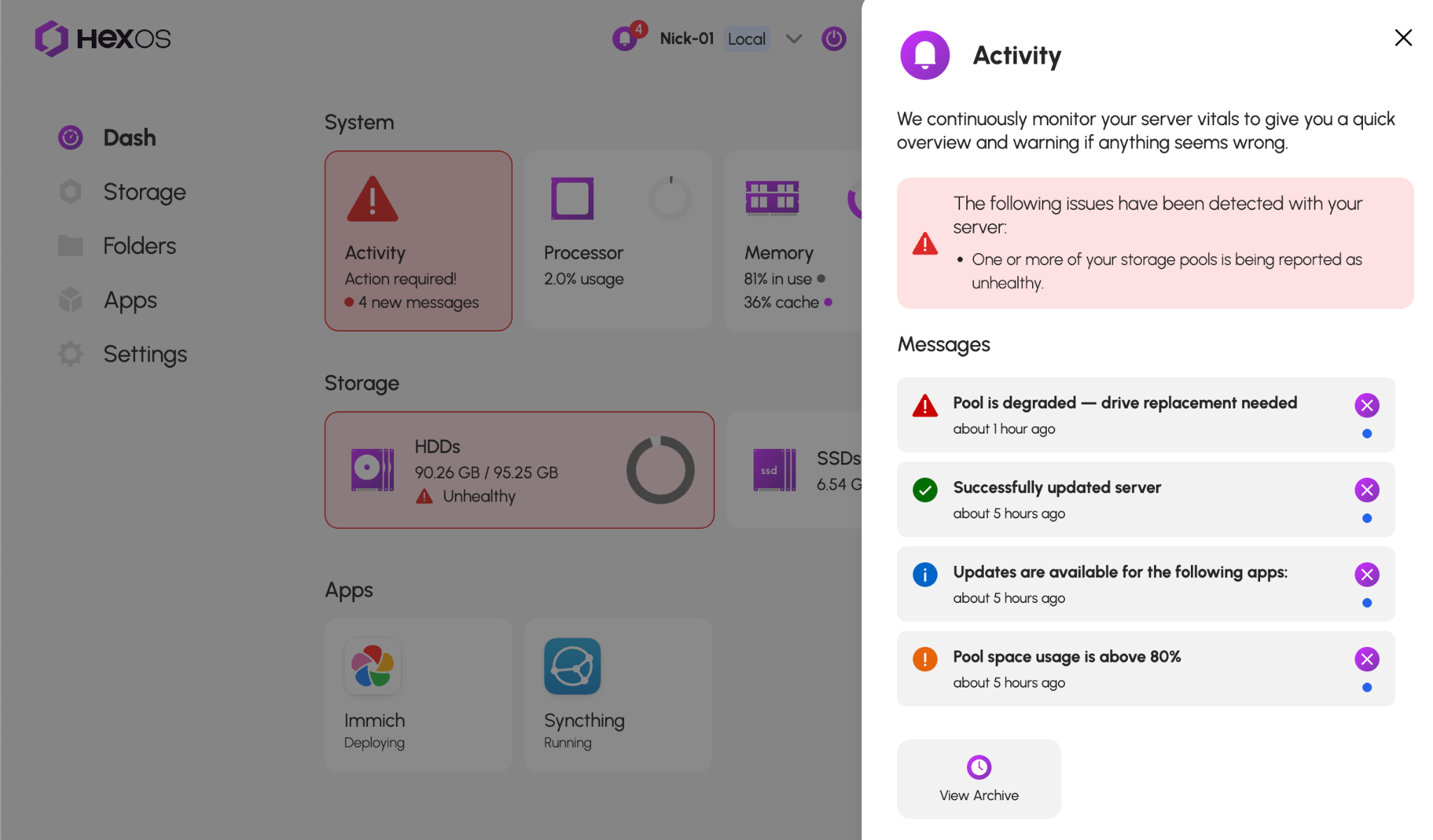
Click on the unhealthy storage pool.
Step 1 screenshot
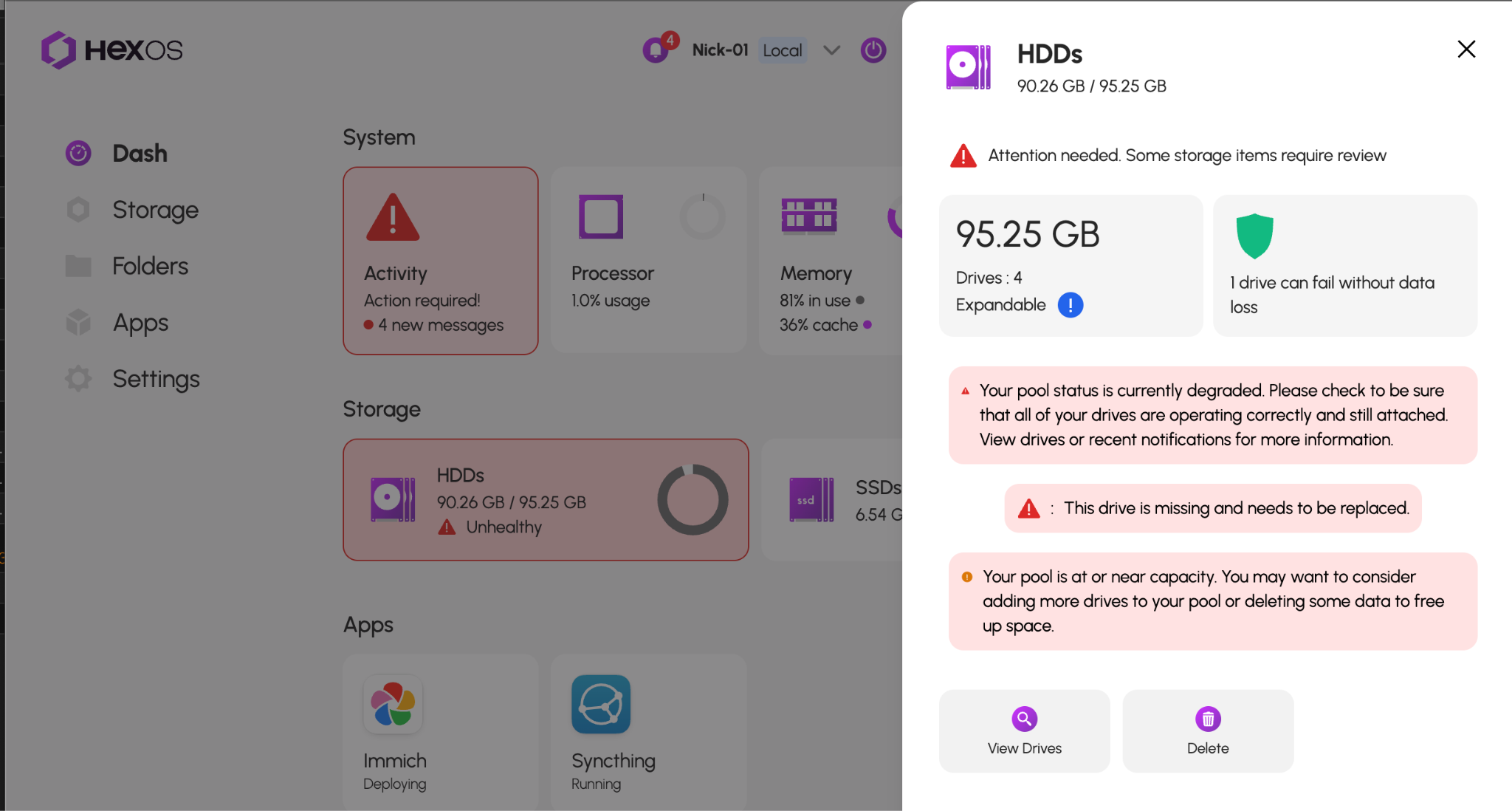
Click the "View Drives" button.
Once you see which drive has failed, click on it. You should get the serial number of it. This image shows a working “Healthy” drive, but this is an example to show you which drive to pull.
Step 1 screenshot
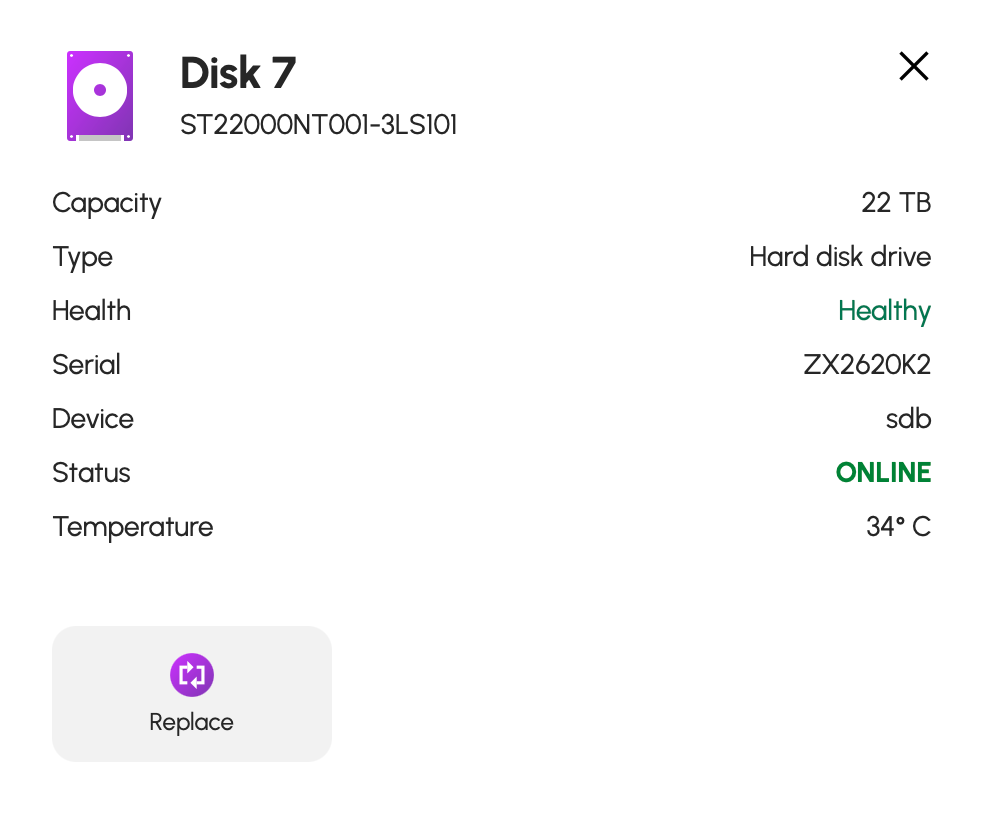
¶ Step 2: Shut down HexOS and remove the faulty drive. The serial number should be on the drive label. Now plug in your new drive where the old one was. Make sure all your drive cables are tight on the power and sata cables for all the drives
¶ Step 3: Once your server is booted back up, you should see something like the image below
Step 3 screenshot
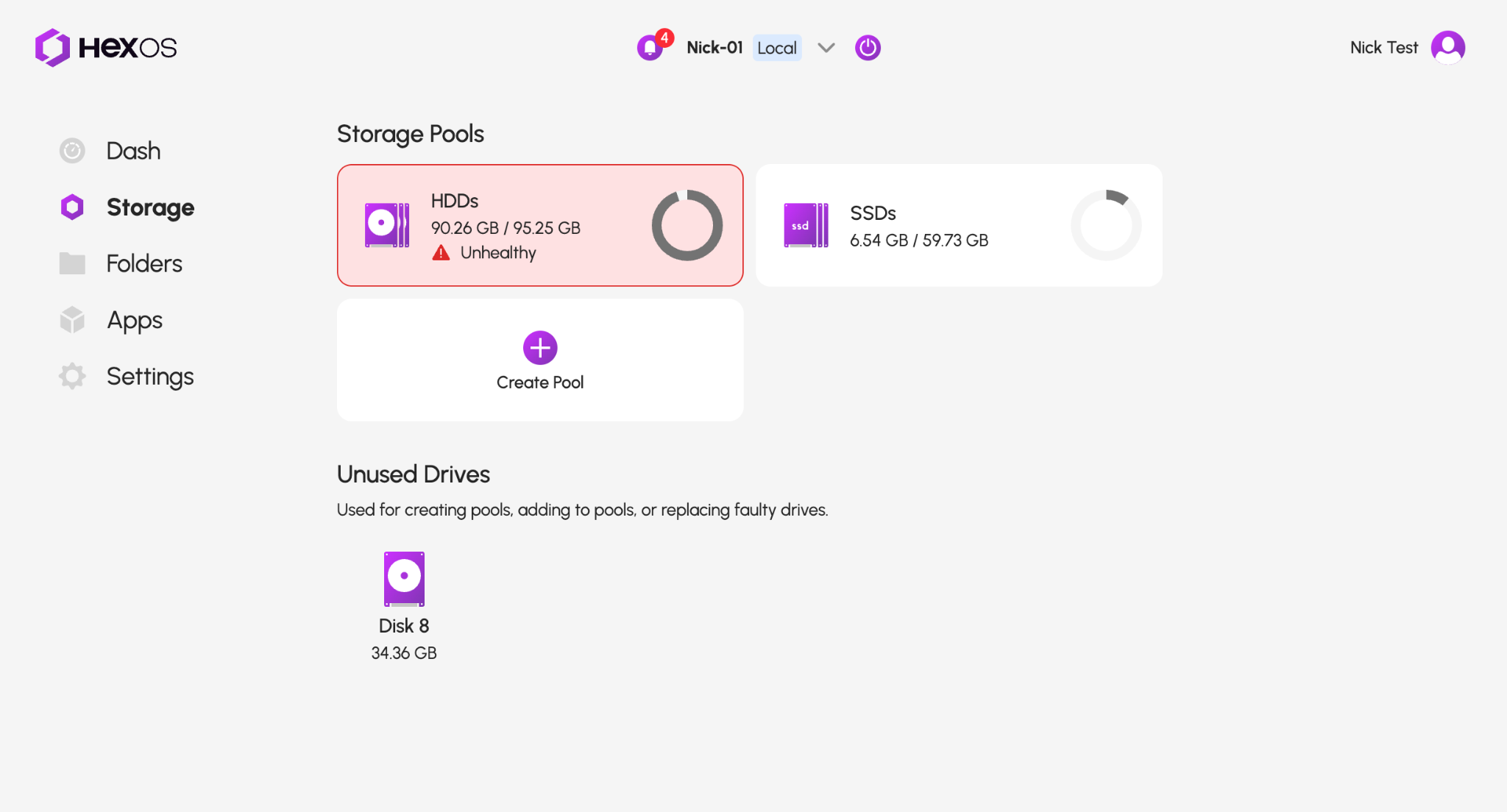
¶ Step 4: Click on the pool that has the issue. Click “View Drives”. Click on the missing drive. Click “Replace”
Step 4 screenshot
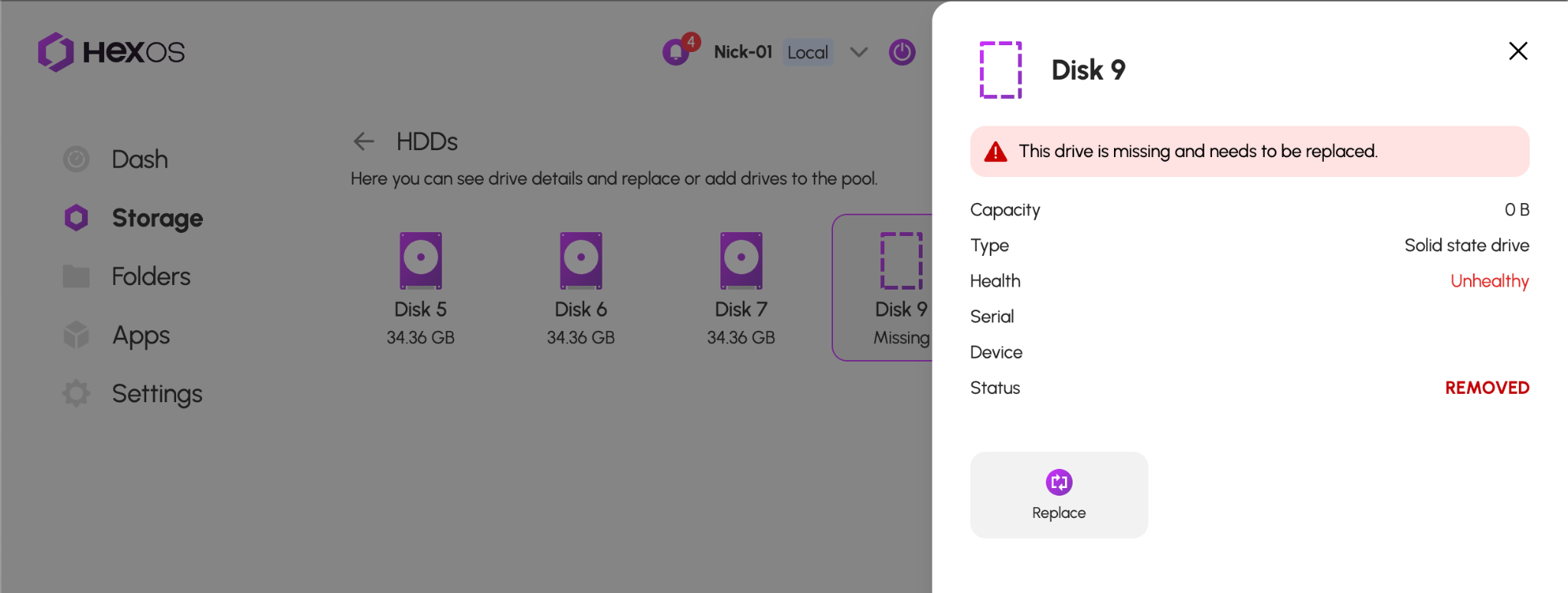
¶ Step 5: Click on the drop down “Replacement Drive” and pick the drive to replace your missing one
Step 5 screenshot
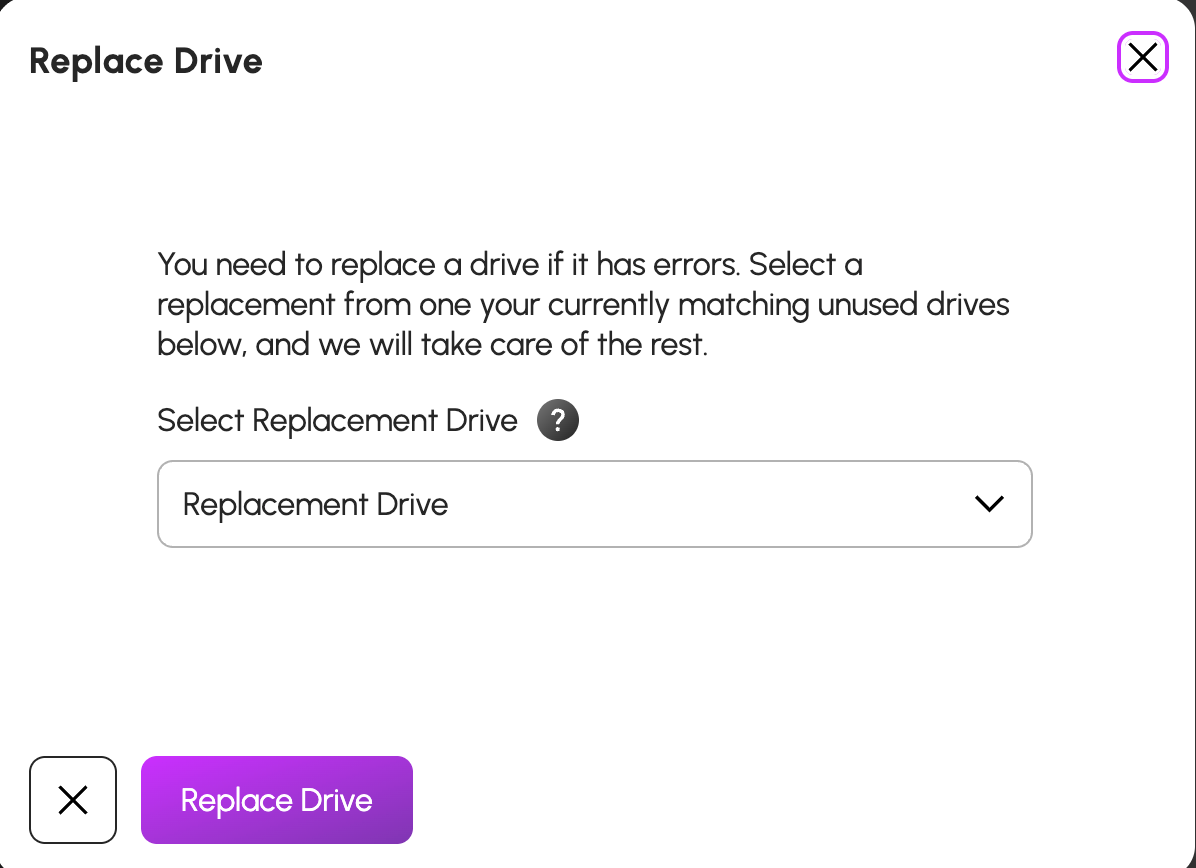
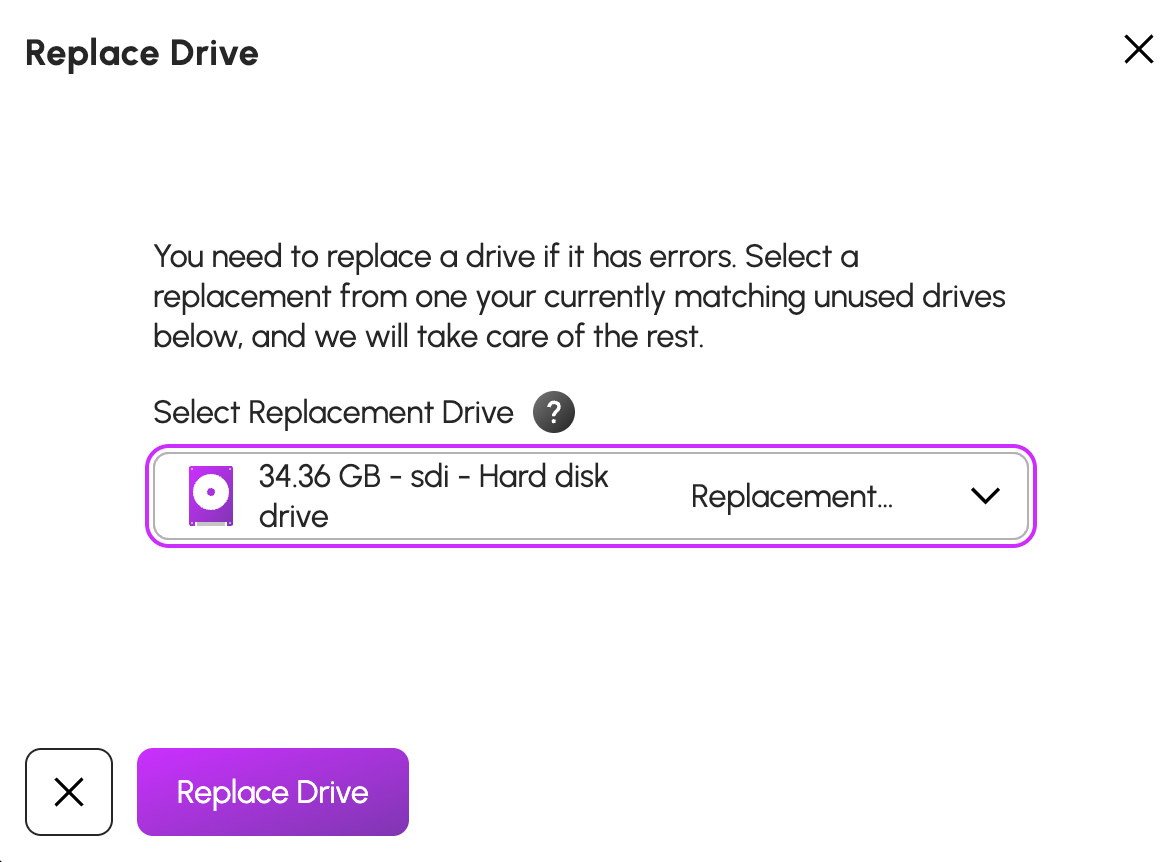
¶ Step 6: Pick the drive to replace your missing one. Then click “Replace Drive”
Step 6 screenshot
The system will now go through this process. Depending on the hardware, it can take minutes, hours, and even days to finish. Your system won’t show everything is fine until this process completes.