¶ Upgrading HexOS with TrueNAS 24.10.0 to TrueNAS 25.10.3
¶ Overview
- With the HexOS update to 1.0 with Local UI any system still running older versions will need to upgrade TrueNAS to work with HexOS 1.0.
- This guide only applies to users on
TrueNAS SCALE version 24.10.2.1or older. - If you can access HexOS Deck this guide does not apply to you
¶ Finding your server IP address
Finding the IP address with a monitor
1. Connect a display to your server.- When turned on the server will show your IP address
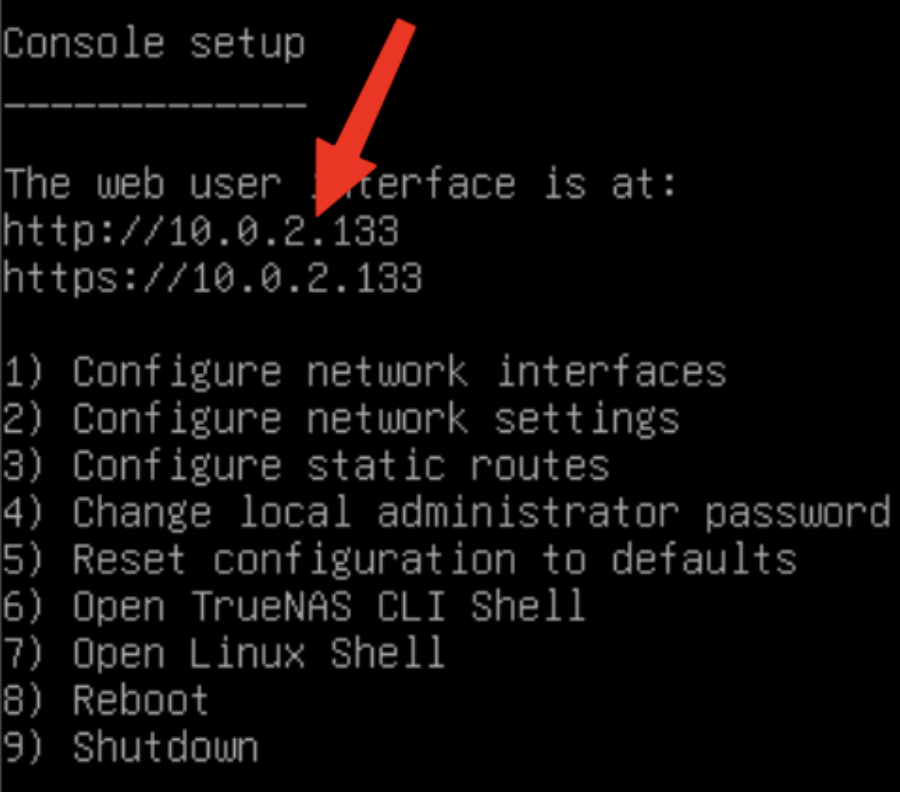
If you are unable to connect a monitor to your server you may be able to find the server IP address by logging into your router's web interface and looking at connected devices.
¶ Logging in to the TrueNAS web UI
- Type the IP address into your browser
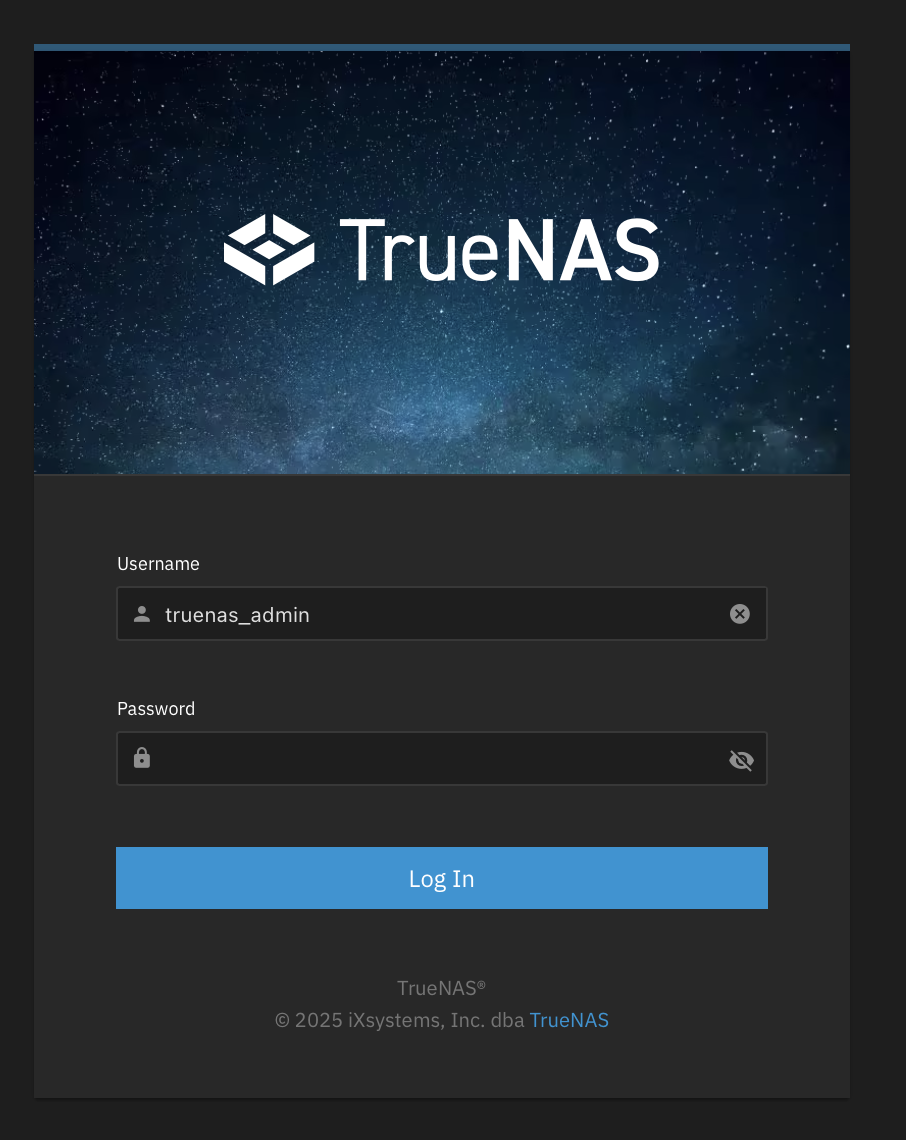
- Log in
- The username will be
truenas_admin - The password will be what you selected when first installing HexOS
- The username will be
TrueNAS login screen
¶ Updating process
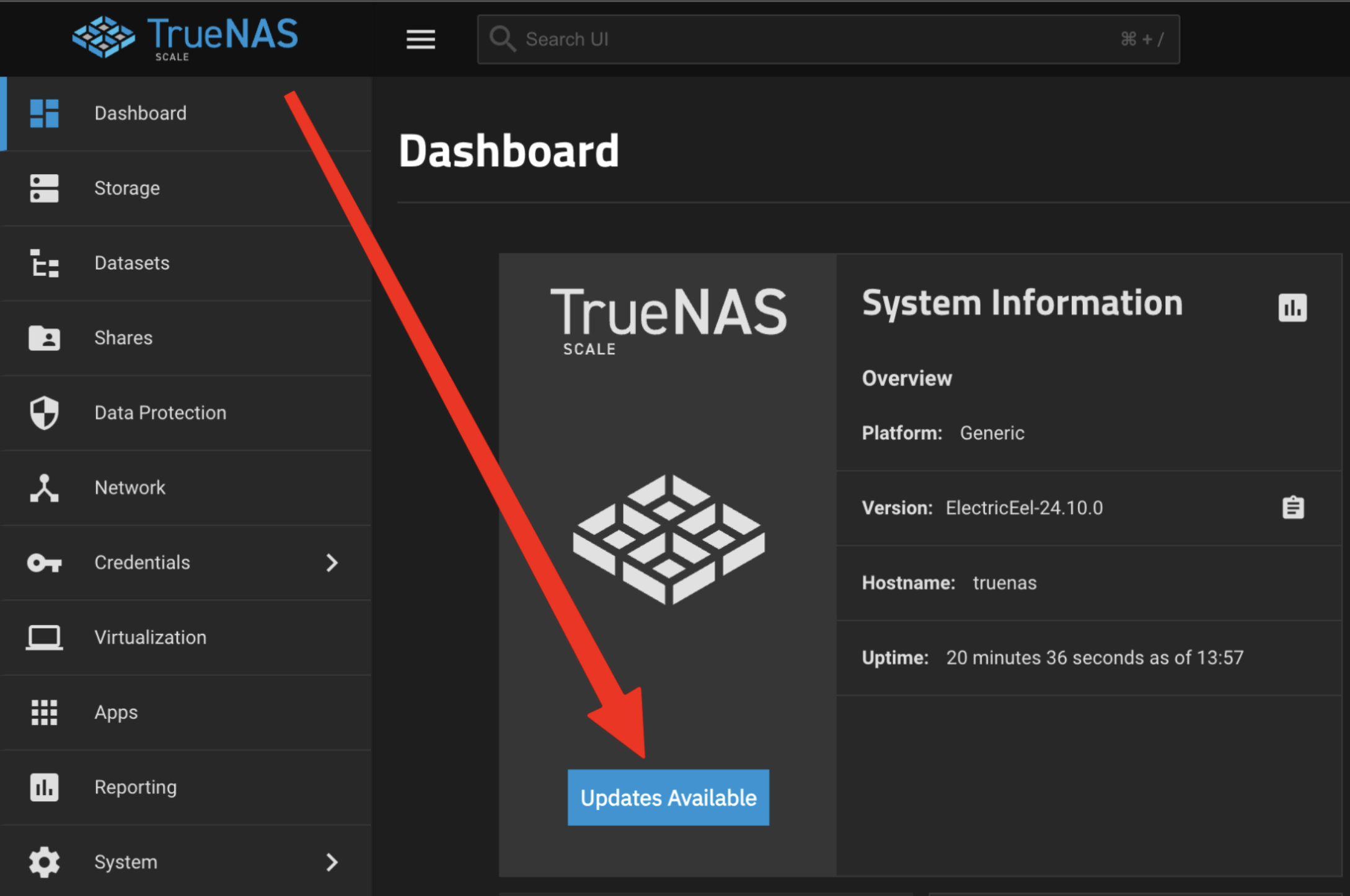
- Click the blue Updates Available button
Updates Available button
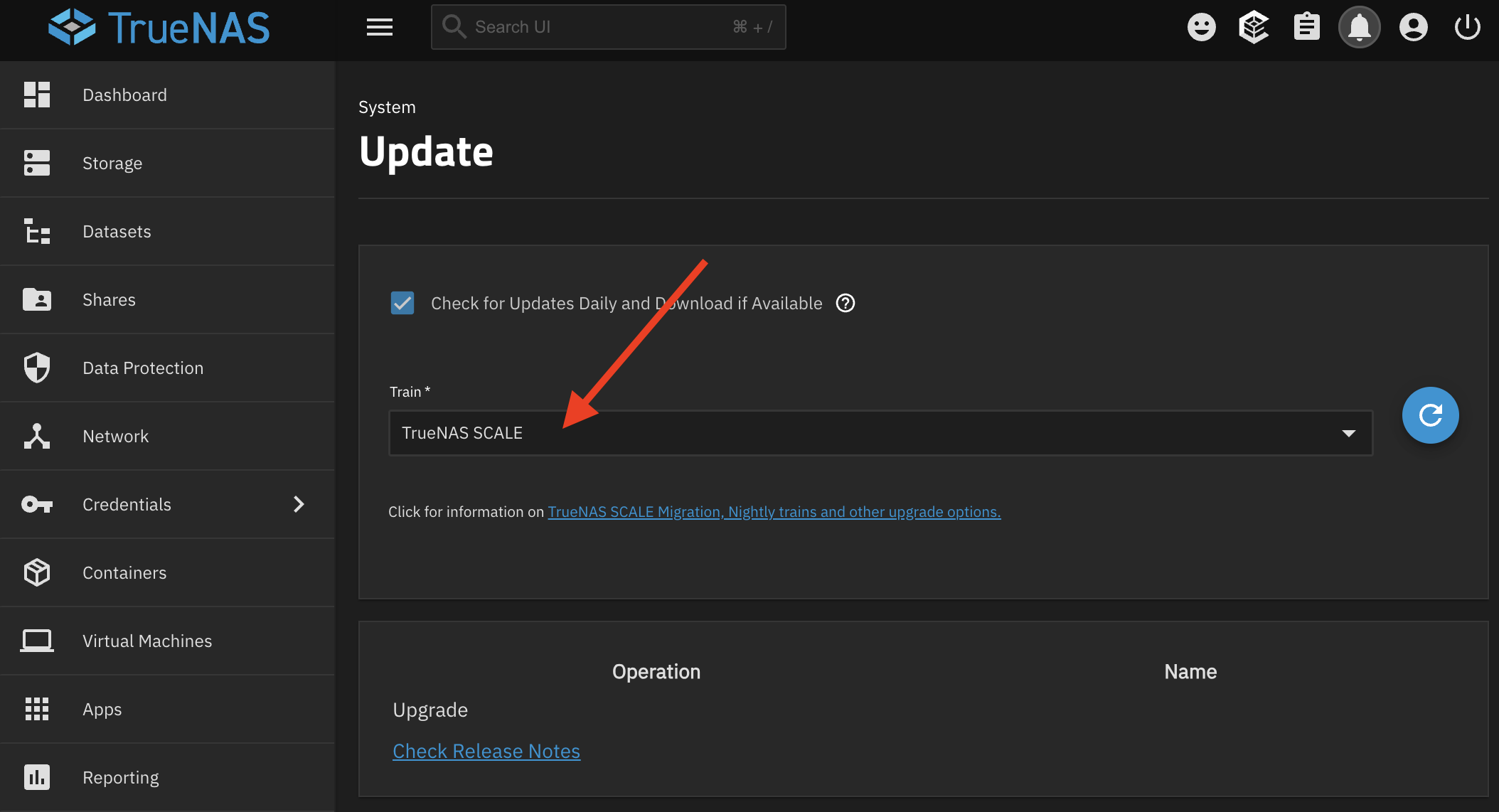
2) Click the **Train** dropdown
Train dropdown
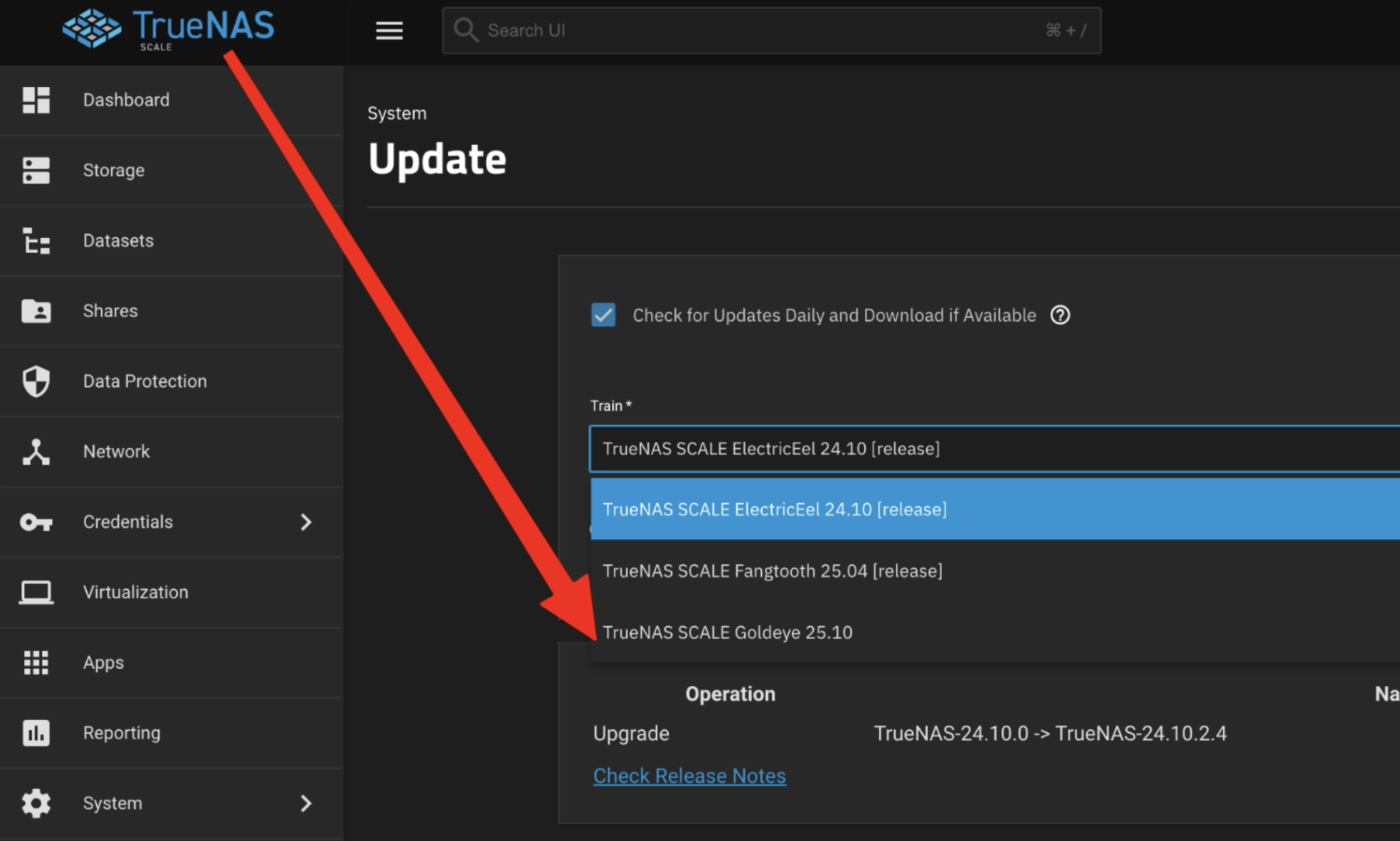
3) Click **TrueNAS SCALE Goldeye 25.10** in the dropdown
Goldeye train selection
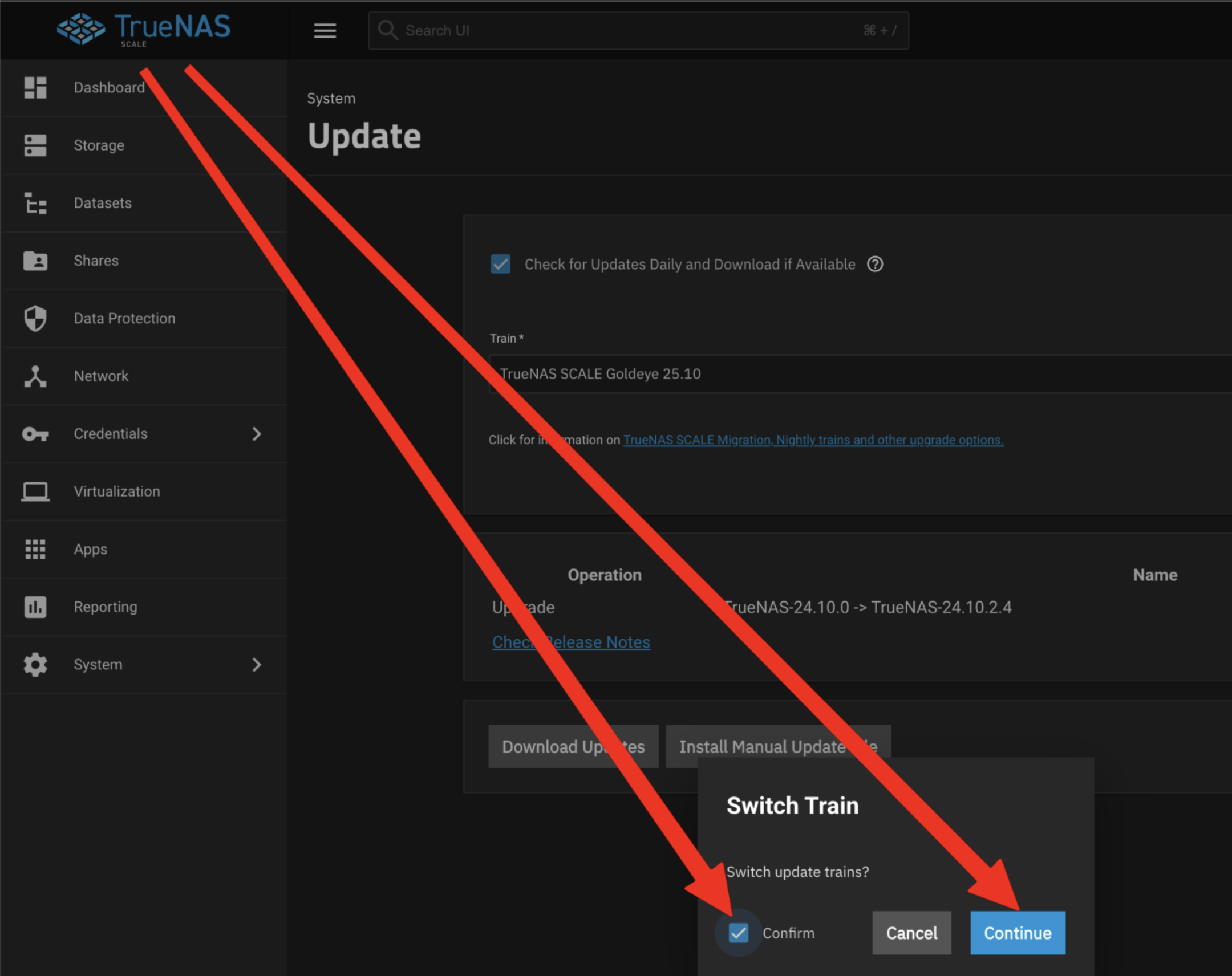
4) Confirm changing the train
Train change confirmation
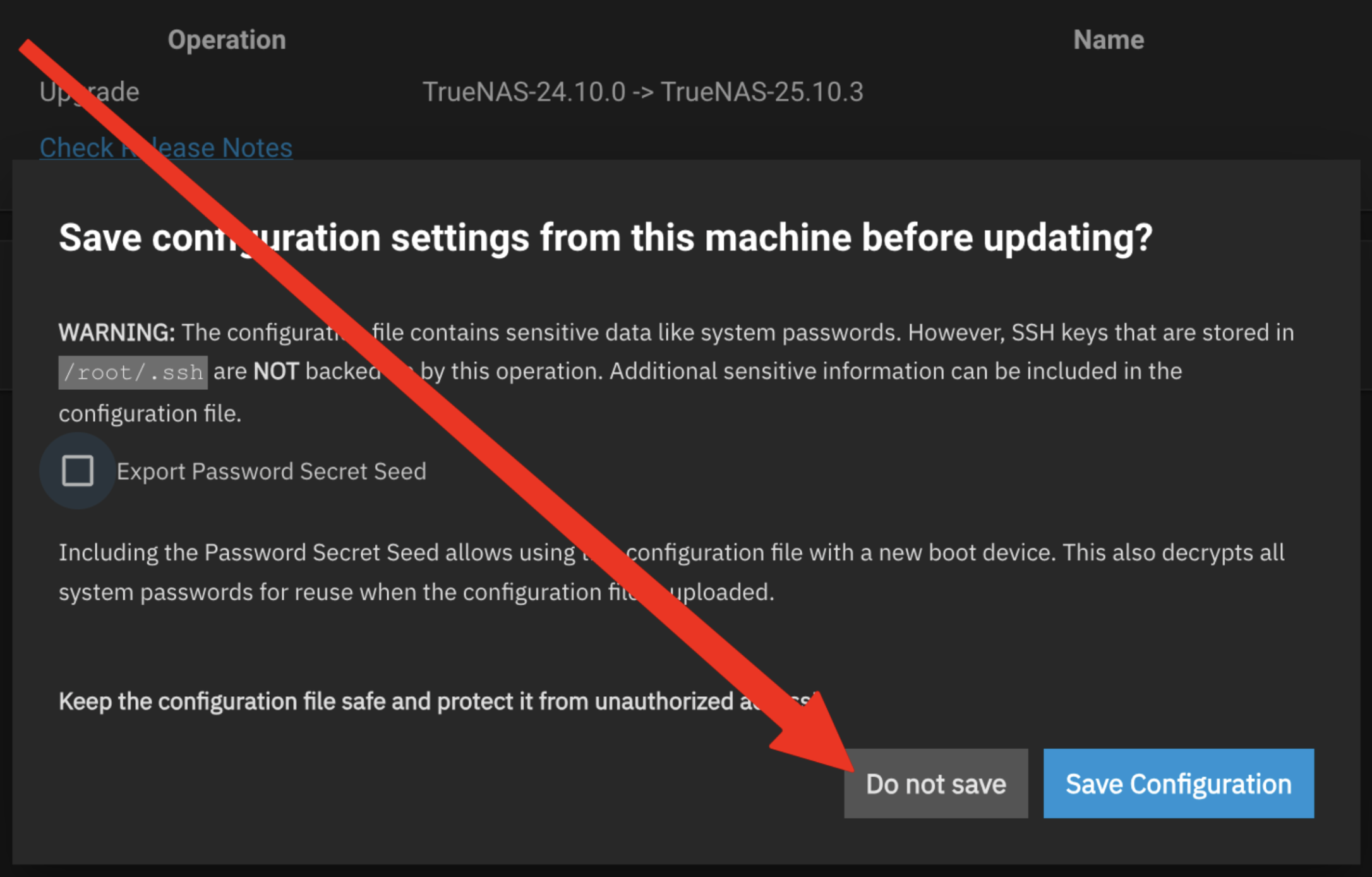
5) Click the **Do not save** button
Do not save prompt
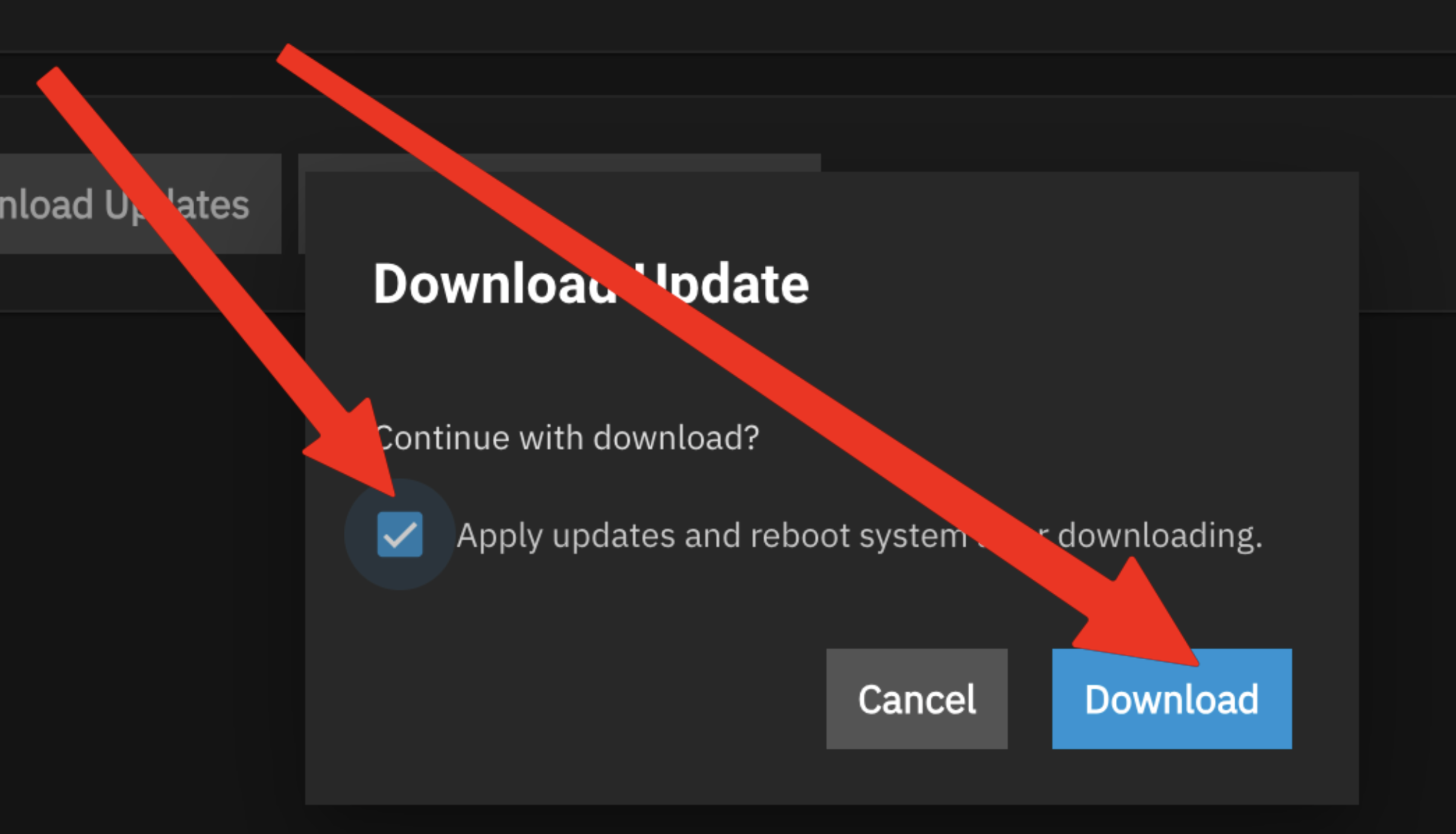
6) Click **Apply updates and reboot system after downloading** and then click **Download**
Update download options
¶ If you still can't connect to HexOS Deck
If you are still having trouble claiming your server or connecting to HexOS Deck please reach out to [email protected]