¶ Troubleshoot an app installation
Start with the failure shown in HexOS. Keep the full error text, app version and install-script version so you can identify the operation that failed.
¶ Check the failed task
Open the bell and check Jobs for the installation. Read the failed task and any child hook steps. Check the error before retrying; an app may have been partly installed even if a later hook failed.
Retry usually starts the failed hook again. A script using awaitCheckpointRetry() can retry its failed step without restarting the whole hook, but the script must implement that retry. Skip, when offered, continues without completing that hook or checkpoint. Check what the skipped hook was meant to configure before using the app.
Before-stop hooks have a shorter save window. They can delay the requested stop while saving, but a failure or timeout does not cancel it. See Hooks reference.
¶ Check a TrueNAS job
If the HexOS error does not explain the failure, open your server's TrueNAS interface from Settings > TrueNAS. Use the server's own address; the address and whether it uses HTTP or HTTPS depend on your installation.
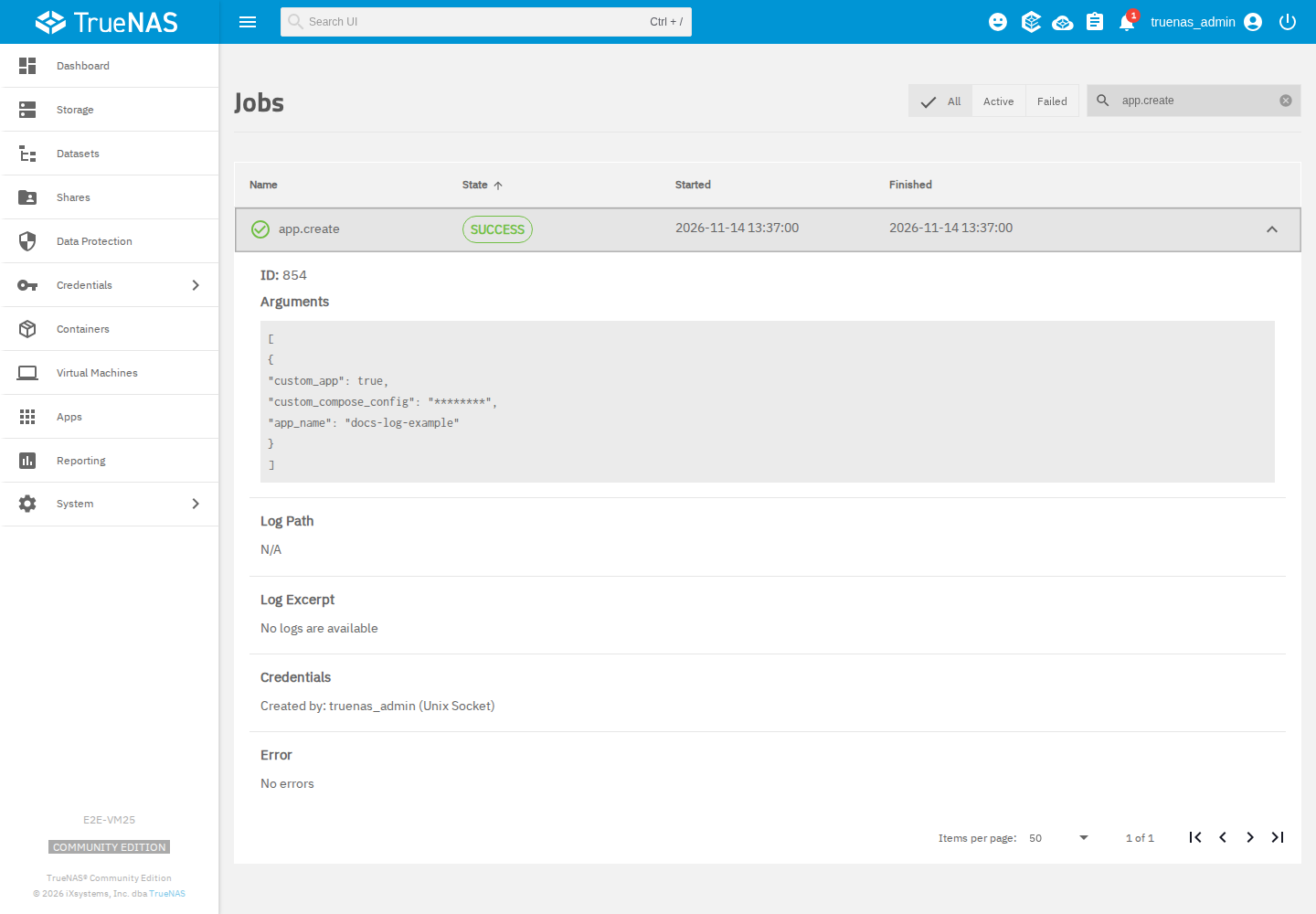
Click the Jobs History icon at the top, then Go to Jobs Page. Find the matching installation or update job. Read its error details. Match the app name and operation instead of assuming the newest failed job is the one you need. Click the job row to expand its details.
An expanded sample app creation job
¶ Read app logs
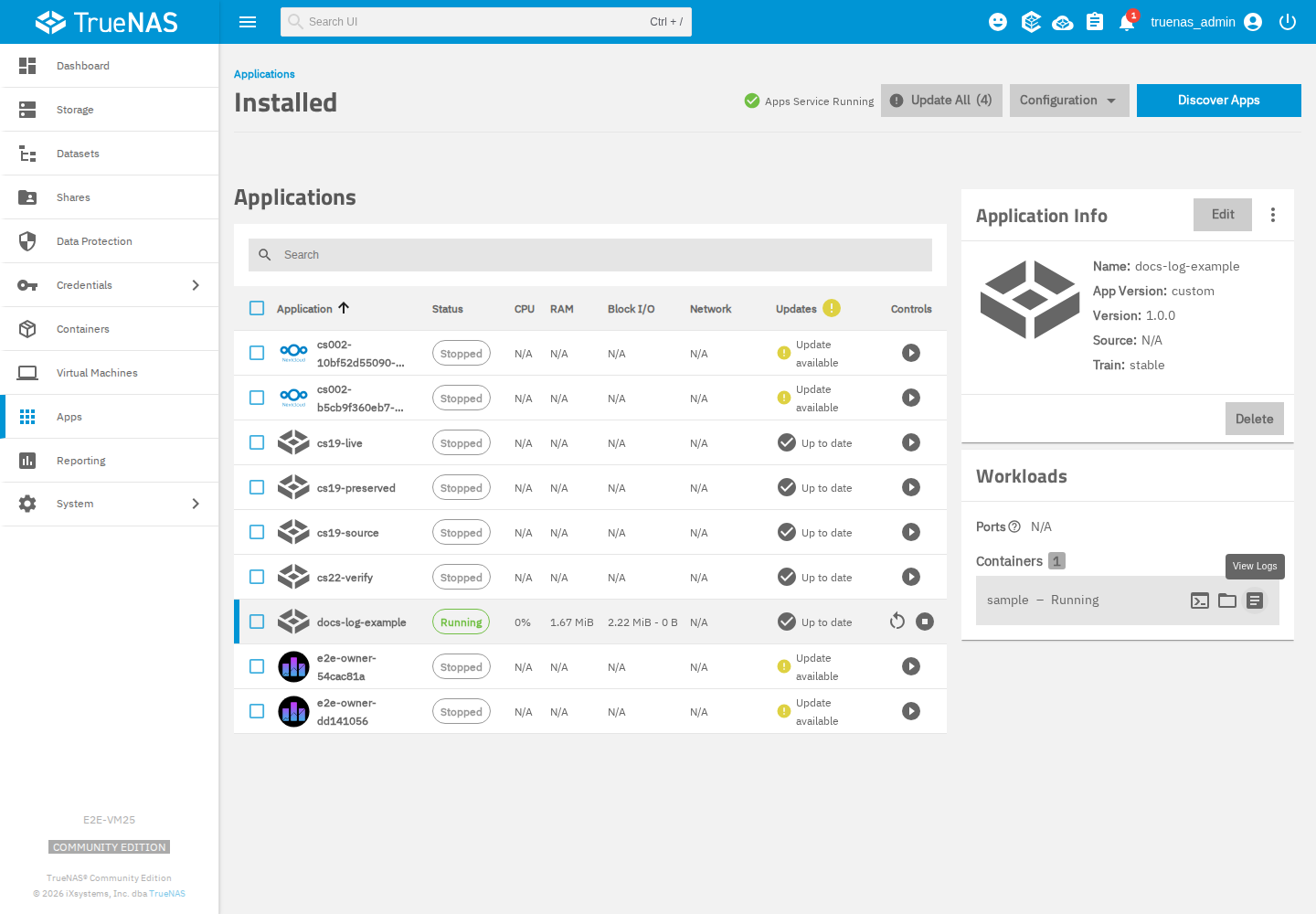
In TrueNAS, open Apps, then the installed app. Under Workloads > Containers, use View Logs for the container that failed. An app can have several containers, including its database.
Find View Logs beside the container
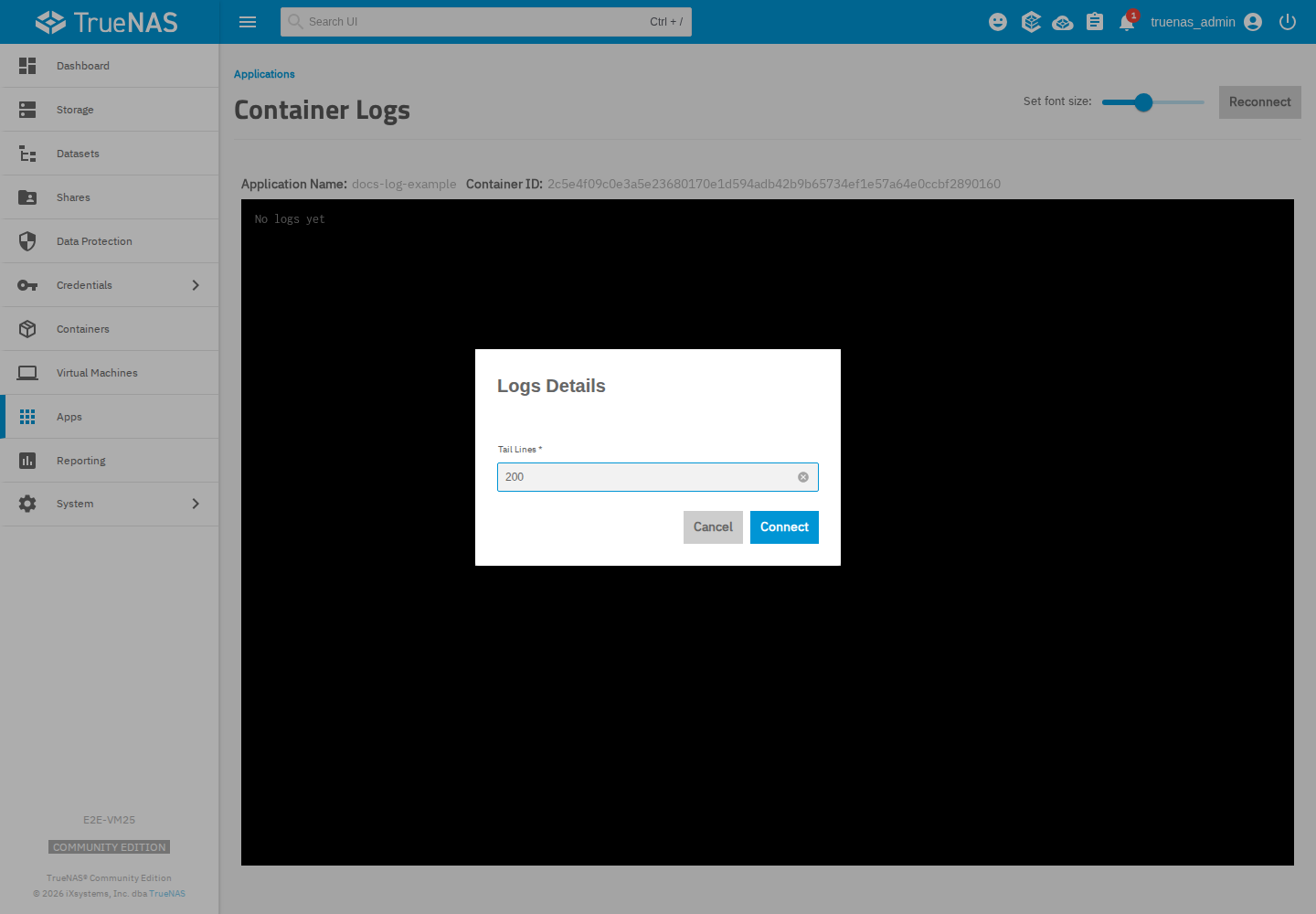
In Logs Details, enter the number of Tail Lines to read, for example 200. Click Connect.
Choose how many log lines to read
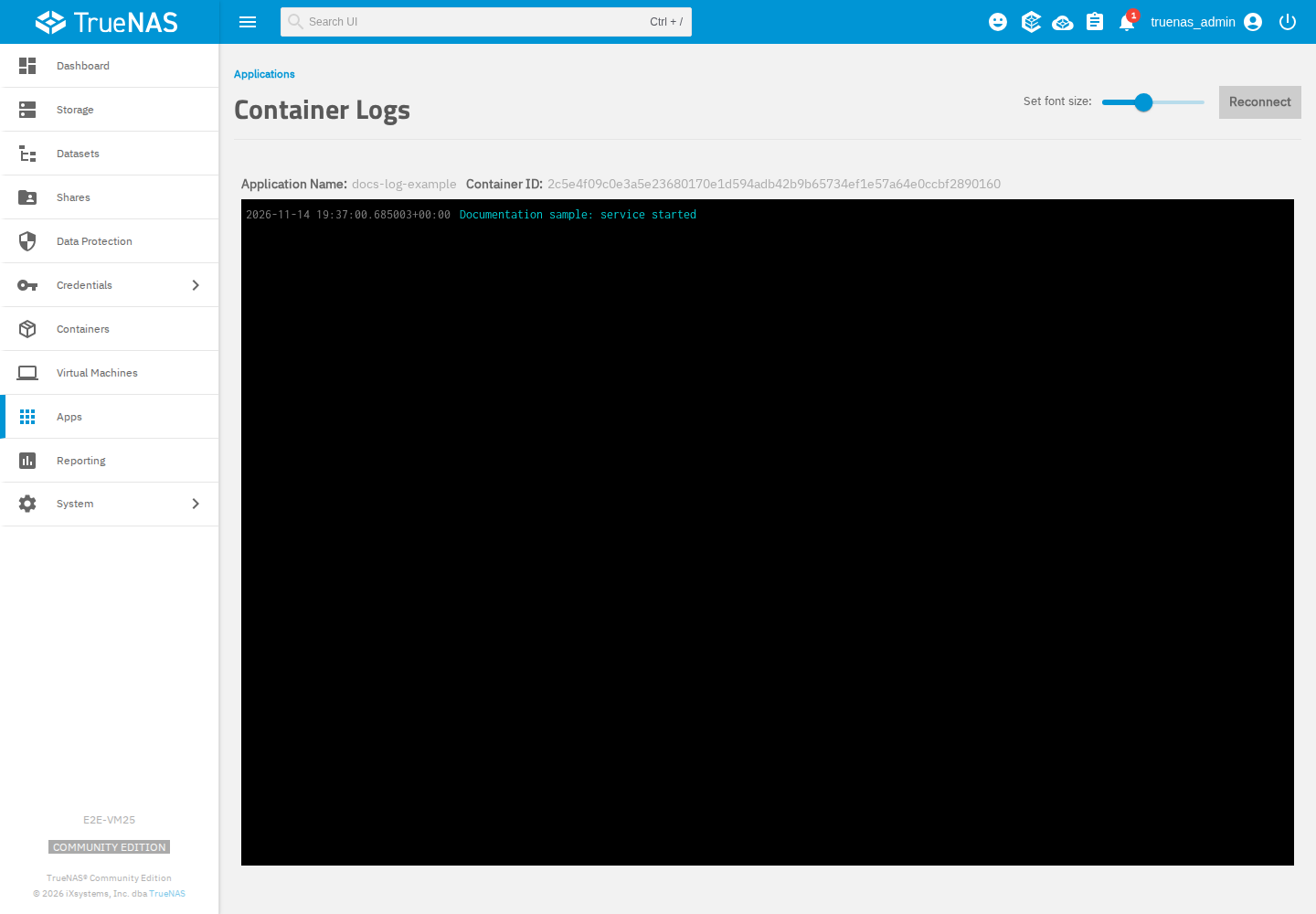
Read the resulting Container Logs screen. The sample below shows a successful startup message; a failing app will have different output.
Log output from the sample app
If the container has stopped or the interface does not provide its logs, open System > Shell in TrueNAS. Run sudo docker container list -a to list containers. Identify the exact app and container before continuing.
Copy its container ID, then run sudo docker logs --tail 200 CONTAINER_ID, replacing CONTAINER_ID with that ID. This reads the last 200 log lines. It does not change or restart the container. If sudo asks for your password, enter your TrueNAS administrator password; the terminal does not show its characters.
Read logs for the sample container in Shell
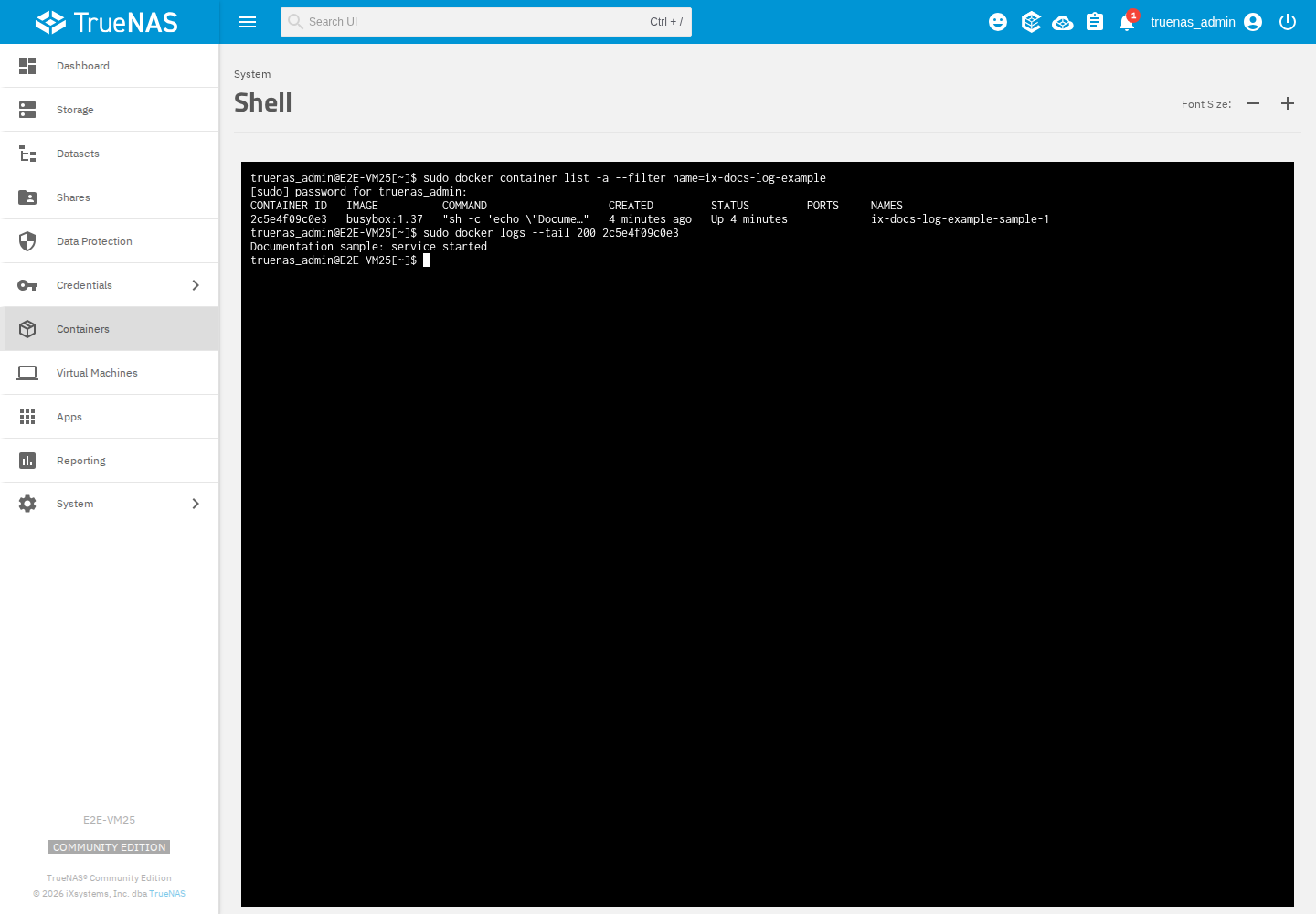
The screenshot filters the container list to the sample app. Use your own container ID, not the ID in the picture.
Warning: Logs can contain private information. Remove passwords, tokens and personal data before sharing them. Keep an unchanged private copy for your own troubleshooting.
¶ Common causes
| Problem | What to check |
|---|---|
| App is not ready | Confirm that waitForApp() uses the right endpoint, expected status and polling options before increasing the hook timeout. |
| App cannot be reached | Check the configured port and listening address. Confirm the endpoint belongs to this app. |
| OAuth or another input did not finish | Read the task's prompt and retry the input flow when offered. |
| Missing input | Compare the script's inputs declarations with the values the hook reads. |
| Missing directory | Check the configured base location and ensure_directories_exists entries. |
| HexOS couldn't reach one of this app's folders | The step did not run and nothing was written. Click Retry. If it fails again, restart the HexOS app: in TrueNAS click Apps, click the HexOS app, click Restart and wait until it shows Running. Then click Retry again. |
| Invalid app configuration | Compare app_values with the installed app version's TrueNAS schema. |
| Hook function not found | Match entrypoint to the exported async function in the hook script. |
¶ Permission errors
Identify the exact path and the user and group required by that app's current container. Compare the directory declaration with the current catalog script. An owner declaration belongs on an app-owned directory.
Do not copy another app's database owner or change ownership across a shared folder. A user and group used by one PostgreSQL app are not a general prescription for all PostgreSQL containers. See Directory creation, ownership and snapshots.
¶ Ask for help
Include the app name, TrueNAS version, app and script versions, the action you took and the full error with private values removed. Explain whether the app installed, whether any containers are running and which check failed.
Use the HexOS Discord Community for help. For a catalog-script change, follow Contribute an app install script.