¶ Reset
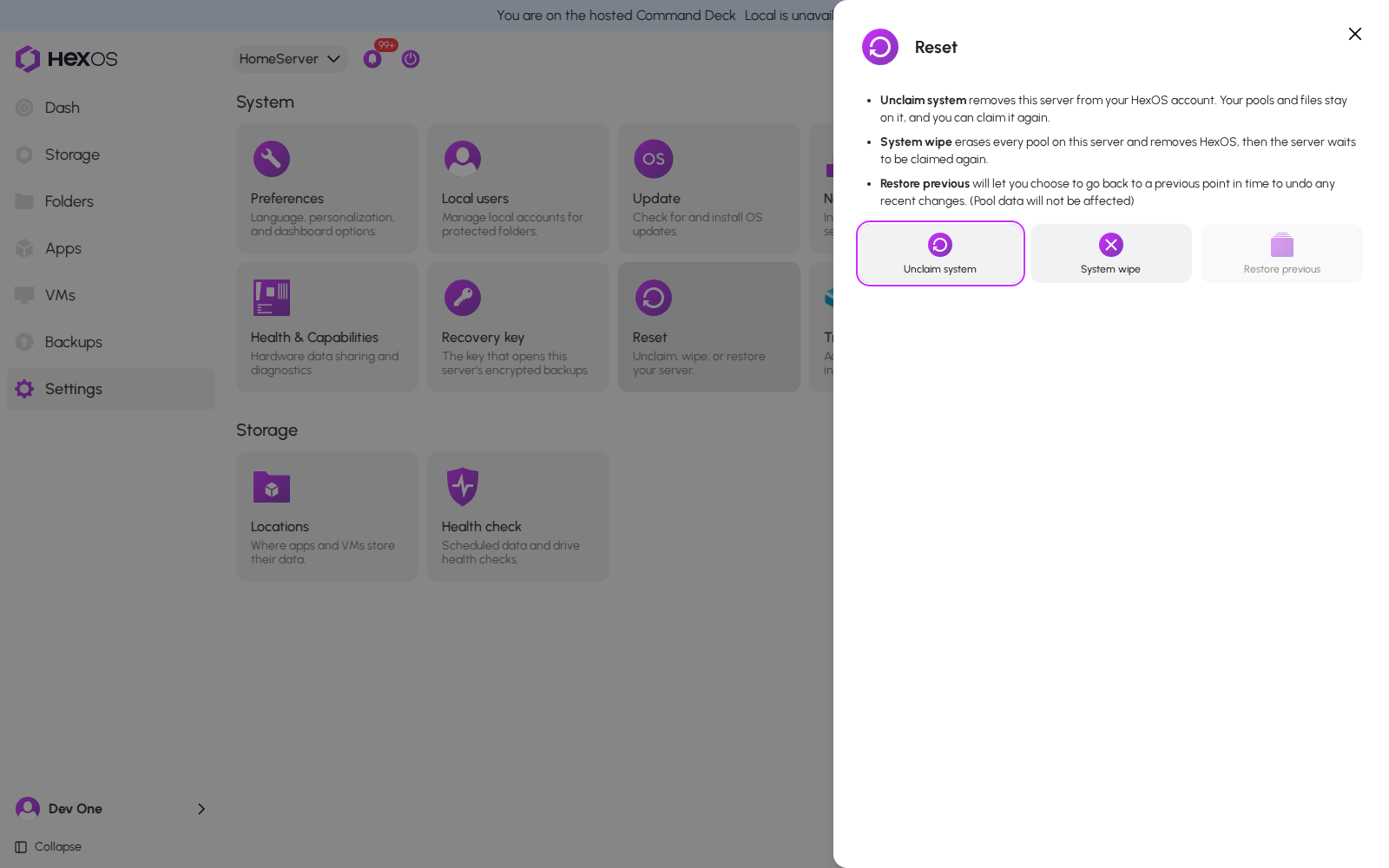
Reset in Settings has two actions for the server you have open:
- Unclaim system removes this server from your HexOS account. Your pools and files stay on it, and you can claim it again.
- System wipe erases every pool on this server and removes HexOS, then the server waits to be claimed again.
These are the panel's own words.
Restore previous is shown too, but you cannot click it yet.
Danger: System wipe erases the pools on the server, with everything on them: files, folders, apps and virtual machines. It cannot be undone. Make sure you have a copy of anything you still need.
¶ Where to find it
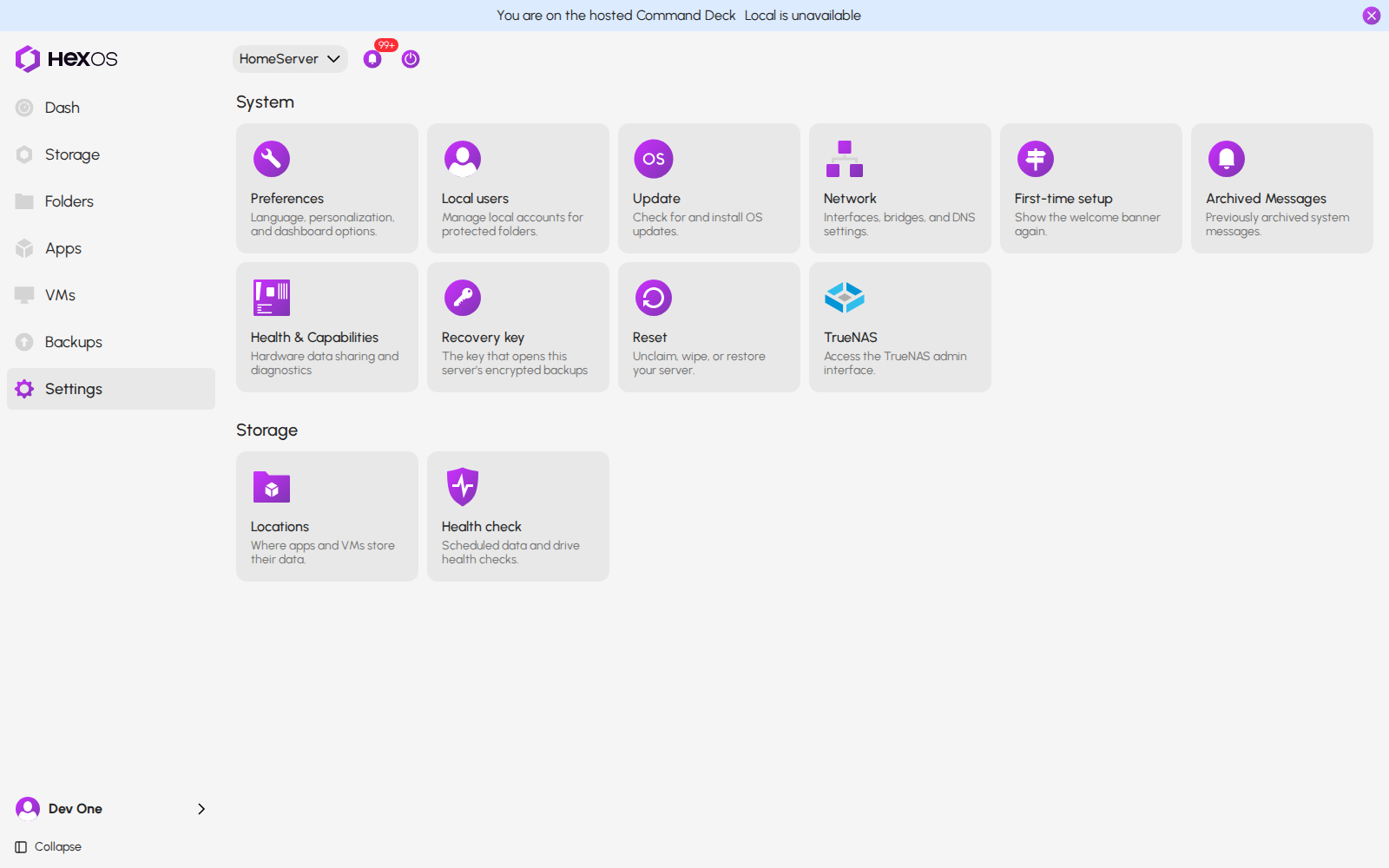
Click Settings. In the System group, click the Reset tile.
Reset tile in Settings
The Reset panel explains each action and has a button for each.
The Reset panel
Info: Both actions only work on the hosted Command Deck at deck.hexos.com. If you use HexOS on your local network, HexOS shows Hosted Command Deck Required. Click Continue on Hosted Deck to go there.
¶ Unclaim system
Unclaim takes the server off your account and leaves HexOS, your pools, files and apps on the server. You can claim it again later.
What Unclaim also does:
- It takes the server off the private network HexOS sets up between your servers.
- It clears this server's Share hardware data and Share drive statistics choices. Whoever claims the server next chooses again.
- It clears the server's activity history in HexOS.
- It pauses this server's own backups to other servers. The copies are kept.
- It deletes the buddy backups this server stores for other servers, but only after you confirm that in a separate dialog.
Warning: If this server stores buddy backups for other servers, HexOS asks you to confirm that those backups will be deleted, and deletes them. Your own server's backups on other servers are kept.
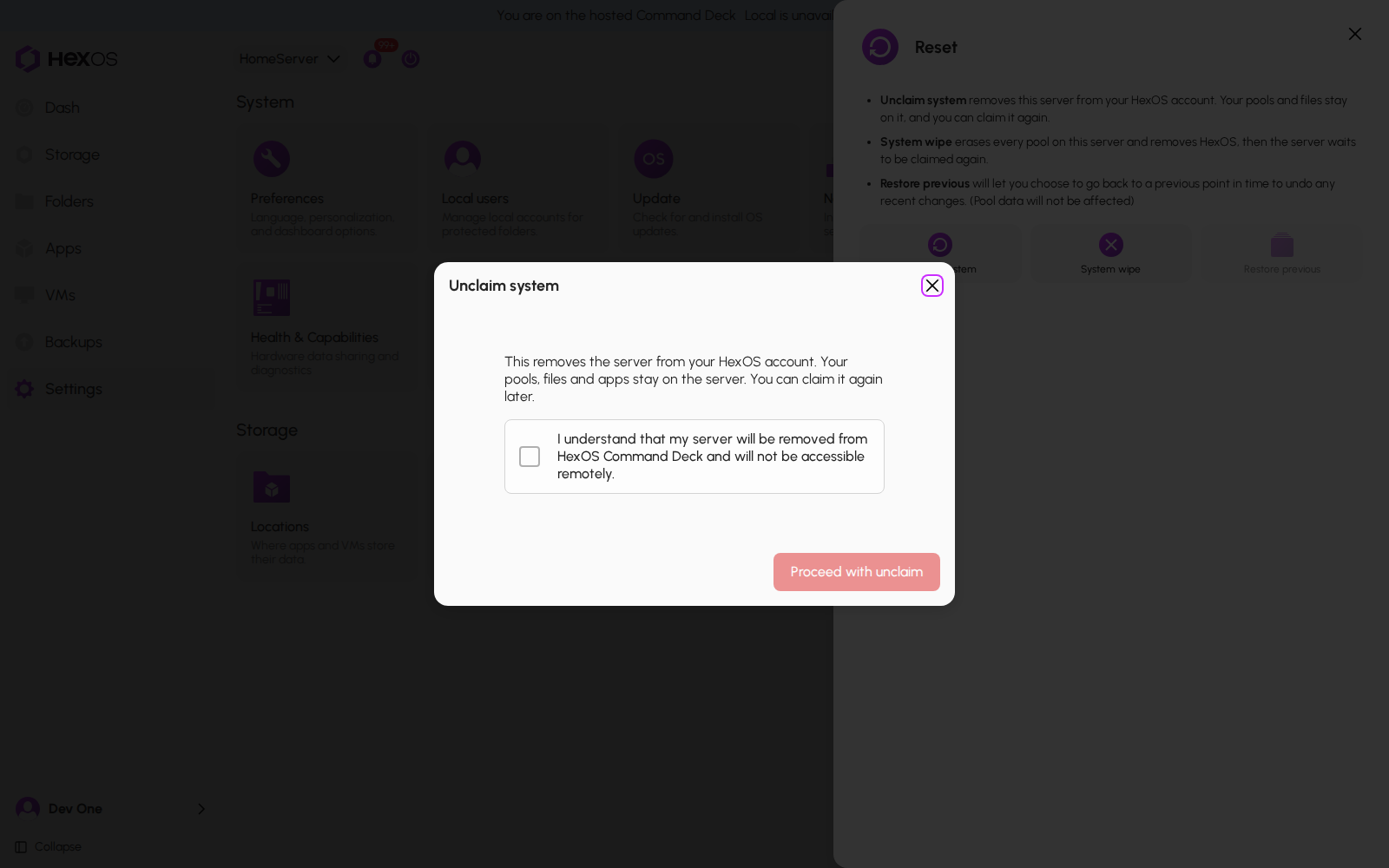
- Click Unclaim system.
- Tick I understand that my server will be removed from HexOS Command Deck and will not be accessible remotely.
- Click Proceed with unclaim.
The dialog says: This removes the server from your HexOS account. Your pools, files and apps stay on the server. You can claim it again later.
Unclaim system
HexOS goes to the dashboard and says Your server has been disconnected from HexOS.
To use the server with HexOS again, claim it from Find your server.
Info: You cannot unclaim a server while it is being wiped. HexOS says This server is being wiped. Wait for the wipe to finish.
¶ System wipe
¶ Start the wipe
- Click System wipe.
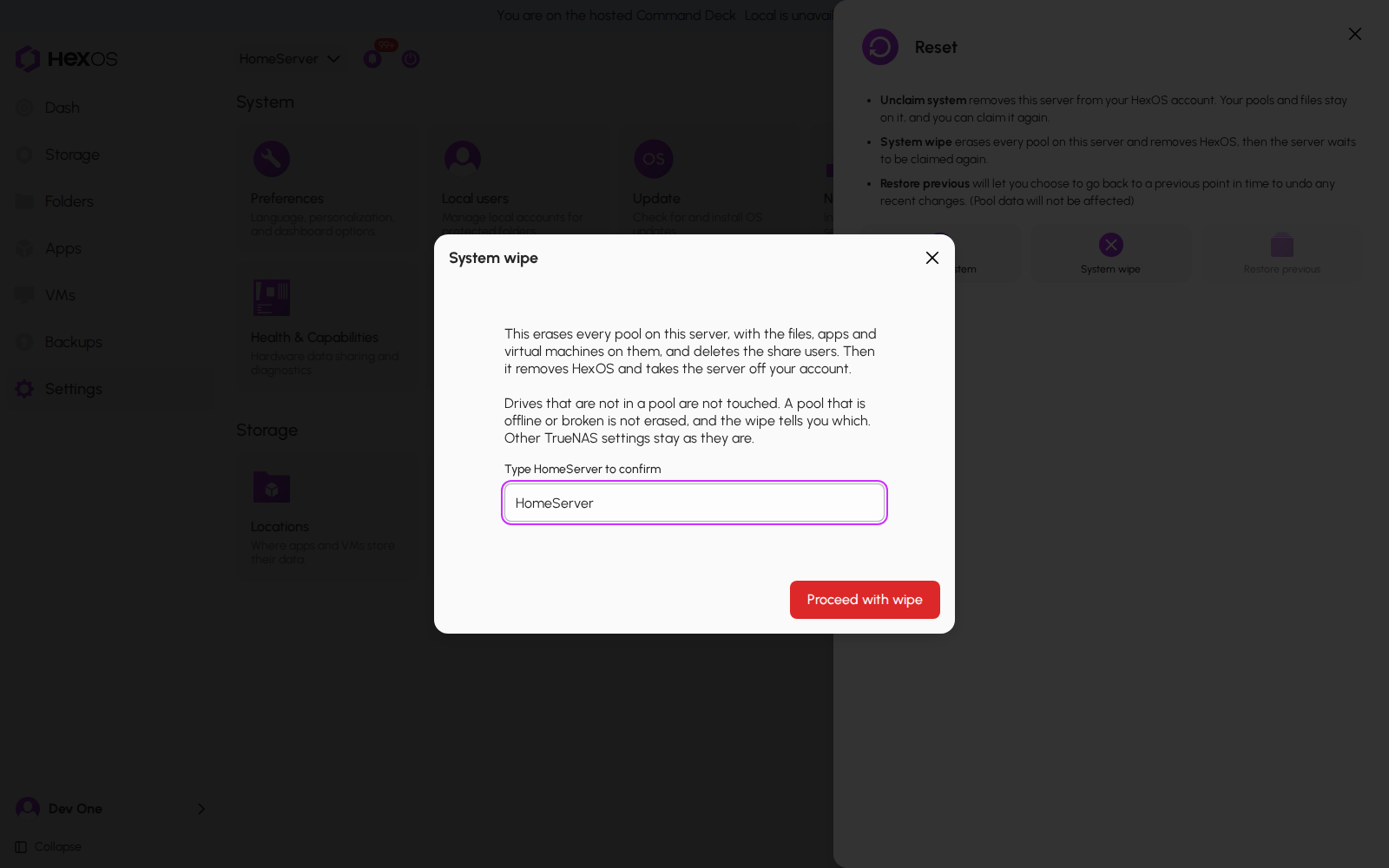
- Read what the wipe does. The dialog says: This erases every pool on this server, with the files, apps and virtual machines on them, and deletes the share users. Then it removes HexOS and takes the server off your account. and Drives that are not in a pool are not touched. A pool that is offline or broken is not erased, and the wipe tells you which. Other TrueNAS settings stay as they are.
- Type the server's name and click Proceed with wipe.
System wipe
- HexOS asks again: ARE YOU SURE? It says Last check. Every pool on this server will be erased. This cannot be undone. Type the server's name once more and click Yes, Delete everything.
Are you sure?
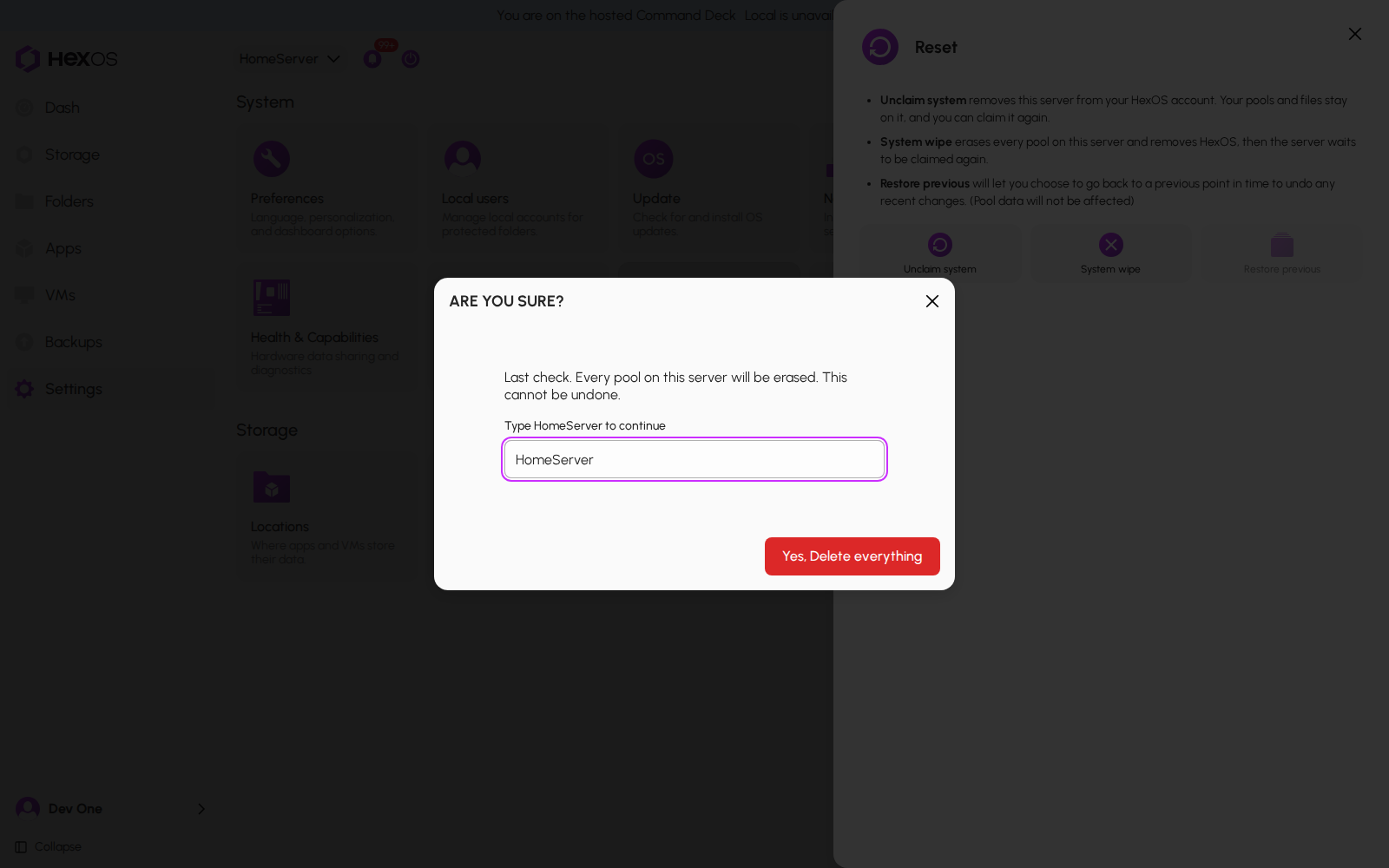
Info: If this server stores buddy backups for other servers, HexOS then asks you to confirm that those backups will be deleted. If this server backs up its own folders to other servers, the Unclaim and System wipe dialogs add a line, for example: This server backs up folders to 2 destination(s). Those copies are kept and can still be restored from the Backups panel. Delete them there if you want them gone.
¶ While the wipe runs
When the wipe starts, HexOS takes the server off the private network between your servers, pauses this server's own backups to other servers (the copies are kept), and deletes the backups it stores for other servers if you confirmed that.
HexOS covers the screen with Wiping and the server's name while the wipe runs. The dashboard and its controls are unavailable behind it.
The wipe has started
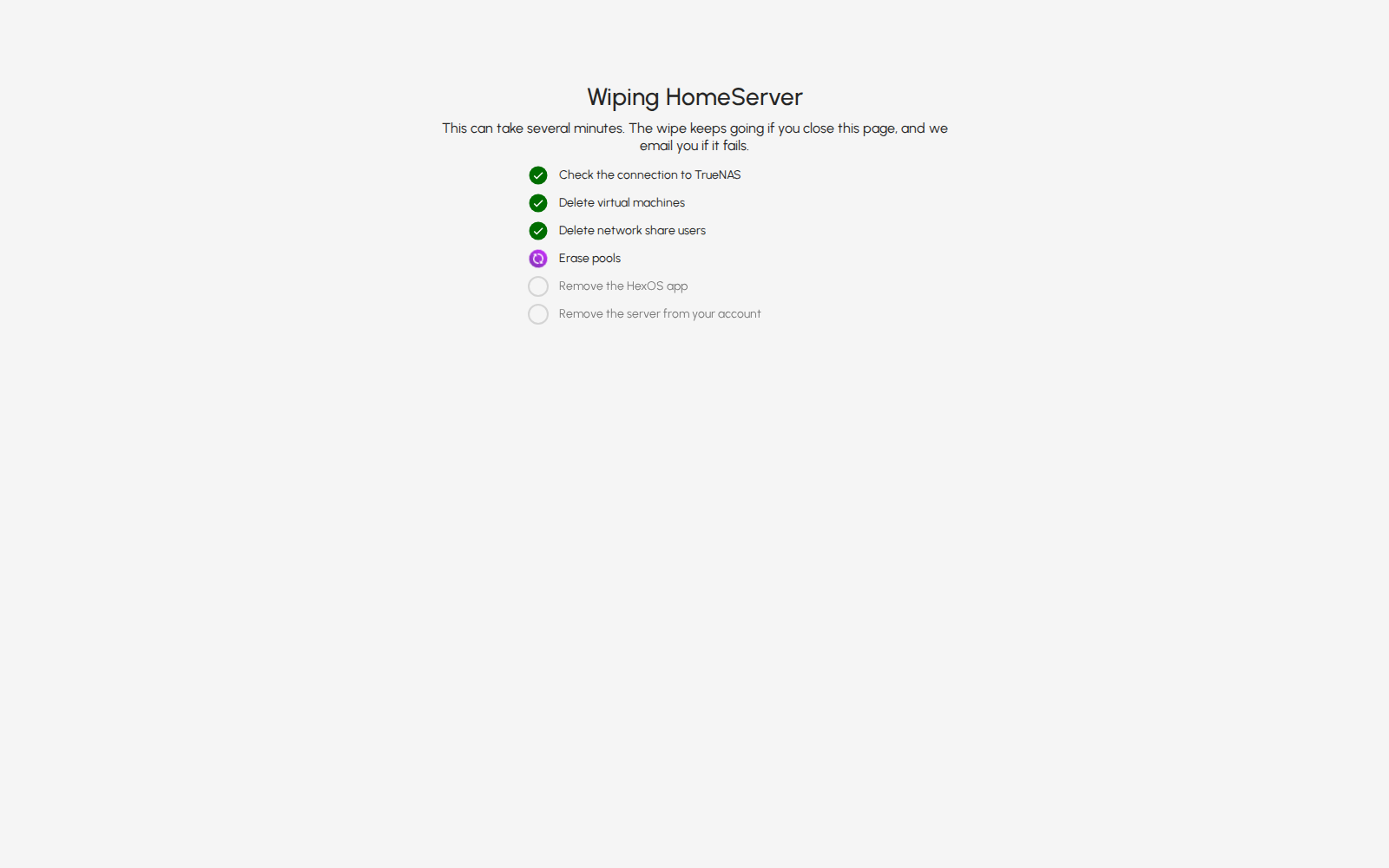
The wipe screen shows these steps, each with a check mark when it is done:
- Check the connection to TrueNAS
- Delete virtual machines
- Delete network share users
- Erase pools: HexOS erases one pool at a time and waits until each erase has finished before it starts the next.
- Remove the HexOS app
- Remove the server from your account
The wipe's steps
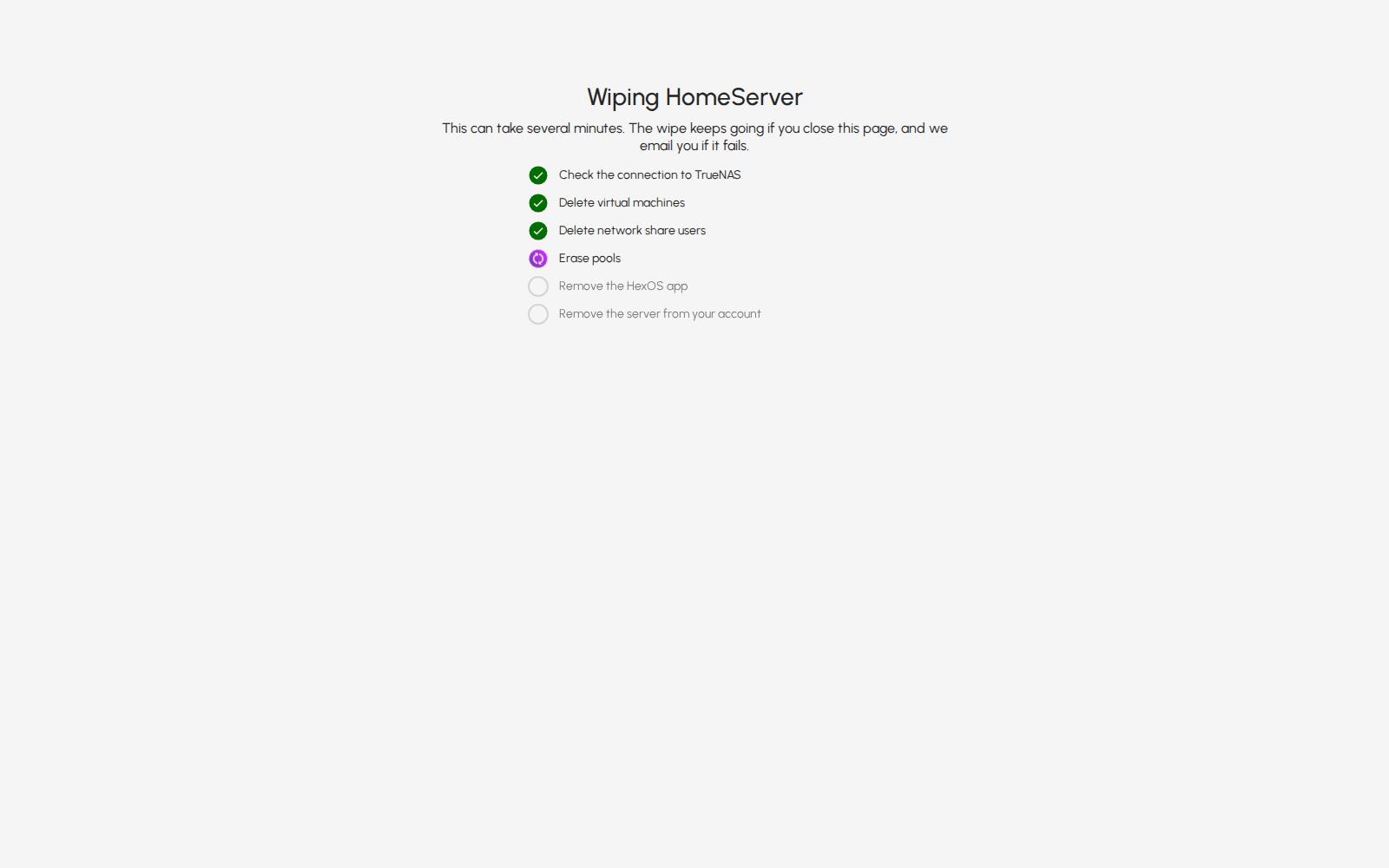
The wipe screen has no close button while the wipe runs. You can close the browser; the wipe keeps running. In the same browser, HexOS tells you how it ended when you come back. If it did not finish, HexOS tells you in any browser, as described below.
¶ When the wipe is done
When the wipe ends, the cover closes. HexOS says Your server has been disconnected from HexOS when it succeeds. If the wiped server is the one you have open, HexOS moves to your next server, or to setup if you have no other server.
The wipe is done
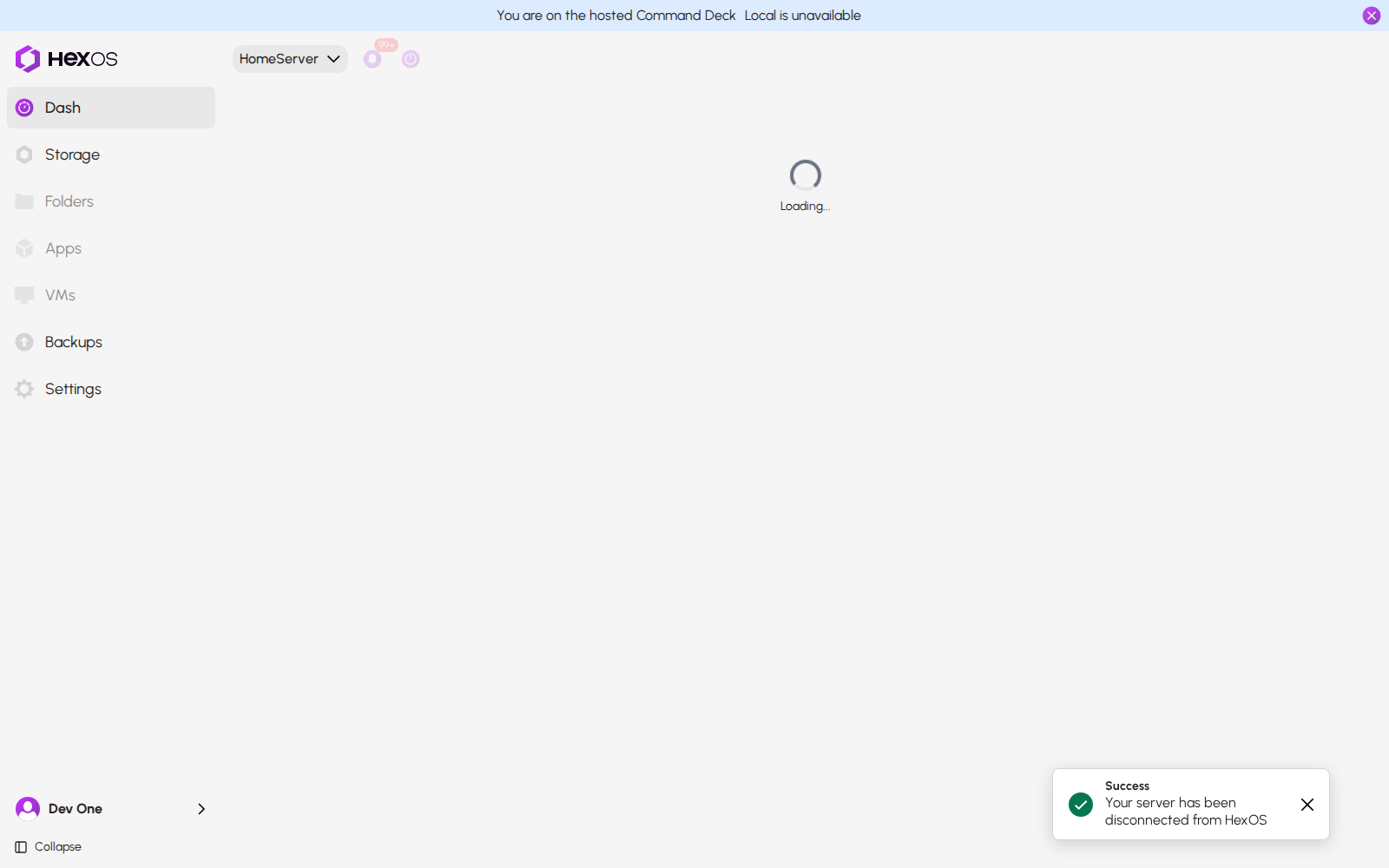
The server is now off your account and waits to be set up again. It shows up in Find your server with a Claim button.
¶ If the wipe did not finish
If a step did not work, HexOS tells you in two ways:
- A notice that says The wipe of and the server's name, did not finish. It lists each pool or step that did not finish, with the reason, for example a pool HexOS could not erase. The notice shows to the person who started the wipe, every time they sign in, in any browser, until they close it, or until a later wipe of the same server that they start finishes.
- An email to the person who started the wipe, with the same list.
The wipe did not finish
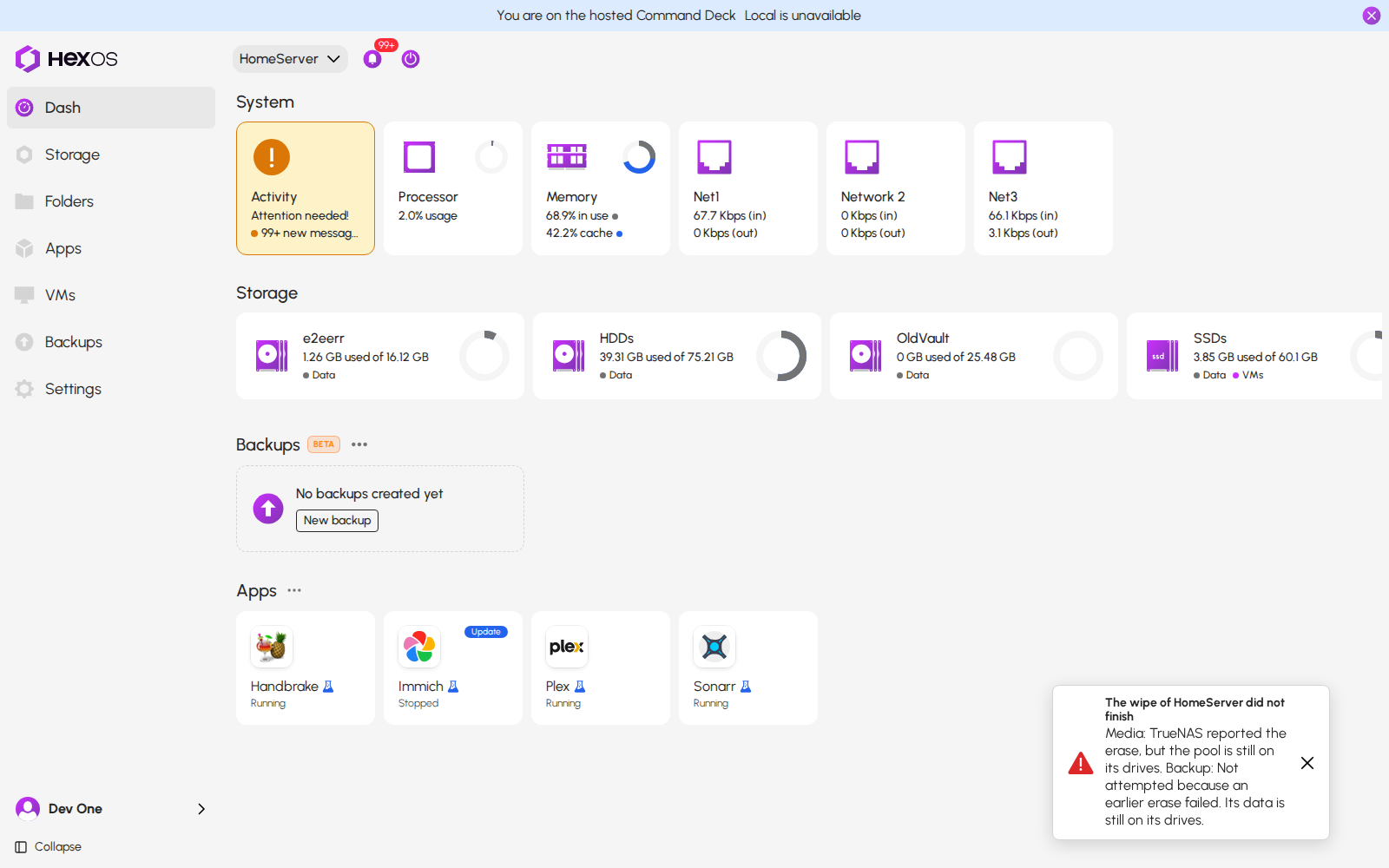
What to know:
- If one pool cannot be erased, HexOS does not try the pools after it. Each one is listed as Not attempted because an earlier erase failed. Its data is still on its drives.
- A pool that TrueNAS lists but not as working is not erased. Its data is still on its drives, and the notice says so. A pool that sits on its drives but is not imported in TrueNAS is not erased either, and the notice does not name it. Drives that are in no pool are not erased.
- Anything listed may still be on the server. The email says how to finish. In most cases the server has left your account: set it up again from Find your server and run System wipe once more. If the server is still on your account, run System wipe again.
- If HexOS cannot reach your server, it does not start the wipe and shows an error. If the connection is already gone when the wipe checks it, the wipe stops before it deletes virtual machines or erases pools, and the server stays on your account. If the connection drops while a pool is being erased or a virtual machine deleted, HexOS cannot tell how it ended and keeps the server on your account (see below). If it drops between steps and does not come back, the step that needed it is listed as not finished, and the server leaves your account.
¶ Restart the server, then run the wipe again
Sometimes HexOS cannot tell whether an erase is still running on the server, for example when the connection dropped while a pool was being erased or a virtual machine was being deleted. Then HexOS stops the wipe, and the server stays on your account. The notice says: An erase may still be running, so the server stays on your account. Restart the server, then run the wipe again.
Restart the server first
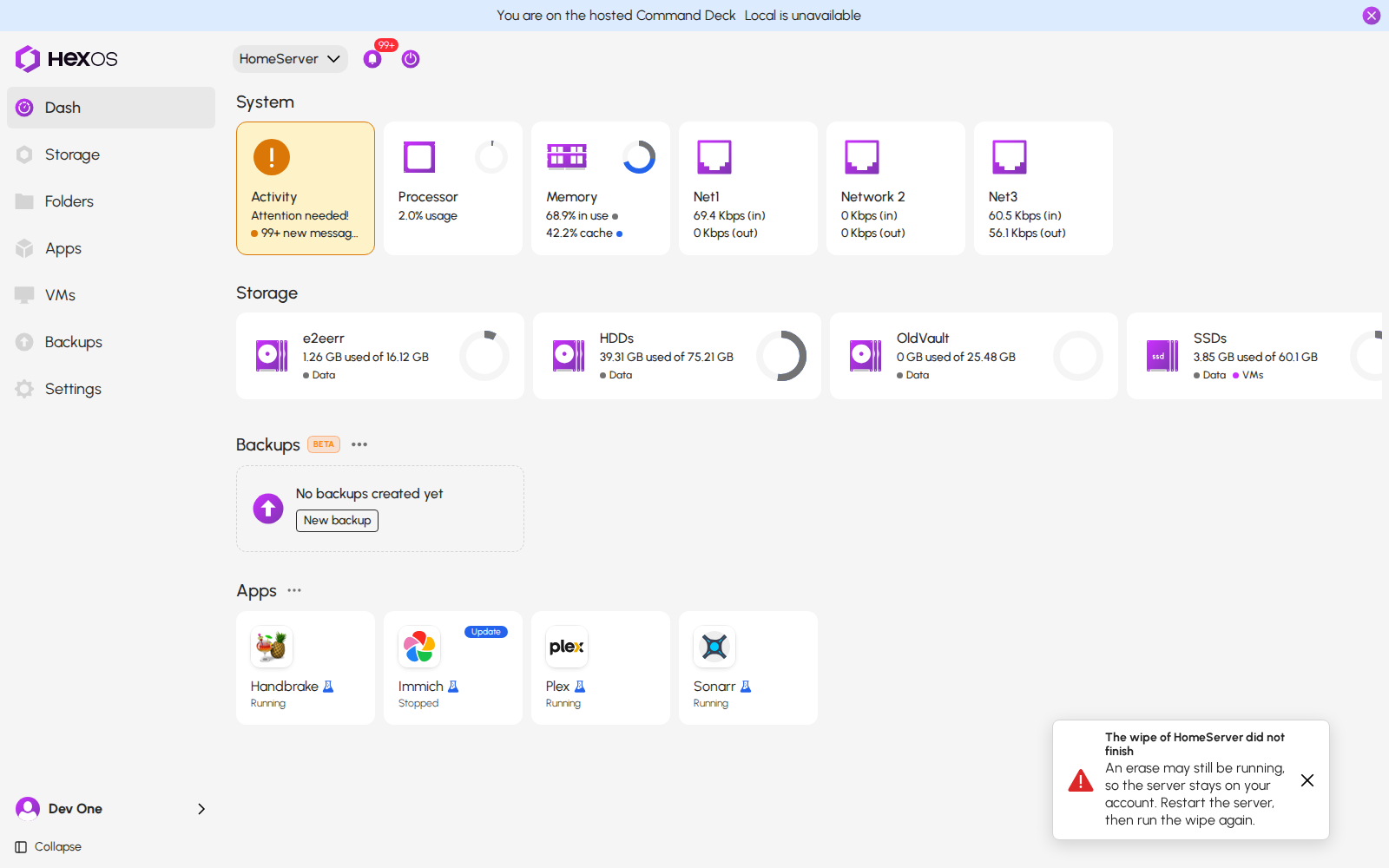
Restart the server, then run System wipe again. HexOS checks the earlier erase before it starts.
Until the server restarts, HexOS refuses to unclaim it, to claim it, or to set it up again. A new wipe is refused too, while HexOS cannot tell whether the earlier erase has ended. After the restart, with the server connected, HexOS checks again. If it still refuses, contact HexOS support. A refused wipe says why:
A wipe refused until the server restarts
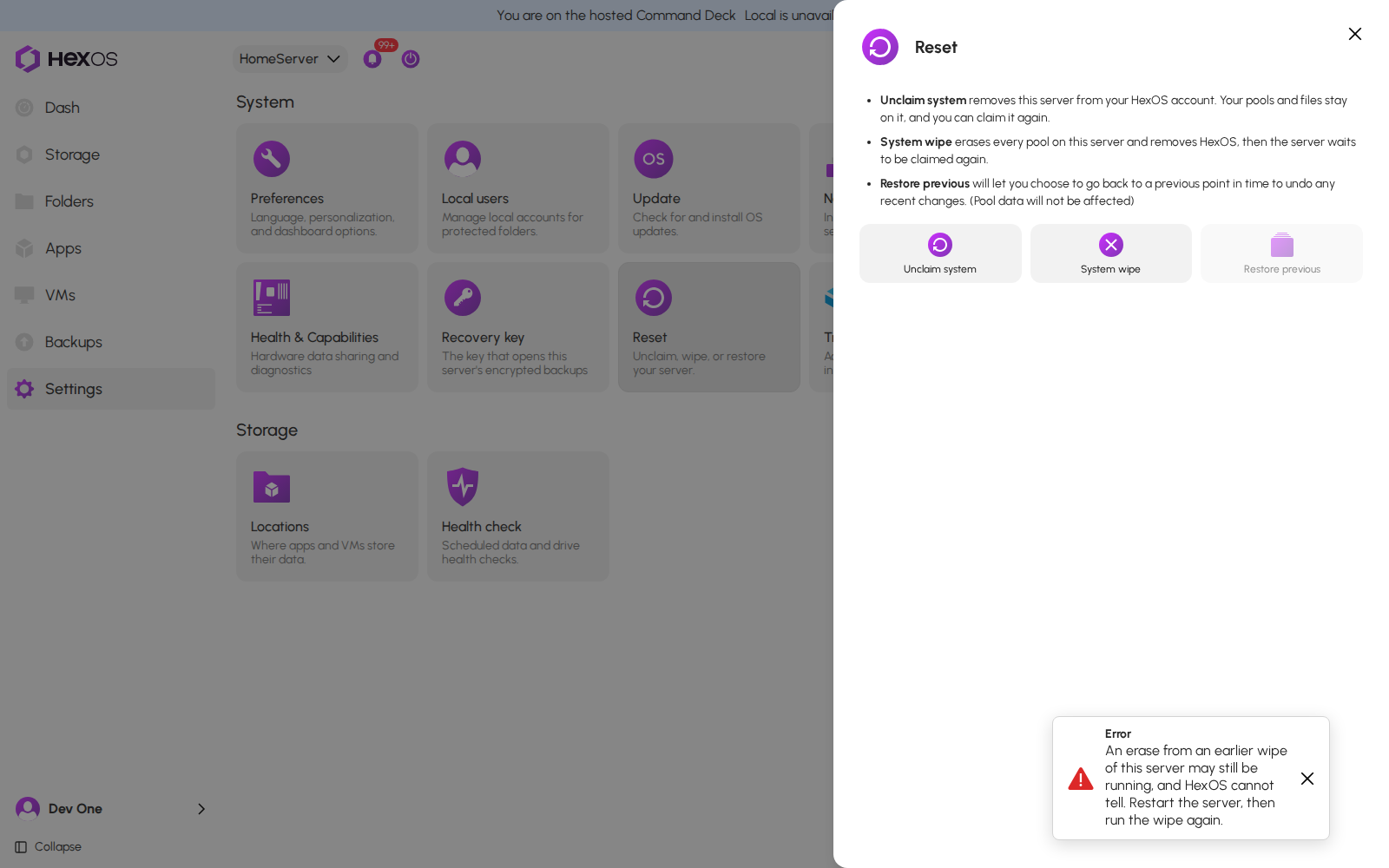
Warning: The server stays on your account in this case on purpose. If it left your account while an erase was still running, it could be set up again, and the late erase could erase the new pools.
¶ If HexOS refuses a wipe or an unclaim
When HexOS cannot start a wipe or an unclaim, it shows the reason and what to do. For example:
- This server is being wiped. Wait for the wipe to finish. (wipe and unclaim)
- A message that tells you to restart the server first, as described above (wipe and unclaim).
- Something else is starting on this server right now. Try again in a moment. (wipe) Another task, such as setup or an import, is starting on the server. Wait a moment and try again.
- A message that the server has no connection (wipe). Check that the server is on and connected, then try again.
Help: Something not working? Ask in the HexOS Discord Community, or email [email protected] with the notice text.
¶ Frequently asked questions
Does Unclaim erase anything?
HexOS, your pools, files and apps stay on the server. On the server, the only thing deleted is buddy backups it stores for other servers, and HexOS asks you first. In HexOS, the server's activity history and data sharing choices are cleared.
What is the difference between Unclaim and System wipe?
Unclaim only takes the server off your account. System wipe also erases every pool and removes HexOS from the server.
Can I undo a System wipe?
No. Once a pool is erased, HexOS cannot bring it back.
Do I need to keep the page open during a System wipe?
No. The wipe runs on HexOS's side, not in your browser.
I closed the "did not finish" notice. Can I see it again?
The notice does not come back. The email has the same list. If the server is still on your account, the wipe and its steps also stay in Activity.