¶ App backups
Many servers run their apps from one fast solid-state drive. It is quick, but it is alone: if that drive fails, every app on it is gone. HexOS keeps a copy of those apps every night on a pool on the same server that can lose a drive without losing data. If the drive ever fails, you can put your apps back.
¶ What gets copied
- Your apps and their data, every night at 2:30 AM, server time.
- The last 7 nights. The copy is there to bring back a drive that just failed, not to keep a long history.
- Virtual machines whose disks are on that drive, but only the ones you say yes to. See Virtual machines.
Shared folders on the apps drive are not copied. Your files on the protected pool are already safe there.
Info: The app backup only reads from your apps drive. It never changes, moves or erases anything on it.
¶ Turn it on
There is nothing to switch on. When setup puts your apps on a single drive, click that pool in the setup plan: its panel names the pool where the nightly copy goes. HexOS sets up the copy when setup finishes.
The setup plan says where the copy goes
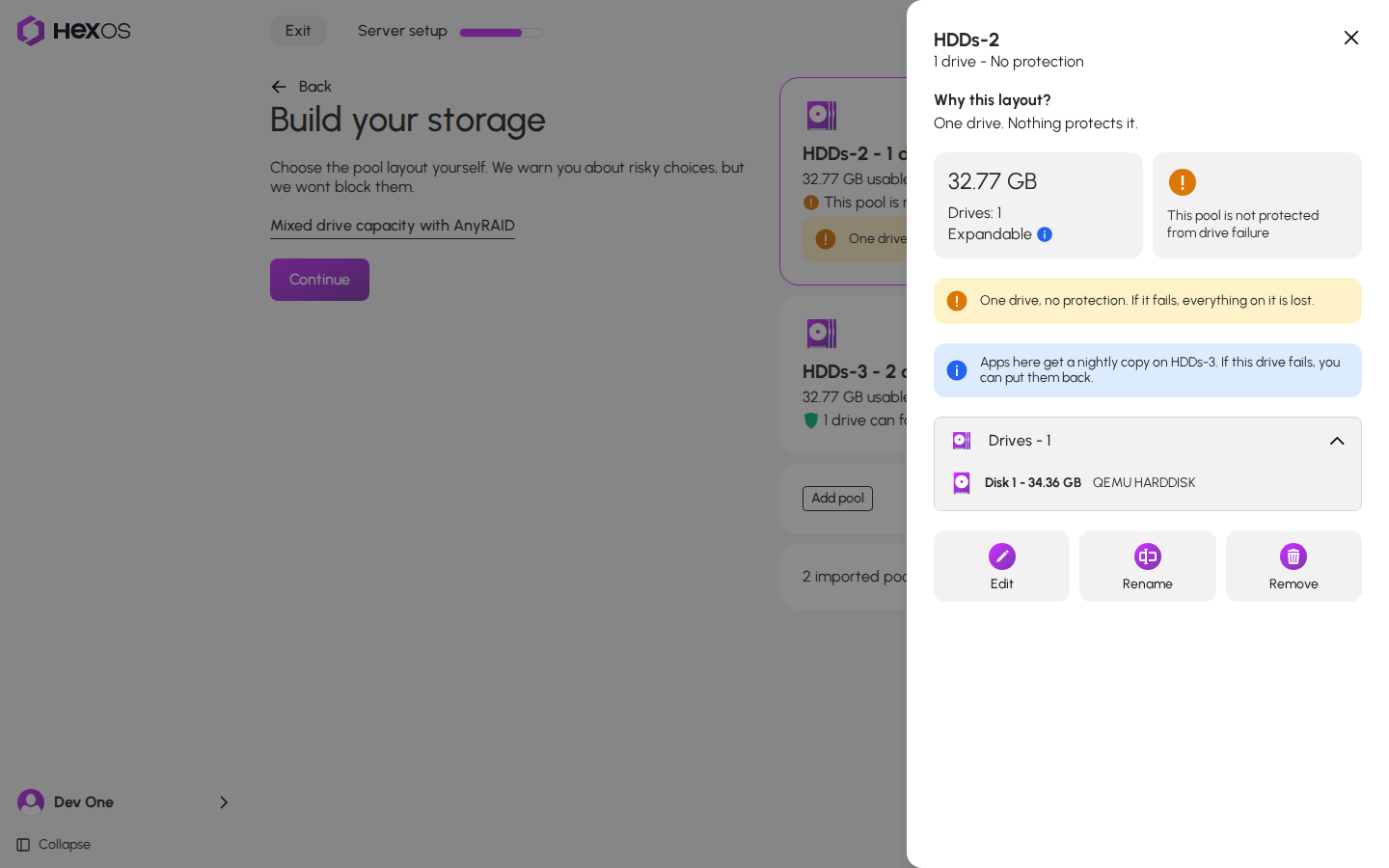
Requirement: The copy needs a second pool that can lose a drive, with at least a quarter more free space than your apps use. A server with only single drives has nowhere to keep the copy, and the plan says so.
¶ Follow the nightly copy
Each night's copy shows as one row in the activity center, Backing up apps on followed by your apps pool's name. It has four steps: taking a snapshot, copying to the other pool, writing a list of what is in the copy, and checking the copy.
The nightly copy in the activity center
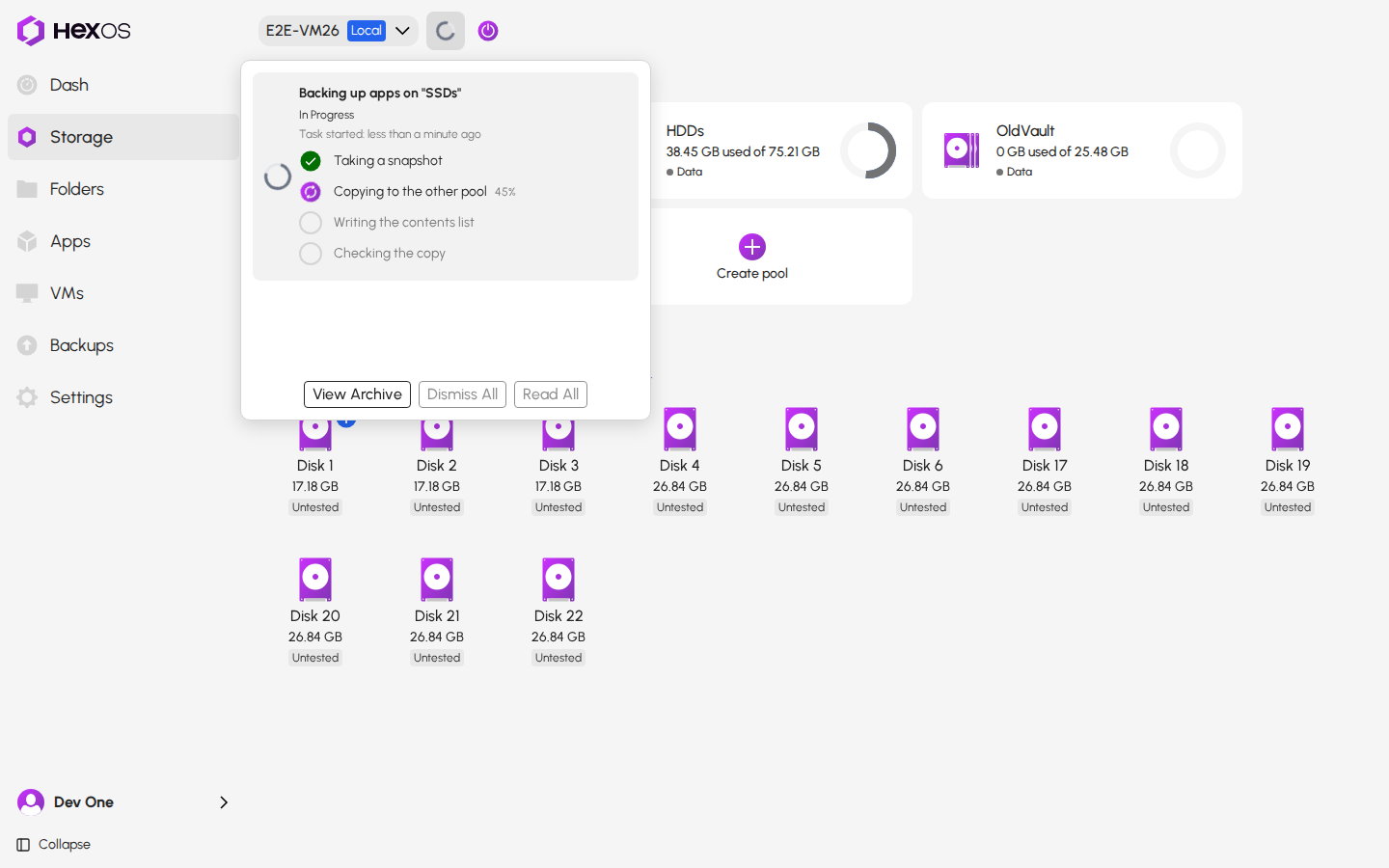
If a copy does not happen, a notice tells you why. It stays until the next good copy, then App backup is working again replaces it.
| Notice | What to do |
|---|---|
| App backup didn't finish | Nothing. HexOS tries again the next night. |
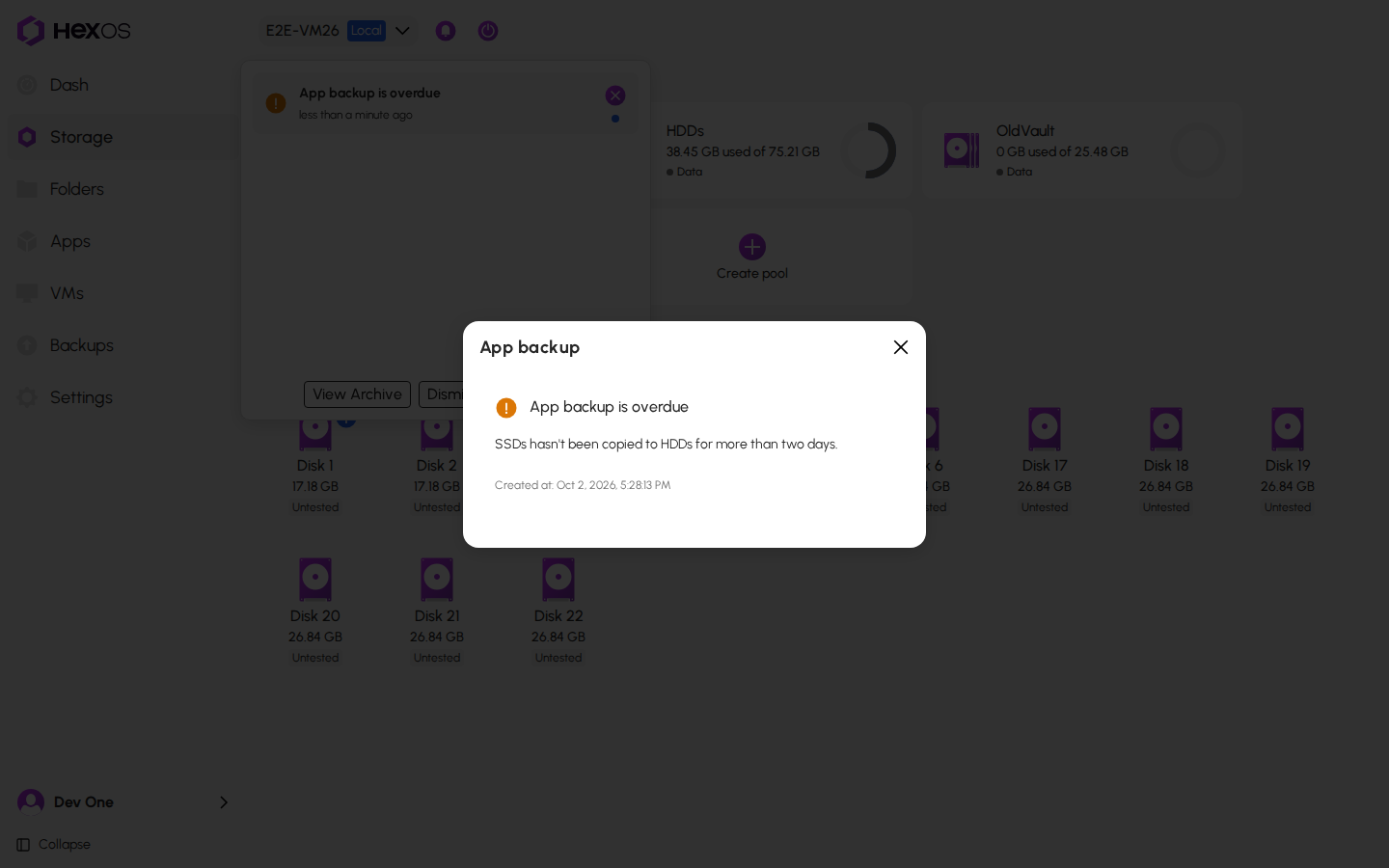
| App backup is overdue | No copy has finished in more than two days. Check the activity center for the reason. |
| App backup is running out of room | The pool that holds the copy is almost full. Free some room on it. |
| App backup is stuck | The copy keeps failing and is filling your apps drive. Free room on the pool that holds the copy. |
| App backup has nowhere to go | The pool that holds the copy is no longer on the server. |
| App backup: apps pool is missing | Your apps drive is gone. See When the apps drive fails. |
| App backup stopped | The copy was removed in TrueNAS. Set up the app backup again. |
Click a notice in the activity center to read it in full.
An app backup notice
Warning: HexOS never deletes anything to make room. When space runs short, you get a notice instead. Free room on the protected pool so the copy can finish.
¶ Virtual machines
A virtual machine whose disk is on a single drive is lost with that drive. Its disk can be much bigger than all your apps together, so HexOS asks you about each one. A card on the Storage screen and on the VMs screen asks Keep a copy of followed by the virtual machine's name.
The question for a virtual machine
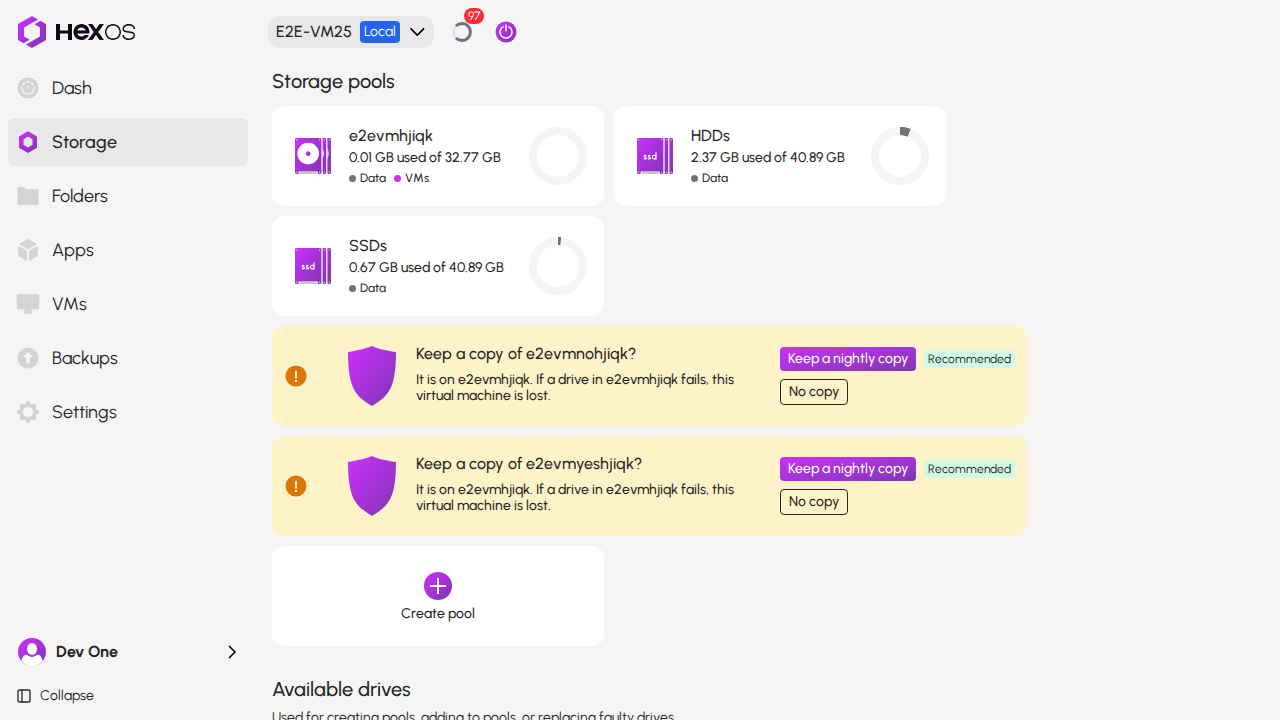
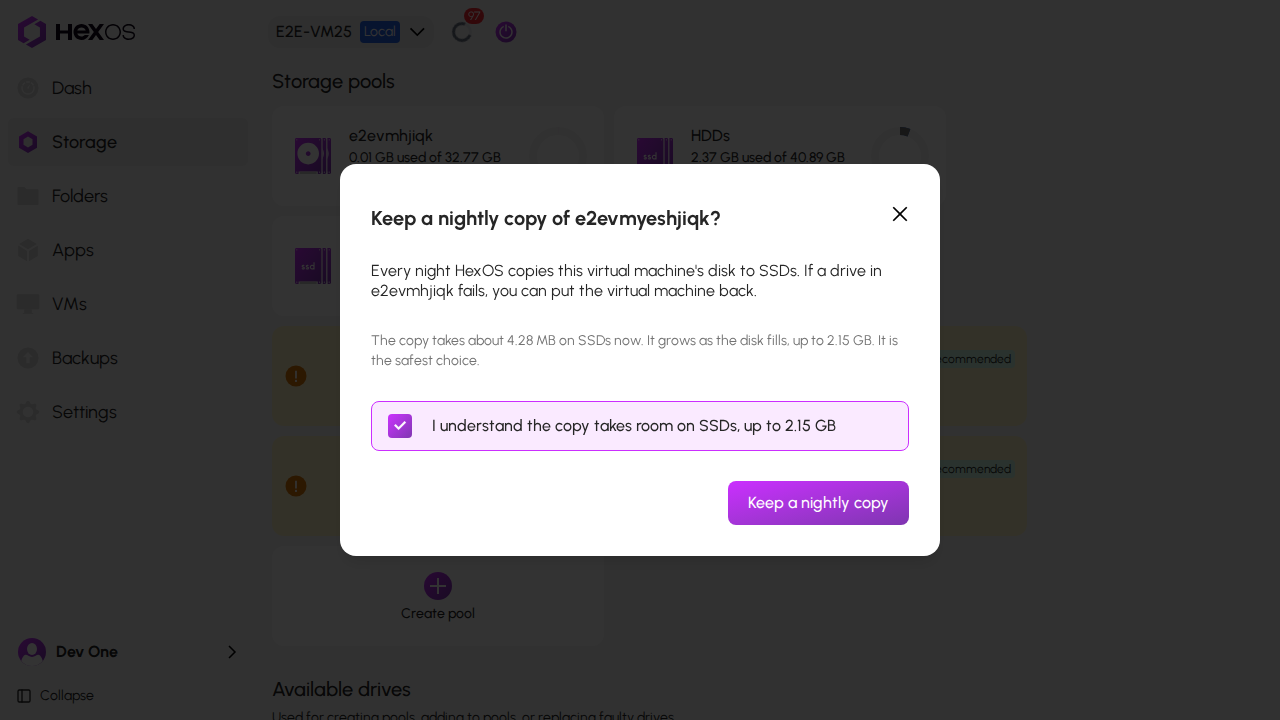
- Click Keep a nightly copy to copy its disk every night. This is the safest choice. The confirmation shows how much room the copy takes on the protected pool.
- Click No copy to leave it out. The confirmation warns you that the virtual machine is lost if the drive fails.
Keeping a nightly copy
Leaving a virtual machine out
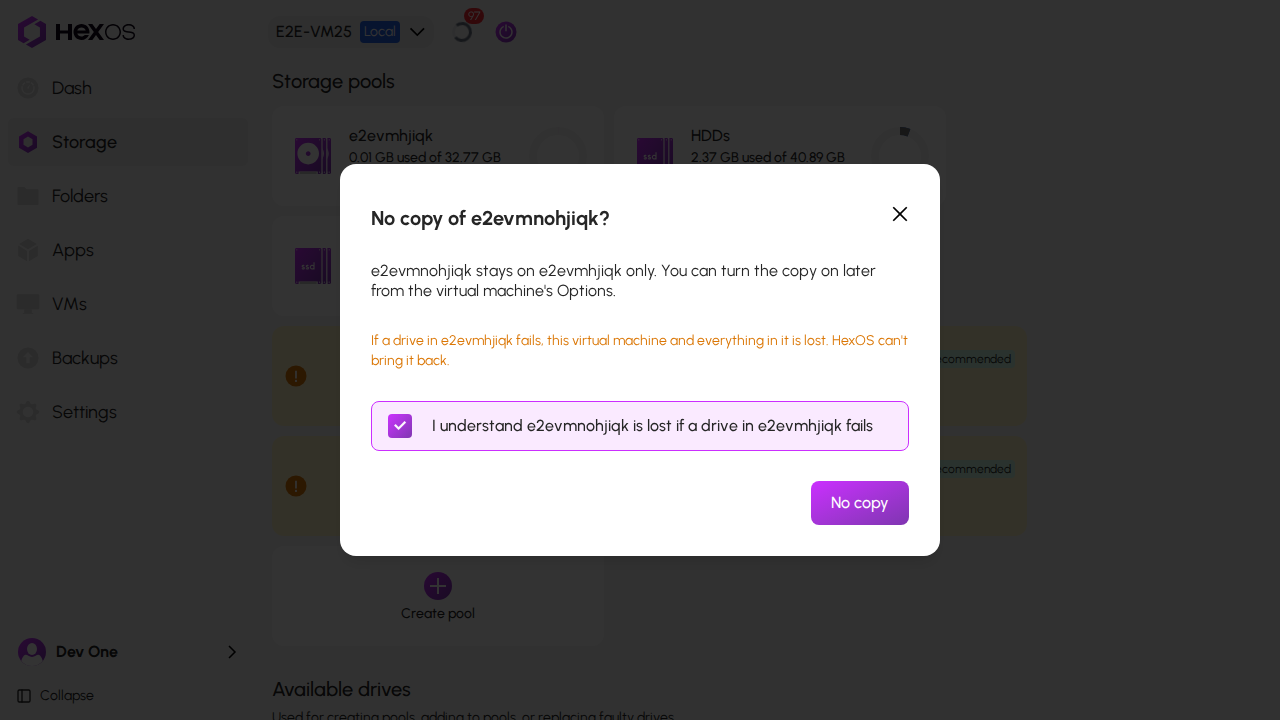
Tick the box in the confirmation, then click Keep a nightly copy or No copy to confirm your choice.
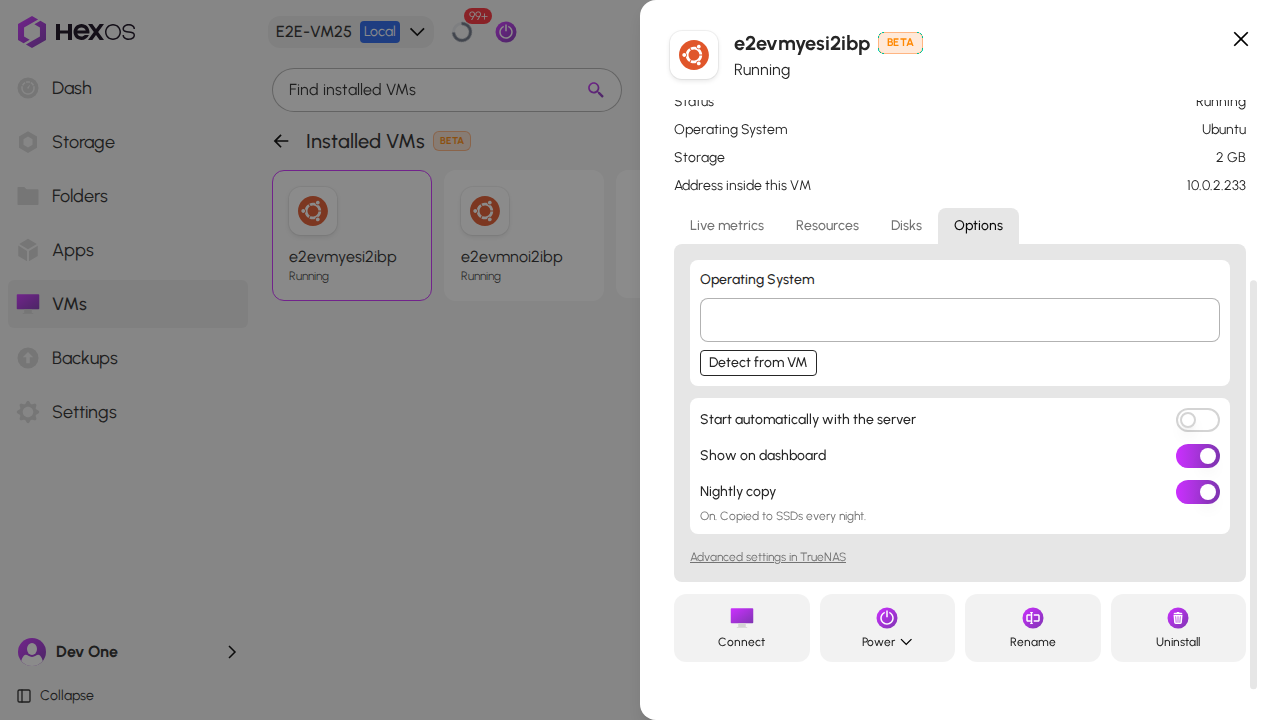
You can change your answer at any time. Open the virtual machine, click the Options tab, and use the Nightly copy switch. The line under the switch says whether the copy is running.
The nightly copy switch
Info: Some virtual machines cannot be copied: one with disks on more than one pool or in more than one folder, and one that shares a disk with another virtual machine. The card says why.
¶ Restore your apps
If your apps drive fails, you can restore your apps and the virtual machines you chose from the copy. See When the apps drive fails.
Help: Questions about app backups? Ask in the HexOS Discord Community.