¶ Drive errors
Your storage keeps a count of every error on every drive. Most errors are harmless and already fixed. Some come from a loose cable. A few mean a drive is wearing out. HexOS works out which one it is before it tells you anything, and it only asks you to replace a drive when it can show why.
¶ What HexOS does on its own
When a drive reports an error, HexOS:
- Writes down what happened.
- Checks all the data on the pool to make sure it can still be read.
- If that check is clean, resets the drive's error count once, and watches the drive for a month.
You do not need to do anything for these steps. If the drive stays quiet for a month, nothing more happens.
Info: In a pool with redundancy, your storage repairs bad data from the good copy on another drive. An error that was repaired this way does not raise an alarm.
¶ When the errors come back
If the errors return within a month, a notice appears in the activity center. It names the part to check first:
| Notice | What it means | What to do |
|---|---|---|
| Check a cable | One drive keeps getting errors, but the drive itself reports no problems. | Reseat or replace that drive's cable, or move it to another port. |
| Check the controller | Several drives on the same controller or dock have errors. | Check the controller, its cables and its power. The drives are probably fine. |
| Check your server's memory | Errors on several drives, and the system reported memory faults. | Run a memory test from the Memory page. |
| A drive needs replacing | The drive reports damaged areas, or it stopped working and did not recover. | Replace the drive soon. See Drive failure. |
| A drive had errors again | The cause is not clear. | Check the cable and port first. If it happens again, replace the drive. |
A notice that names the part to check
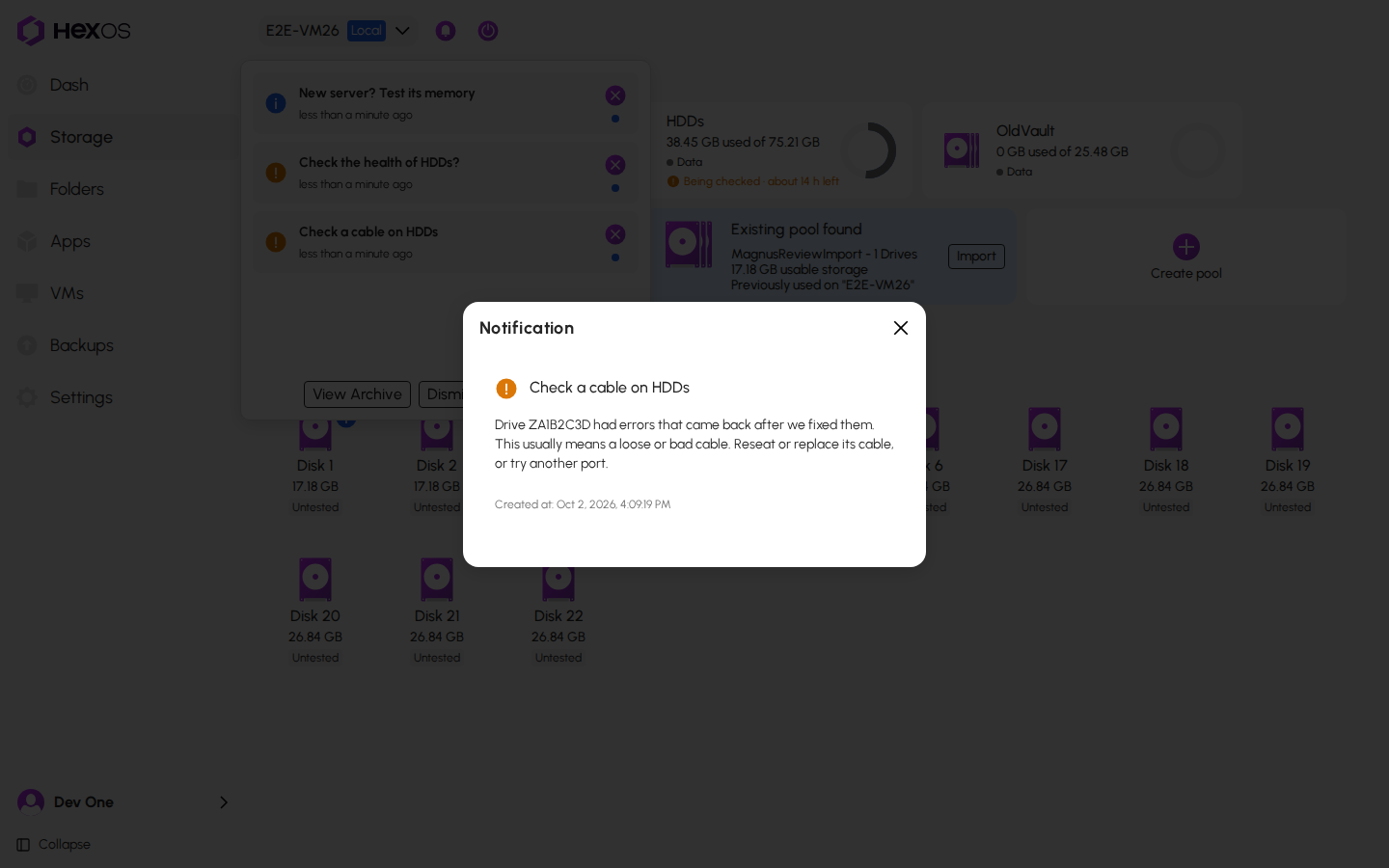
Close a notice with its X to put it away. HexOS keeps watching either way.
¶ When files are damaged
If a pool has no second copy of some files and they are damaged, HexOS cannot repair them. It tells you right away with a notice, for example Some data on HDDs can't be read. The notice says to restore those files from a backup. Go to storage opens the Storage screen.
A notice about damaged files
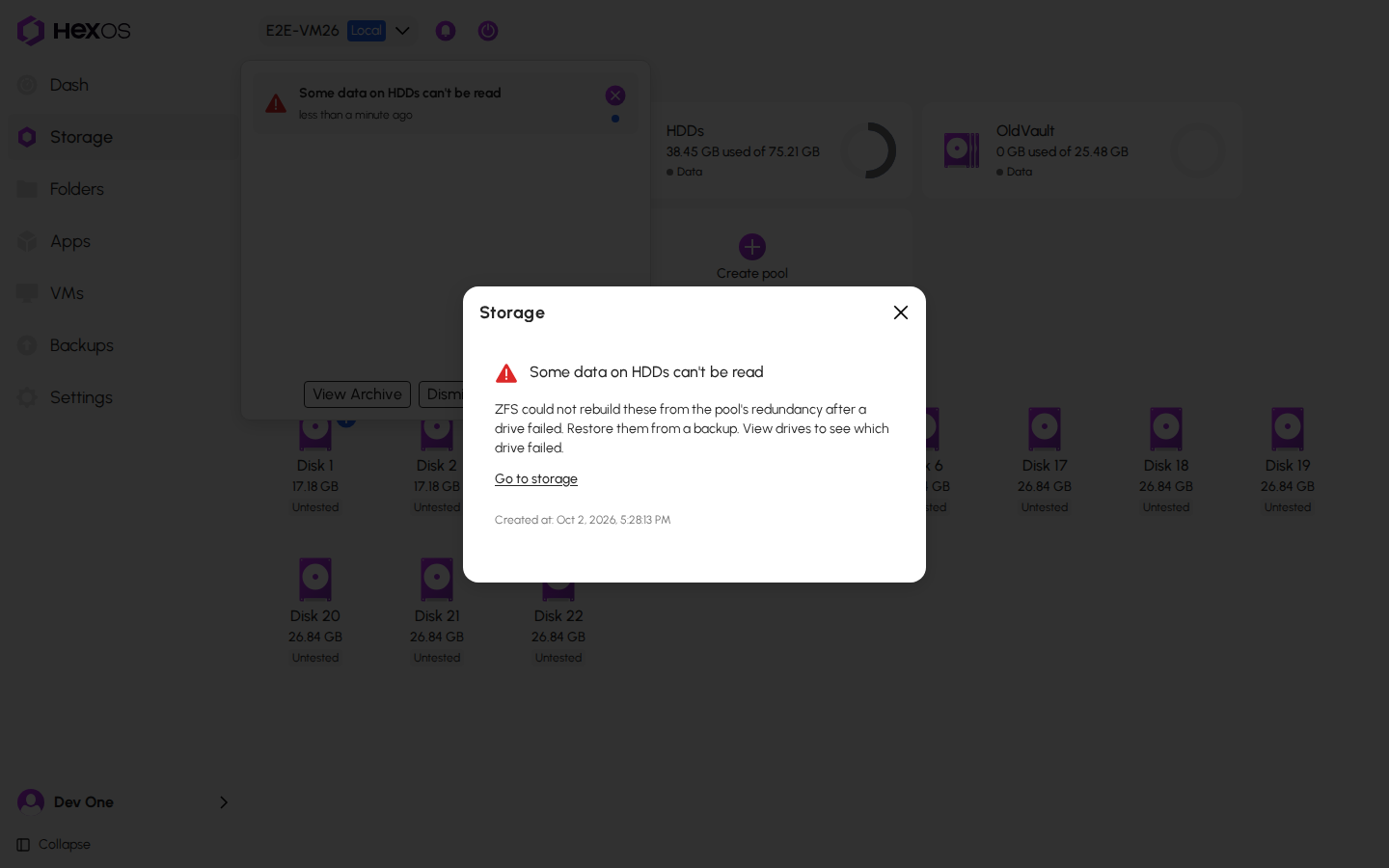
Danger: If a notice says files are damaged, restore them from a backup. If it happens again after you check the cable, replace the drive.
¶ Is my data safe?
Yes. Everything HexOS does here only reads your files or resets a counter. It never resets a drive that reports damaged areas, and it never does the same fix twice in a month on the same drive.
Help: Not sure what a notice means for your server? Ask in the HexOS Discord Community.