¶ Passthrough requirements for VMs
Info: Virtual Machines is in beta. Everyone can use it. Beta means we are still finishing it, so screens may change and you may find a rough edge. What beta means
Passthrough hands a piece of your server's hardware, such as a graphics card, directly to one VM. With a graphics card, a USB controller, and a monitor, keyboard, and mouse plugged into them, a VM behaves like a physical PC on your desk, with close to the performance of one.
This page covers what your server needs, how to choose the hardware when you set up a VM, and what to expect afterwards.
¶ What your server needs
¶ A graphics card the server can spare
The VM takes over the whole card. HexOS stops using it while the VM runs, and a display plugged into that card shows the VM instead.
Your server has to keep one graphics device for itself, so it cannot hand over its only one. In practice that means either:
- a processor with built-in graphics, plus one graphics card for the VM, or
- two graphics cards, one for the server and one for the VM
A card that the server itself is using cannot be handed over either.
¶ IOMMU turned on in your server's BIOS
IOMMU is the processor feature that lets a VM use a device safely. It is usually off by default. Look in your motherboard's BIOS or UEFI settings for:
- Intel VT-d on Intel systems
- AMD-Vi or IOMMU on AMD systems
Virtualization itself (Intel VT-x or AMD-V, sometimes called SVM) must also be on. It is needed for every VM, not only for passthrough.
¶ A card that is not tied to hardware the server depends on
Devices on a motherboard are arranged in groups, and a VM has to take a whole group at once. If the slot your graphics card is in shares its group with something the server needs, such as a storage controller or its network card, HexOS refuses to hand it over. Moving the card to a different slot often fixes this.
¶ A USB controller for the keyboard and mouse
Once a VM is using a real graphics card, its picture appears on the monitor plugged into that card. The VM then needs a real keyboard and mouse of its own, which means handing it a USB controller: every port on that controller then belongs to the VM.
Most motherboards have more than one USB controller. A small PCIe USB card is an inexpensive way to add one that is easy to set aside.
¶ A monitor, keyboard, and mouse
Plug the monitor into the graphics card you hand over, and the keyboard and mouse into ports on the USB controller you hand over.
¶ Choose the hardware
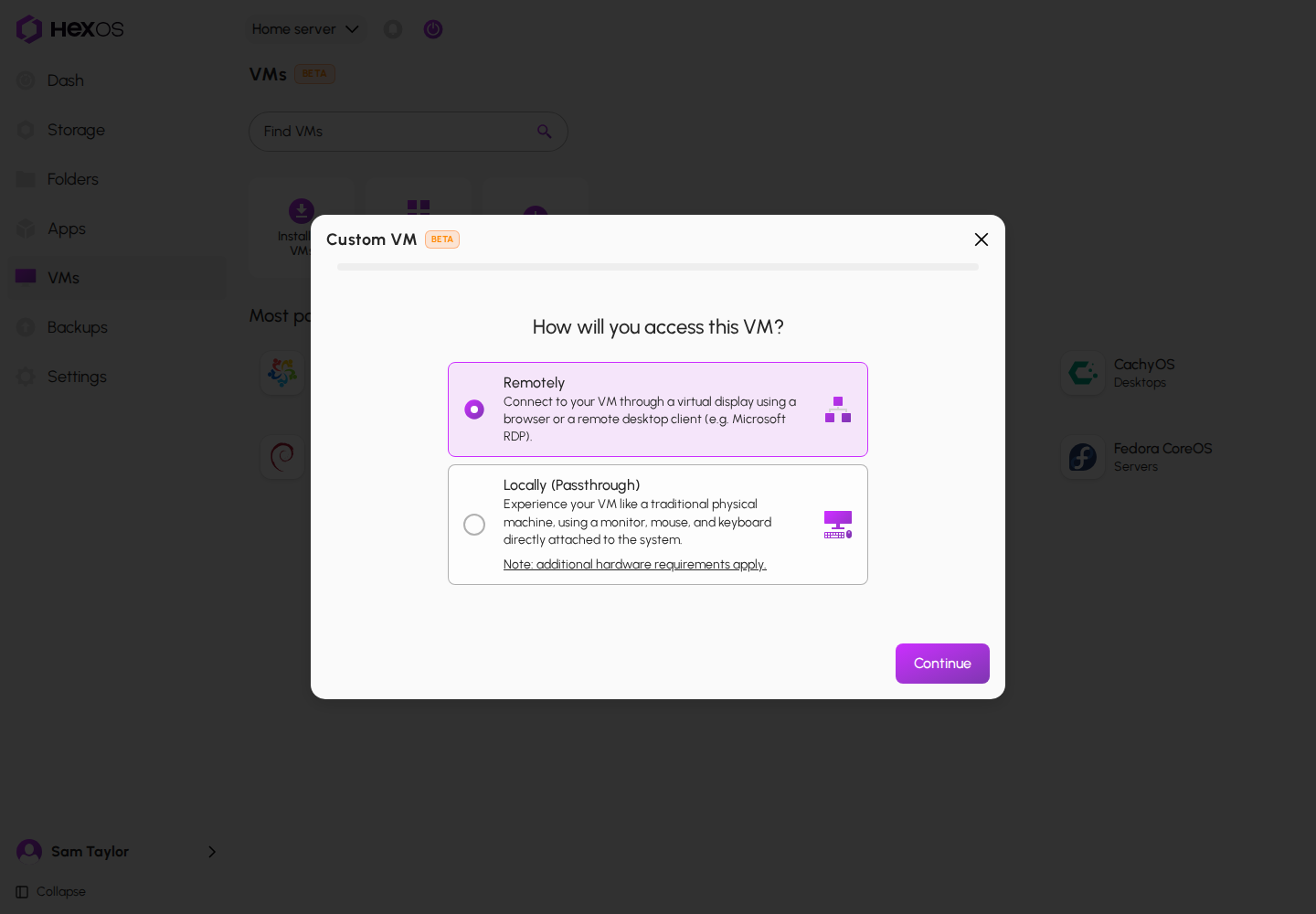
Passthrough is chosen when you set up a VM. Start a custom VM, or click Custom install on a system's page in the catalog.
- On How will you access this VM?, choose Locally (Passthrough). Note: additional hardware requirements apply. links to this page.
- Fill in VM details and click Continue.
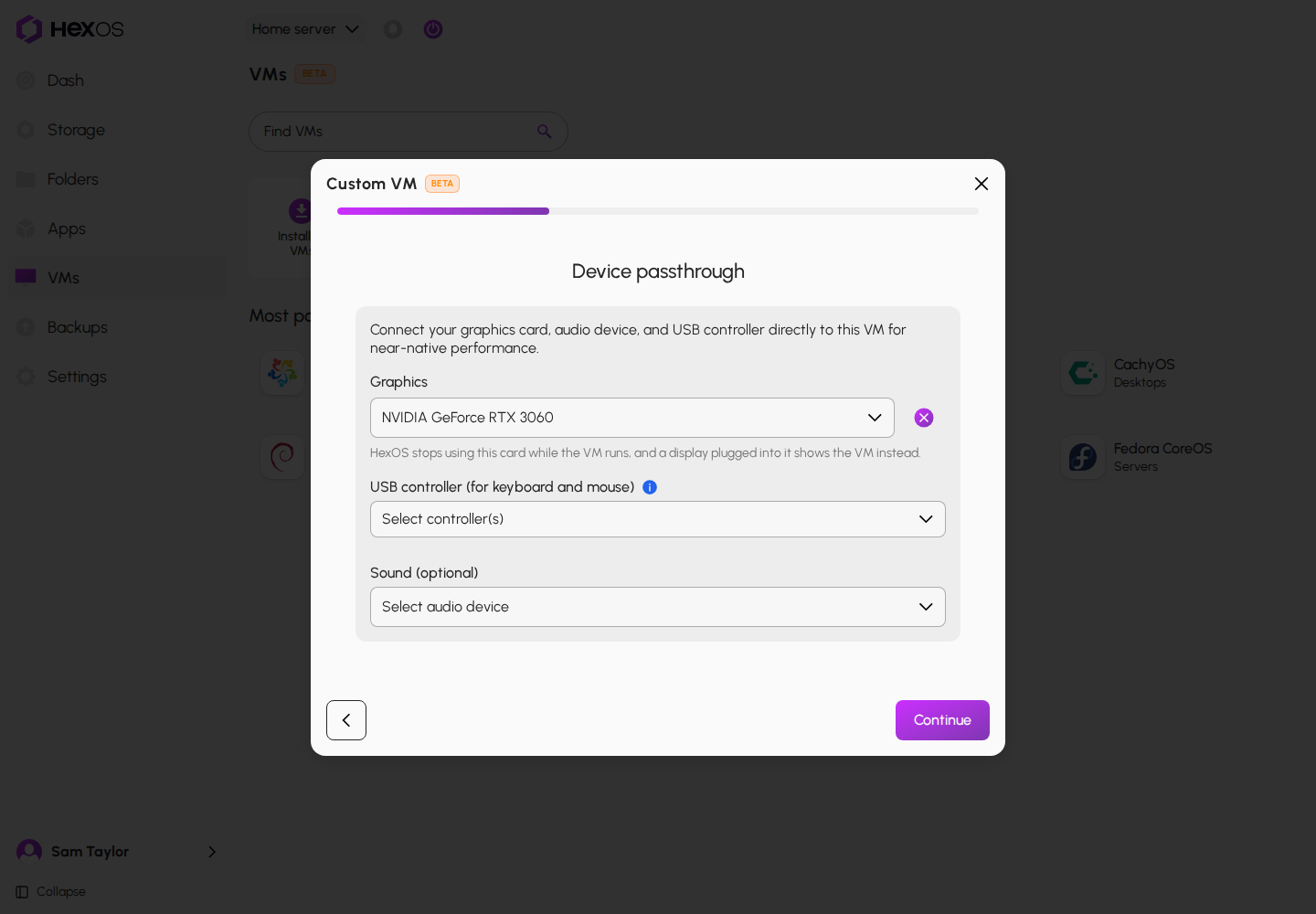
- On Device passthrough, choose:
- Graphics: the graphics card for the VM. This is required.
- USB controller (for keyboard and mouse): the controller your keyboard and mouse are plugged into. HexOS cannot use them while the VM runs, so keep a spare set if this is your only keyboard.
- Sound (optional): a sound device, if you want one.
- Continue through the other steps. On Peripherals you can also hand over PCI devices (optional) and up to 4 USB devices (optional), such as a Zigbee or Z-Wave stick.
- On Review, the Devices card lists what you picked. Click Create VM.
Choosing how you will access the VM
The Device passthrough step
The Peripherals step
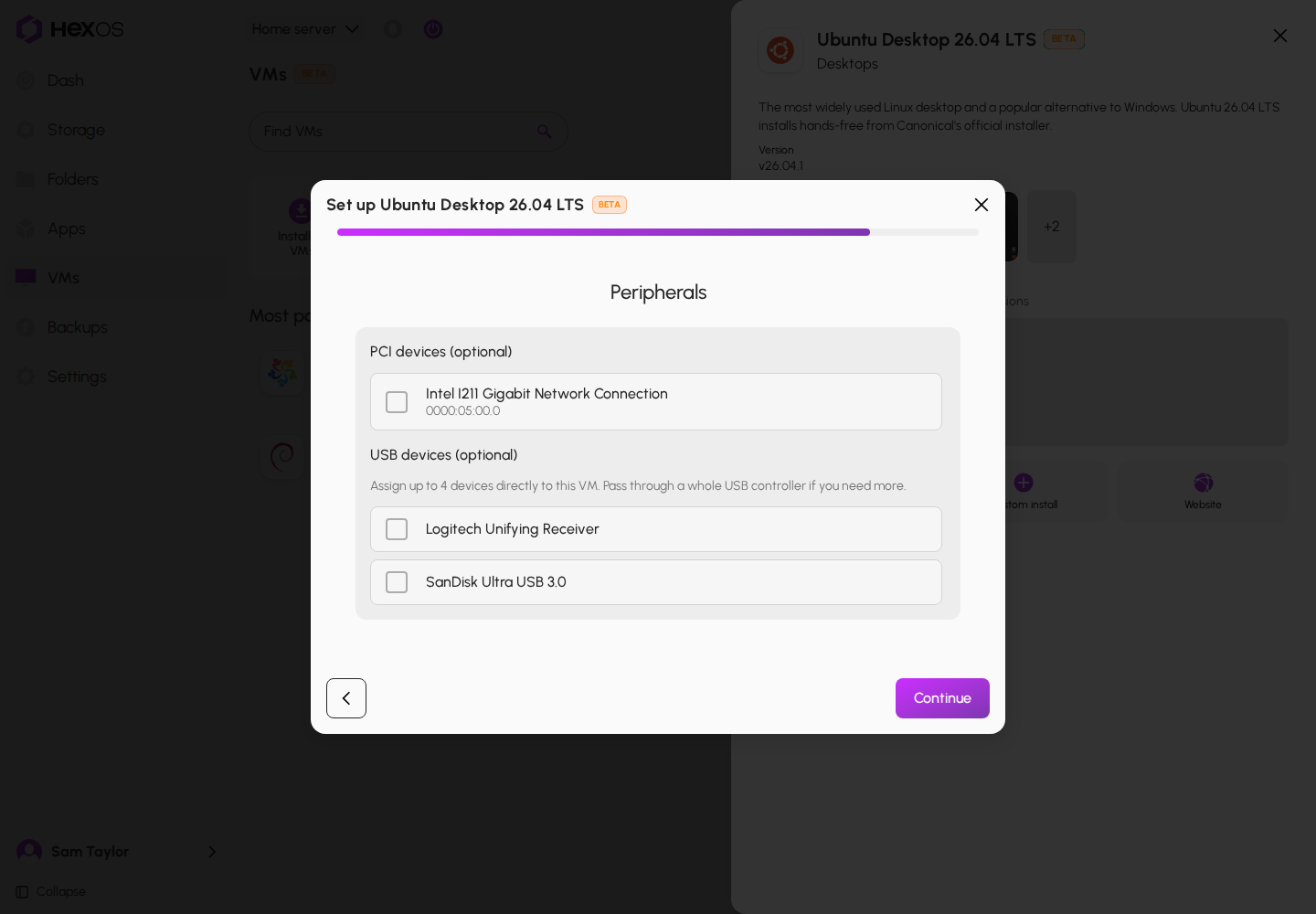
The Peripherals step appears when you set up other VMs too, not only for passthrough. You can skip it.
If no graphics card in your server can be handed over, Locally (Passthrough) is grayed out and says No graphics card on this server can be passed through, so local access is unavailable. Choose Remotely instead.
Some systems in the catalog cannot use a graphics card. If you pick one for such a system, HexOS says so on Device passthrough. Go back and clear the Graphics choice, or click Install instead of Custom install.
¶ What to expect
- A restart may be needed the first time. A server cannot always let go of a graphics card it is already using. When that happens to a system from the catalog, the VM shows Restart server to finish setup. Restart the server, then start the VM to begin setup.
- The browser console may stop showing the VM. When a system from the catalog is set up with a graphics card, HexOS removes the VM's virtual screen once setup is done, so Console is no longer offered. A custom VM keeps its virtual screen as a second screen. To remove it, turn off Virtual display on the VM's Options tab.
- Sound is optional. Many graphics cards carry sound to the monitor over HDMI or DisplayPort.
- Individual USB devices are limited to four per VM. For more than that, hand over a whole USB controller.
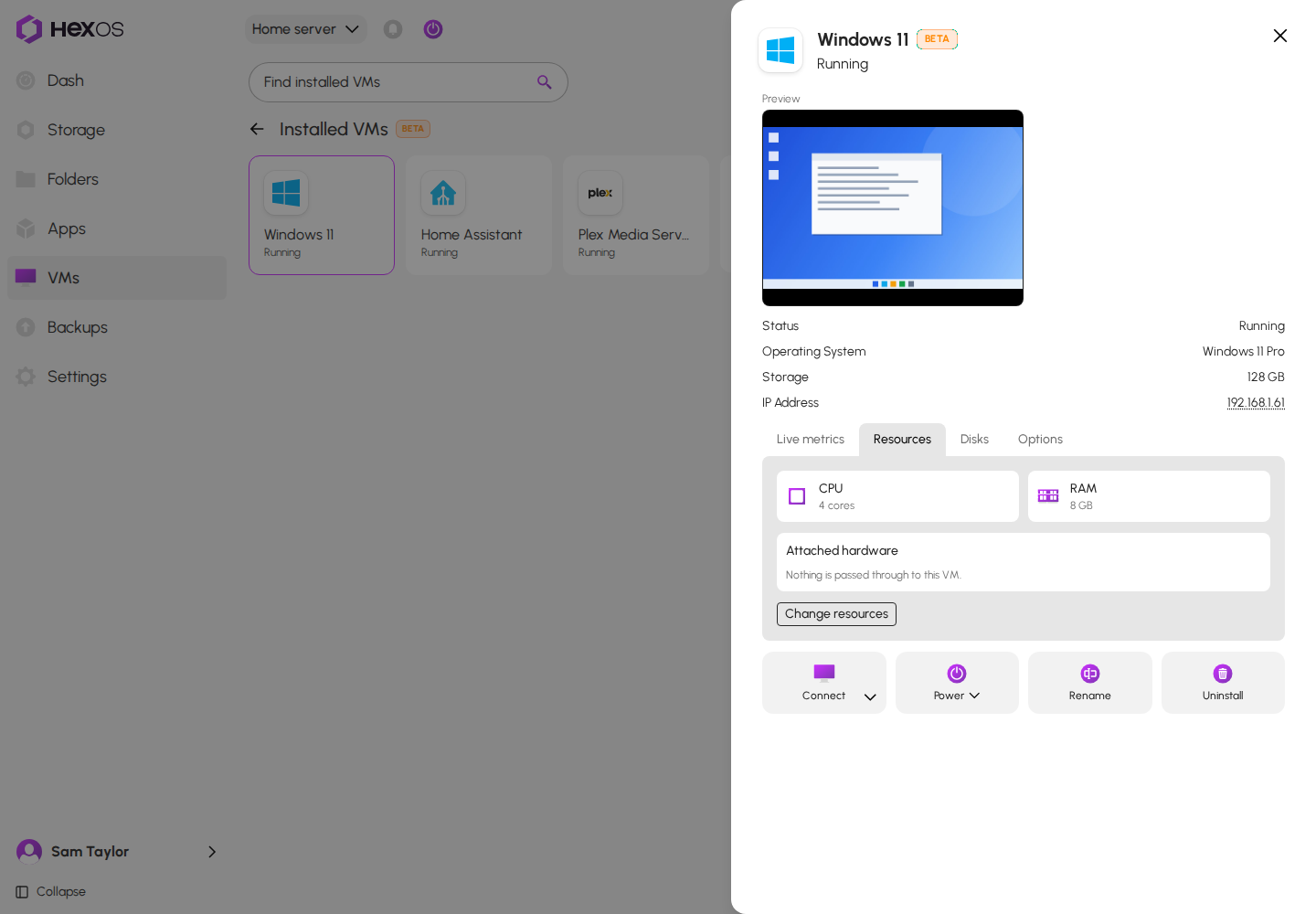
- You can see what a VM has. The Attached hardware card on the VM's Resources tab lists every device handed to it.
Restart server to finish setup
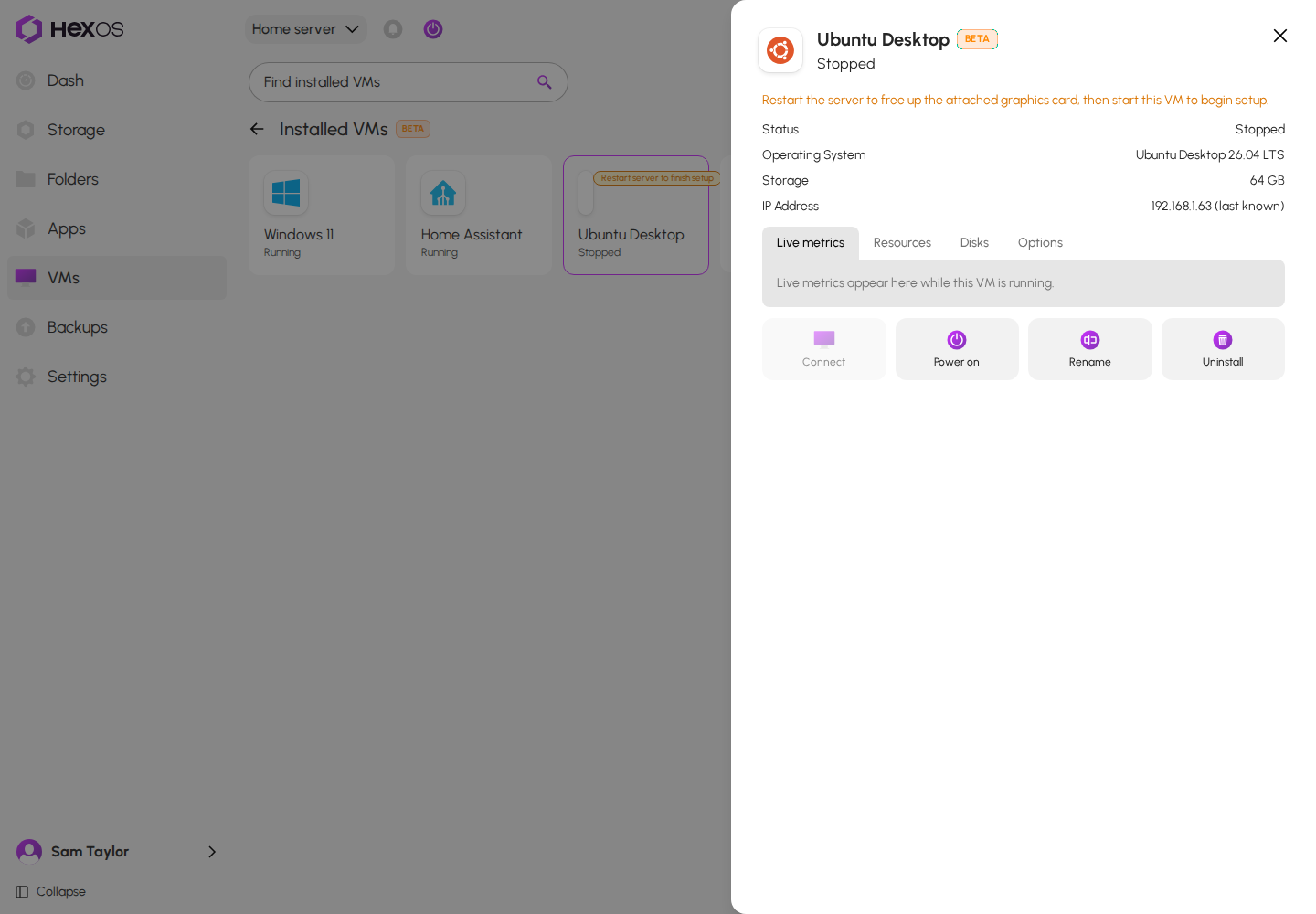
Attached hardware on the Resources tab
¶ Not sure what your server has?
Your motherboard's manual lists its BIOS settings and which slots and USB ports share a controller. If you would like help, ask in the HexOS Discord Community.