¶ Removing backups
Info: Buddy Backups is in beta. Everyone can use it, and every backup it makes is a real copy you can restore. Beta means we are still finishing it, so screens may change and you may find a rough edge. Keep any backup you already rely on running alongside it. What beta means
Several actions look alike but do very different things. Read this page before you click.
¶ The short version
| Action | What it deletes | Can you undo it? |
|---|---|---|
| Withdraw a request | Nothing. Nothing was copied. | Yes, send it again |
| Decline a request | Nothing. Nothing was copied. | Yes, they can send it again |
| Cancel setup on a new backup | Nothing. Setup never finished. | Yes, set it up again |
| Cancel setup on a backup you recovered | Not offered. Use Retry now, or Remove connection to delete it. | |
| Pause | Nothing. Copies and the space set aside stay. | Yes, by the person who paused |
| Remove a folder from a backup | That folder's copy and all its restore points on the other server, and its restore points on your server | No |
| Remove connection | Every folder and every restore point on the other server, the space set aside, and the backup's restore points on your server | No |
| Delete a folder that is backed up | The folder on your server and its backup copies on servers that are online | No |
| Repair backup | That folder's copy on the other server, before a fresh copy is sent | No |
| Change pool or Change server (on a backup you store) | The old copy, once the new copy is checked | Not needed: the backup moves |
| Delete old copy (after a move) | Restore points only the old copy held | No |
| Unclaim or reset a server that stores backups | Every backup that server stores for others | No |
Only deleting a folder deletes your own files. Removing a connection also stops any restore in progress and removes the unfinished copy it left on your server.
HexOS deletes a backup copy only when someone confirms one of the actions on this page. If the other server is offline then, the delete finishes when it is back. On its own, it removes only restore points older than the time you chose to keep them, and the unfinished copy that a stopped restore left on your server.
¶ Restore points on your own server
Your server keeps the restore points it made too. When you remove a folder or a connection from the server that sends the backup, they are deleted along with the copies on the other server, under the same confirmation. Your folders are not touched.
- If your server is offline when you remove a connection, its restore points are removed once they are older than the time you chose to keep them, instead of right away.
- If your buddy removes the connection, or their server is reset or unclaimed, the restore points on your server stay.
- A backup you removed before October 2026, or one between your own servers that ended then, left its restore points on your server with nothing to remove them. They are now removed once they are older than the time you chose to keep them, and never sooner than two weeks after the update reaches your server.
¶ Pausing is not removing
Pause stops backups. Everything stored stays where it is, and the space stays set aside. On a buddy's backup, the other side gets a notice.
- Only the person who paused can resume. Between your own servers, you can resume from either side.
- A pause HexOS made because space ran short can be resumed by either side, and resumes on its own when there is room.
Pausing does not free space on the other server. To give the space back, remove the connection.
¶ Withdraw a request or cancel setup
On the Backups page, click Requests. Under Outgoing requests, click Withdraw on the request, then Withdraw request to confirm. Nothing was copied, so nothing is deleted.
A setup that has not finished can be stopped with Cancel setup in its activity item, then Cancel setup again in "Cancel this backup setup?". That removes the connection. Only a new backup offers it, so nothing is lost. A backup you recovered onto a new server offers Retry now instead.
¶ Remove a folder from a backup
You can do this in three places:
- The folder's menu on the backup's page: click Remove. HexOS asks you to confirm, and explains that the folder stays on your server while its copy and restore points on the other server go. Click Remove from backup.
- The Folders dialog: uncheck the folder and click Remove 1 folder and save, then Delete and save to confirm.
- The folder's own page: under Backing up to, open the backup's menu and click Remove backup destination, then Remove destination.
The folder on your server stays. Its copy on the other server, and every restore point of it, is deleted for good, and so are its restore points on your server.
Info: If the other server is offline, its copy is deleted when that server is back online. Until then it still uses space there, and you can't add a folder with the same name to that backup.
¶ Remove a connection
Click the Remove tile on the backup's page, or Remove connection in the row's menu on the Backups page.
The Remove connection dialog says "Removing this connection stops all backups between this server and" the other side. A red box says every restore point is permanently deleted, on the other server and on this one, and the space set aside is released. Your folders on this server are not touched. It also suggests: "To stop backups without losing anything, pause the connection instead."
To go ahead, check "I understand that removing this connection permanently deletes all of its backups." and click Remove connection.
A new backup whose setup never finished has nothing to delete, so its dialog has no check box.
The Remove connection dialog
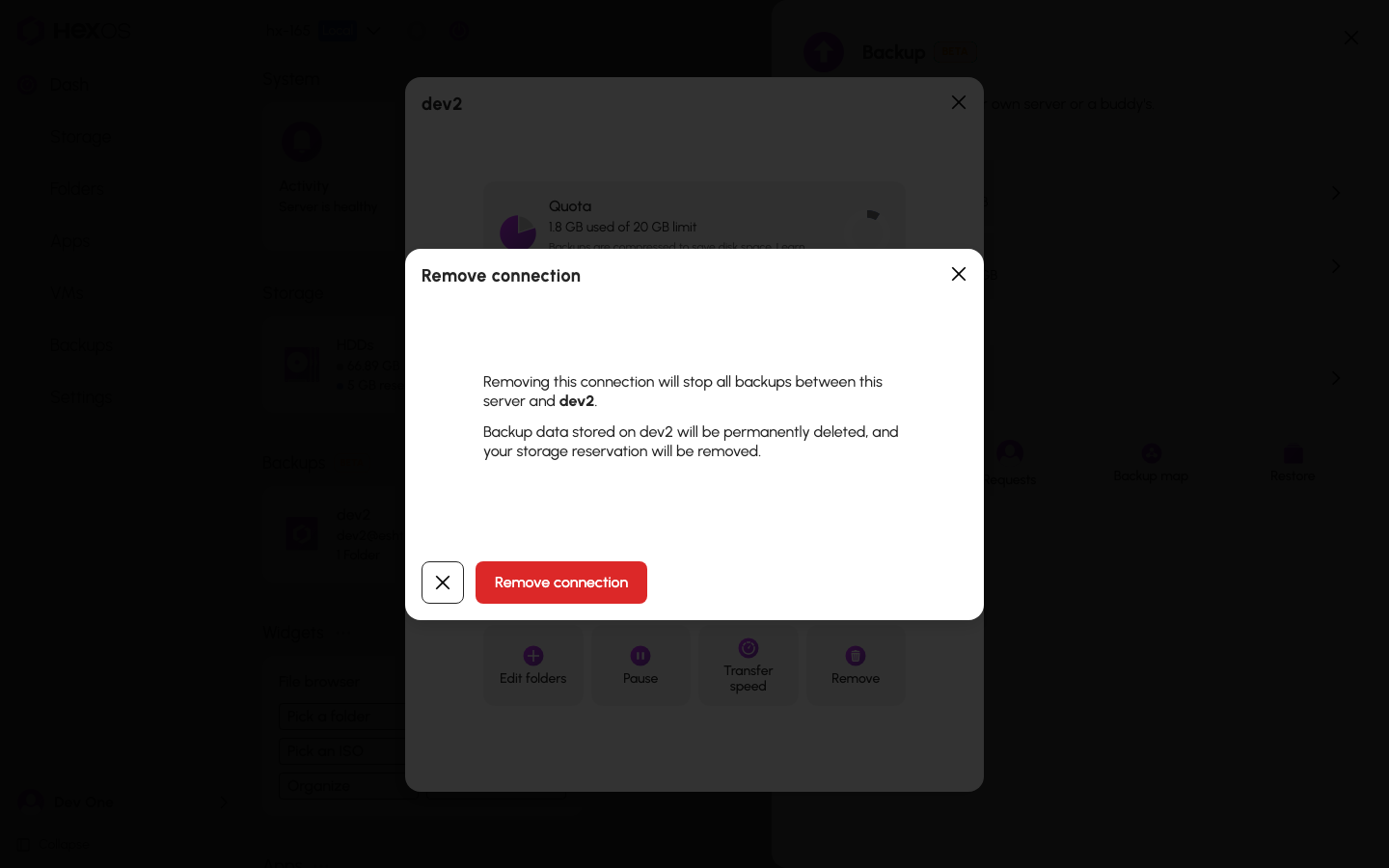
Danger: Removing a connection cannot be undone. Every folder and every restore point on the other server is deleted.
Danger: Either side can remove a connection. If you store a buddy's backup, you can delete it, and they get a notice. If a buddy stores yours, they can delete yours. Keep a second destination for anything you cannot replace.
If the other server is offline when you remove a connection, the dialog says so. The backups are deleted once HexOS can reach it again.
¶ Deleting a folder that is backed up
Danger: Deleting a folder that is backed up always deletes its backup copies too. There is no way to delete the folder and keep its copies. If you want to keep the backup, do not delete the folder.
When you click Delete on a folder that is backed up, the dialog names the servers it backs up to. It says "A backed-up folder can only be deleted together with its backup copies, so they will be permanently deleted from there too."
To go ahead, check "I understand that this also permanently deletes the folder's backup copies." and click Delete.
Deleting a folder that is backed up
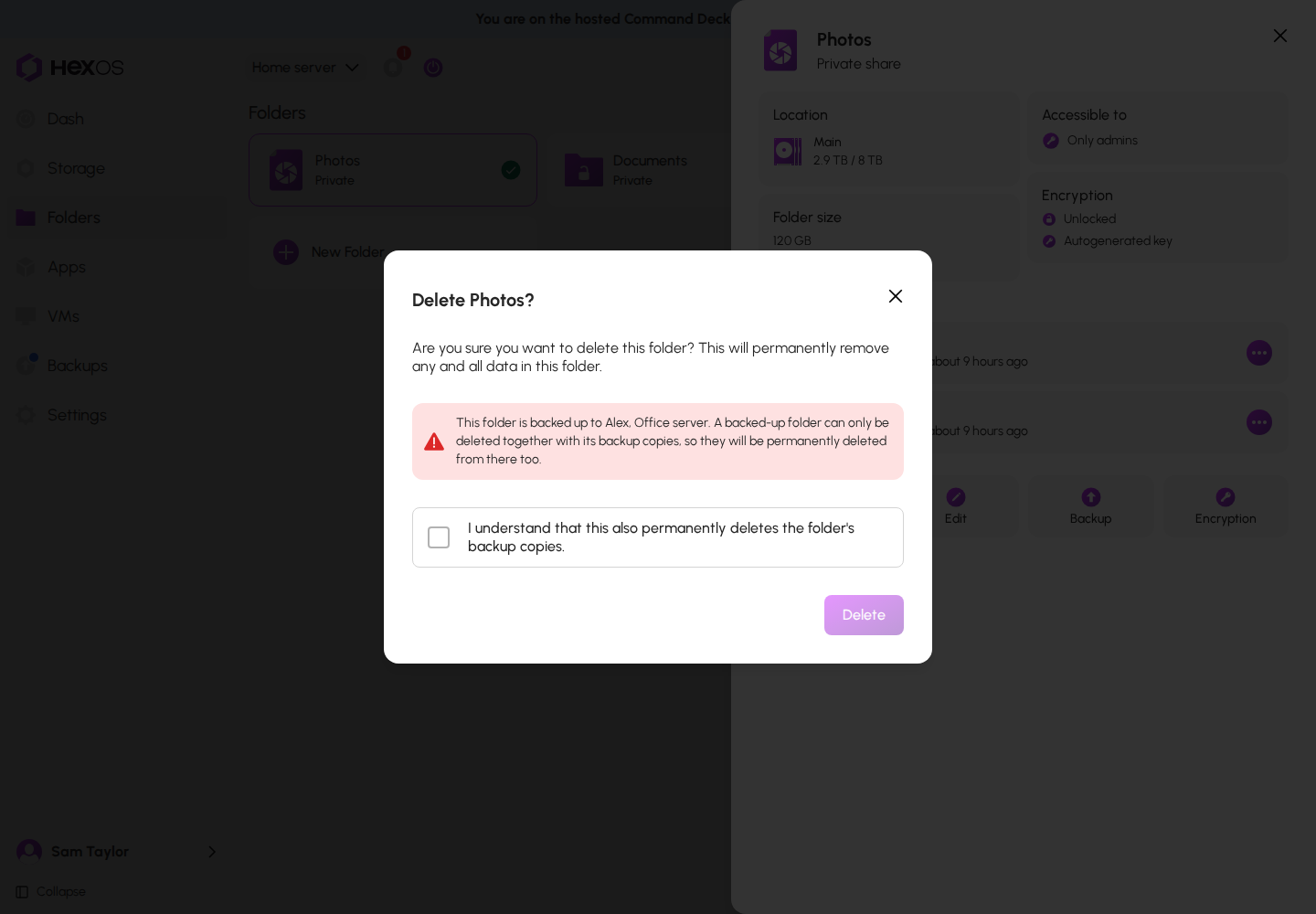
A copy on a server that is offline at the time is deleted when that server is back online. If you only want to free space on your server, restore anything you need first, or keep the folder.
¶ Unclaiming or resetting a server that stores backups
If your server stores backups for others, HexOS stops you before you unclaim or reset it in Settings. A dialog titled "Hosted backup deletion" lists whose backups would be deleted. You must check "I understand these hosted backups will be permanently deleted" and click Delete hosted backups to go on. Each owner gets a notice.
Danger: Unclaiming or resetting a server permanently deletes every backup it stores for others. The unclaim dialog's "Pool data will not be affected" means the server's own files.
Before you unclaim, reset, rebuild, or sell a server that stores backups:
- Tell your buddy first.
- Open each hosted backup, click Remove, then Remove connection. This tells them.
- Then unclaim or reset the server.
Unclaiming your own server does not delete the backups it sent elsewhere. They are kept as Retained backups, so a new server can take them over. See Recover a failed server.
¶ Wait for a restore to finish
Warning: While a restore is running, do not remove the folder from the backup or remove the connection. Both delete the copy the restore reads from.
¶ Old restore points are removed on their own
Restore points older than the time you chose are removed at each backup. You choose the time in Schedule & Retention: 1 week, 2 weeks, 1 month, or 3 months. Choosing a shorter time first shows how many restore points would be removed, and asks you to confirm.
Help: Not sure what a button will do? Ask in the HexOS Discord Community before you click it.