¶ Recover a failed server
Info: Buddy Backups is in beta. Everyone can use it, and every backup it makes is a real copy you can restore. Beta means we are still finishing it, so screens may change and you may find a rough edge. Keep any backup you already rely on running alongside it. What beta means
Losing a server does not lose the backups it sent. The copies on the other server are kept. A replacement server on the same HexOS account can take those backups over, then restore the folders from them. You do not need the old server for this.
Recovering has two parts:
- Recover moves the backup connection to the new server.
- Restore brings each folder back onto the new server.
¶ Before you start
- Set up the replacement server and claim it to the same HexOS account as the old one. Your HexOS account proves the backups are yours.
- Open the new server on the Command Deck: select it on the hosted deck, or use its local deck.
- The server that stores the backup must be online.
Info: If HexOS manages your folder keys (the default), recovered folders unlock on their own while you are signed in. If you chose to keep the recovery key yourself, have the old server's recovery key ready. HexOS asks for it once. See Recovery keys.
¶ Move the backup to the new server
- On the new server, click Backups in the sidebar.
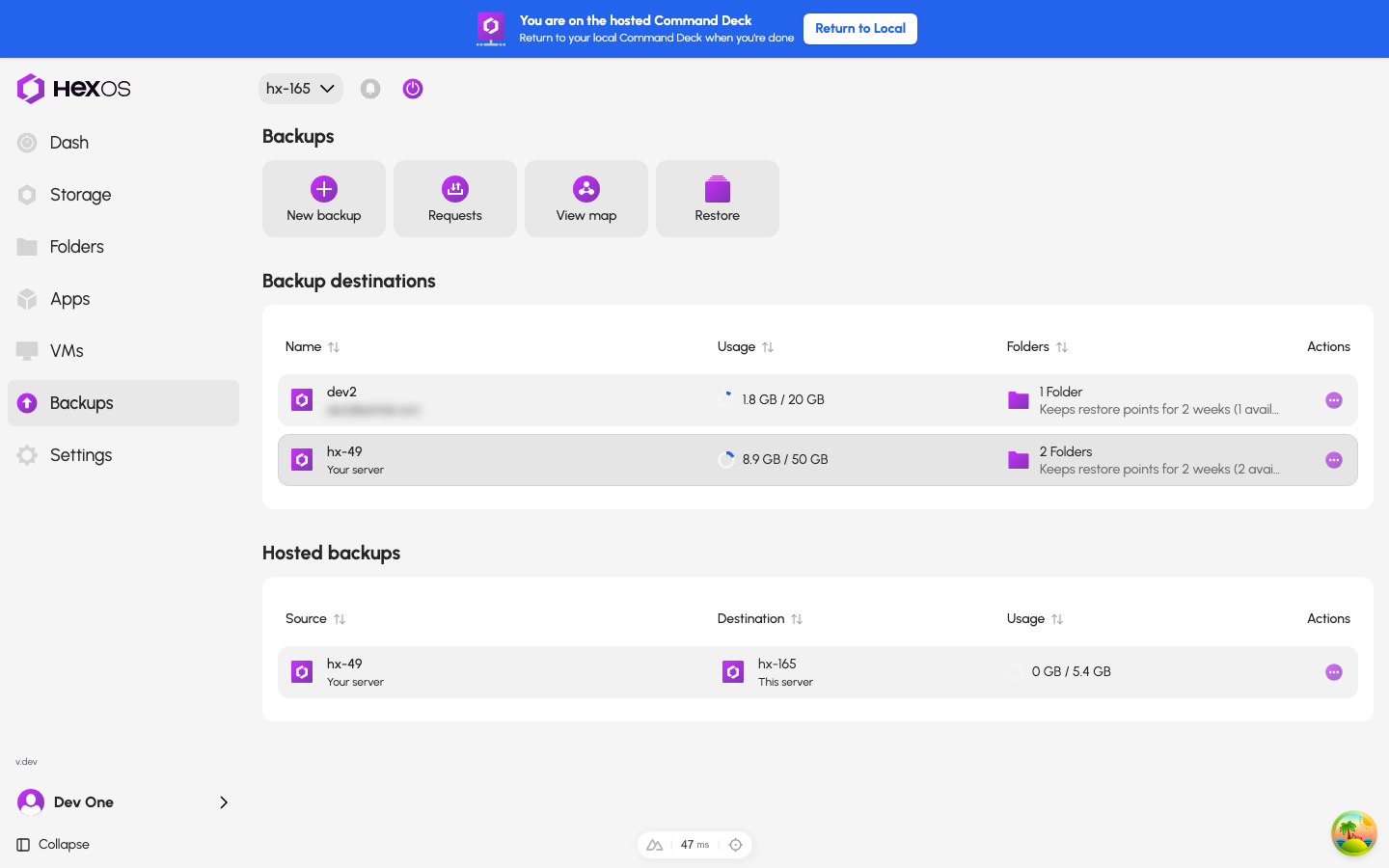
- Next to the Backup destinations heading, click Recover.
The Recover button on the Backups page
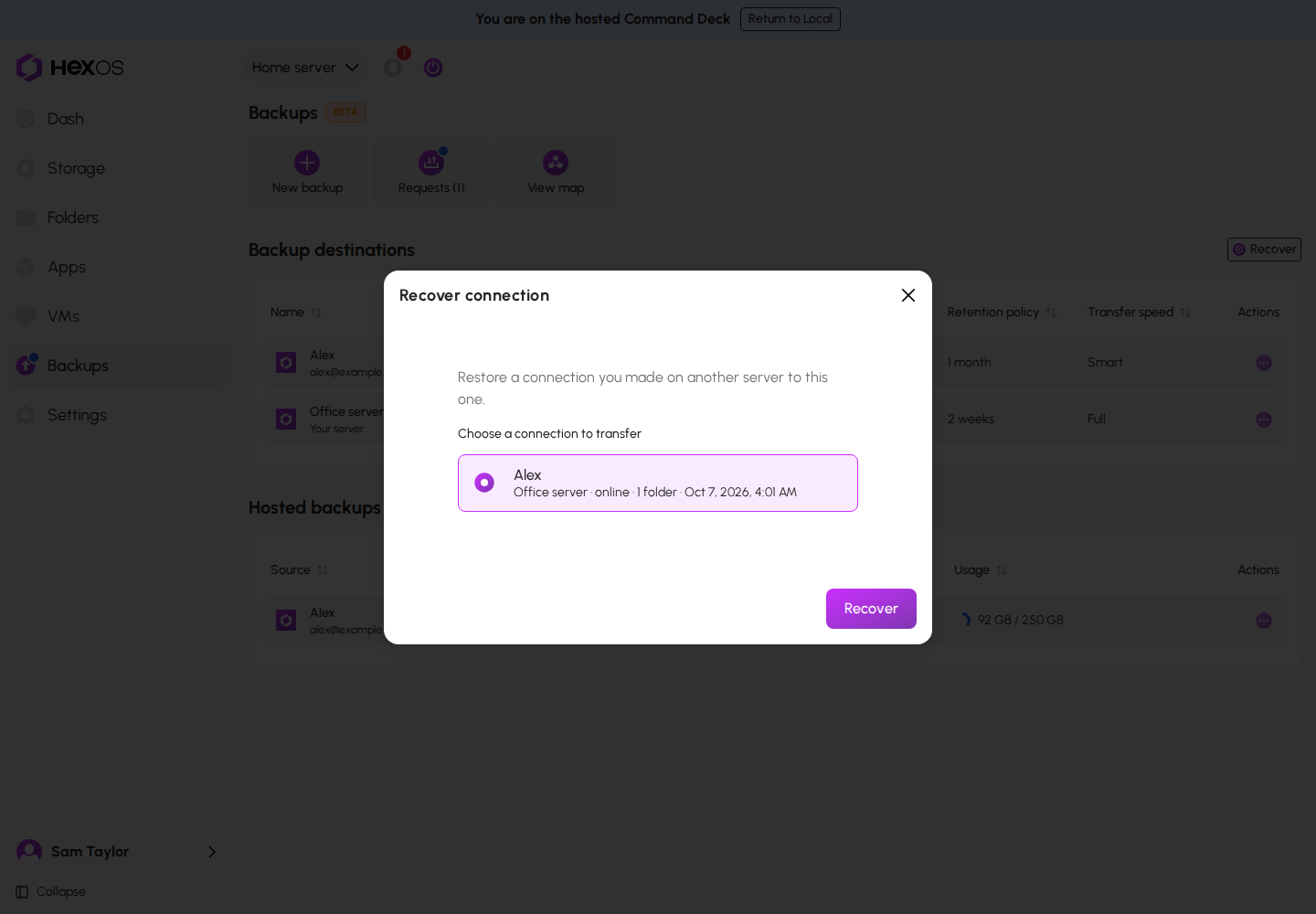
- In Recover connection, under "Choose a connection to transfer", choose the backup that belonged to the old server. Each one shows the old server's name, whether it is online or offline, how many folders it holds, and the date of its newest backup.
- Click Recover.
The Recover connection dialog
- If the old server is still online, or HexOS cannot tell, a dialog asks whether to stop the old server's backups first. Check the box that says you understand its backups to this connection will stop, and click Recover. The old server keeps its own folders.
- If HexOS asks for the old server's recovery key, type it and click Recover again.
HexOS then sets the backup up on the new server. This shows in the activity center, like a new backup's setup.
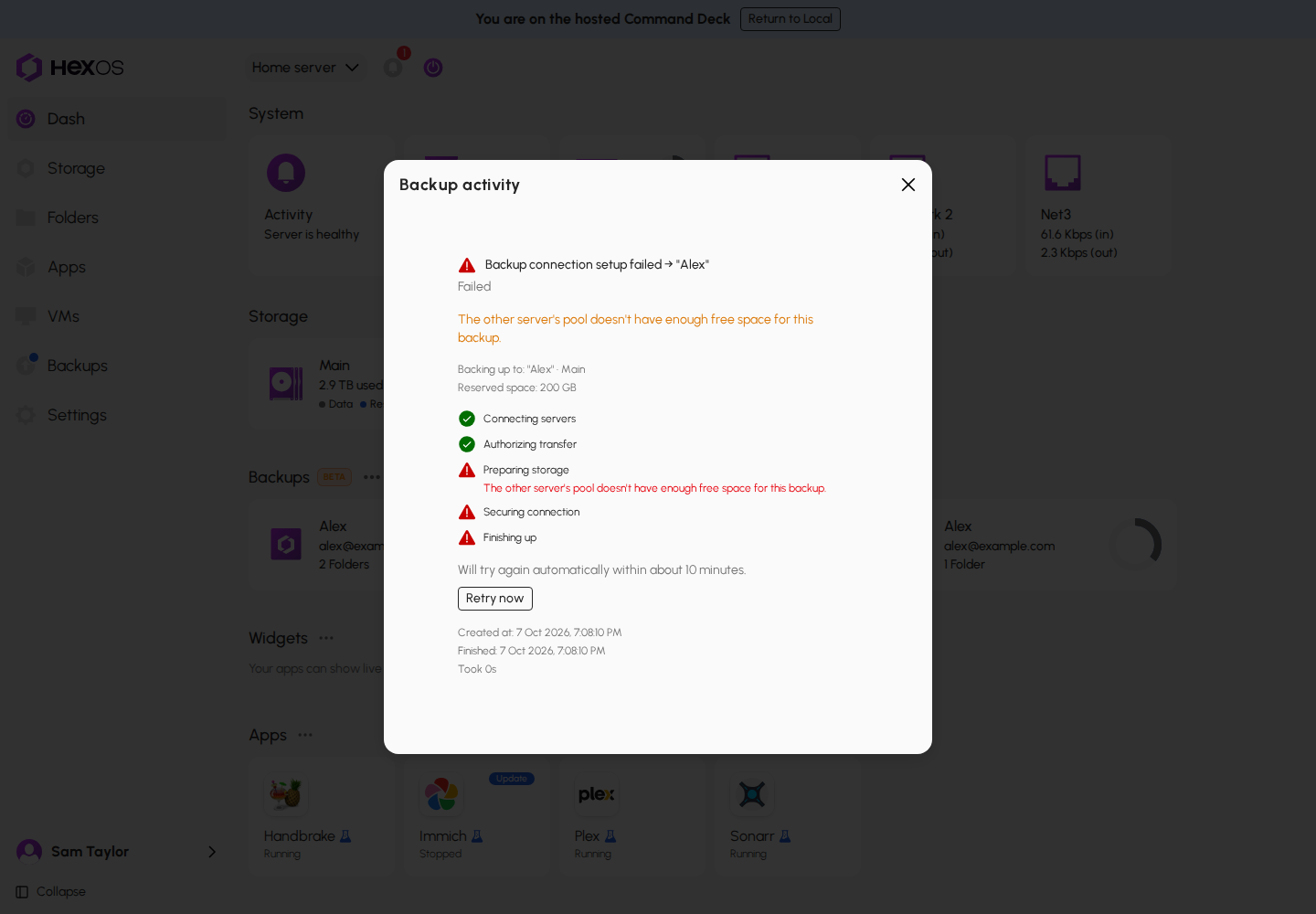
If that setup fails, click Retry now. A recovered backup has no Cancel setup, so its copies are kept.
A recovered setup that failed
HexOS confirms with "Connection transferred to" the new server's name, and "Restore its folders from the backup's details." For a paused backup, it says "It's still paused." instead.
If you have nothing to recover, HexOS says "You do not have any backups that can be recovered."
¶ Restore the folders
Recover moves only the connection. It does not bring back any folders by itself.
- Open the backup on the Backups page.
- Click the Restore tile, or open a folder's menu and click Restore from this backup.
- Restore each folder you need. See Restore a folder.
- Check who can open each folder before you click Restore. On a new server the original folder and its users are usually not there yet, so nobody is assigned. Add people on the Access card, or later in Folder permissions.
Tip: Restore a folder under its own name, from its newest restore point. HexOS then reconnects it to the backup, so it keeps backing up from the new server.
¶ Recovering a paused backup
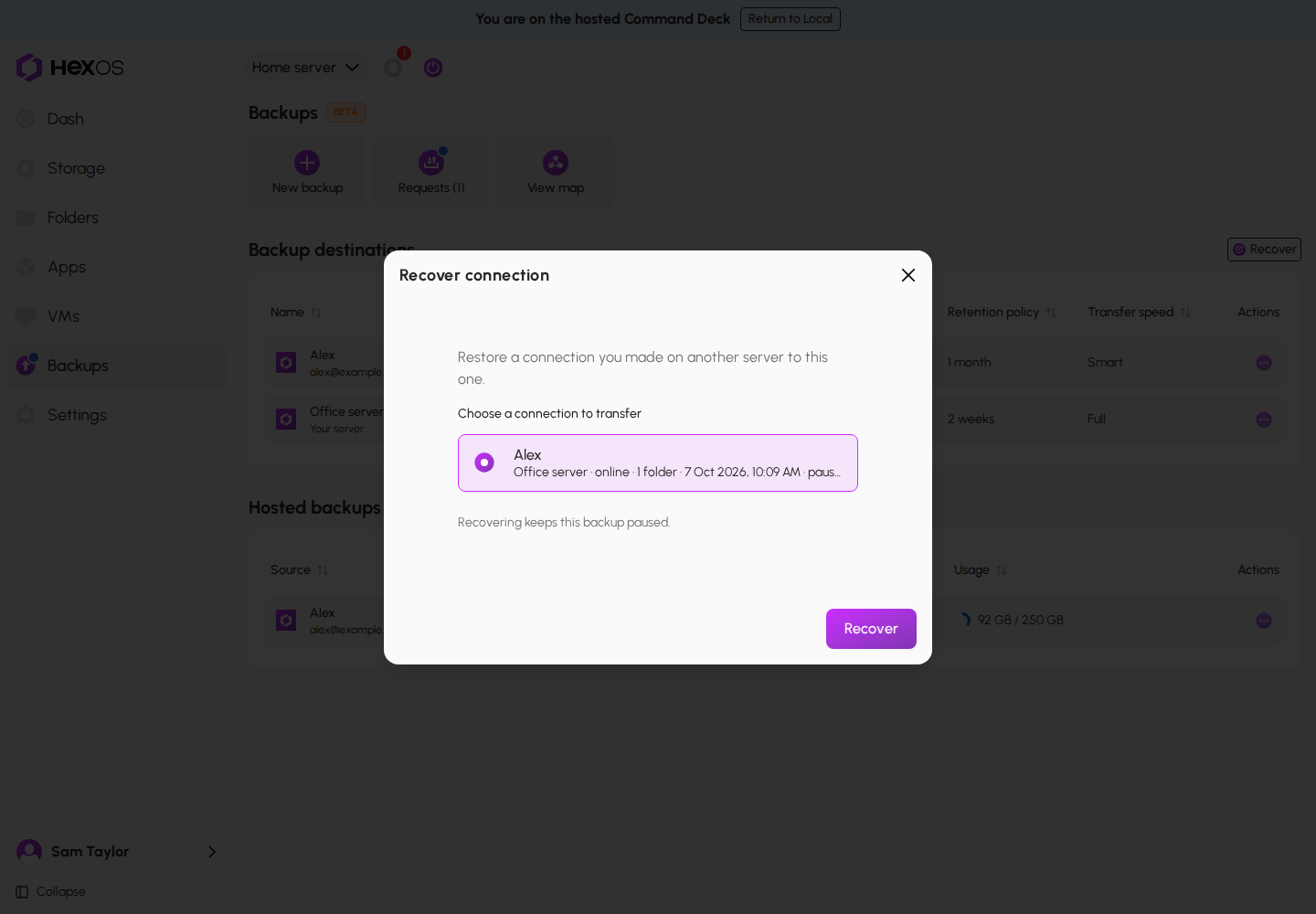
A paused backup can be recovered too. It shows "paused" in the list, and "Recovering keeps this backup paused." when you choose it. It stays paused on the new server, and HexOS says "It's still paused." Resume it there when you are ready. If your buddy paused it, ask them to resume it.
Recovering a paused backup
¶ When recovering cannot go ahead
- The server that stores the backup is offline. The dialog says so. Try again once it is back online.
¶ Retained backups
When a server that sent backups is unclaimed or reset, the copies it sent are not deleted. They show as Retained backups on the Backups page of the server that stores them, with the note "These copies belonged to a server that was removed. They stay restorable until you delete them."
If a buddy stores the copies, the retained backup shows on their Backups page. Their only choice is to remove it. Ask them not to remove it while you recover.
¶ If the other server failed instead
If the server that stored the backup is the one that is gone, its copy is gone with it. Your own files on your own server are not affected. Set up a new backup to another destination as soon as you can.
¶ Plan ahead
- If you keep your recovery key yourself, store it somewhere that is not on the server. You can download an Emergency kit in Settings > Recovery key.
- Use more than one destination for anything you cannot replace.
- Check your backups now and then. Each folder shows when its latest changes were backed up. HexOS also tells you when backups stop arriving.
- Do a test restore while everything works, so your first restore is not during an emergency.
Help: Recovering and something is not working? See Backup troubleshooting or ask in the HexOS Discord Community.