¶ Deep check
The deep check is a full health check of a storage pool. It asks each drive to test itself, then checks every piece of data on the pool. It runs in the background and only reads. It never changes, moves or erases anything.
¶ When it runs
- After setup. Tick Storage on Hardware checks to request a check of the pools you create, keep or import. A new pool with previously used or worn drives may receive a check even if you leave Storage unticked. If you also choose Memory, drive checks wait until the server returns from the memory test. See New server checklist.
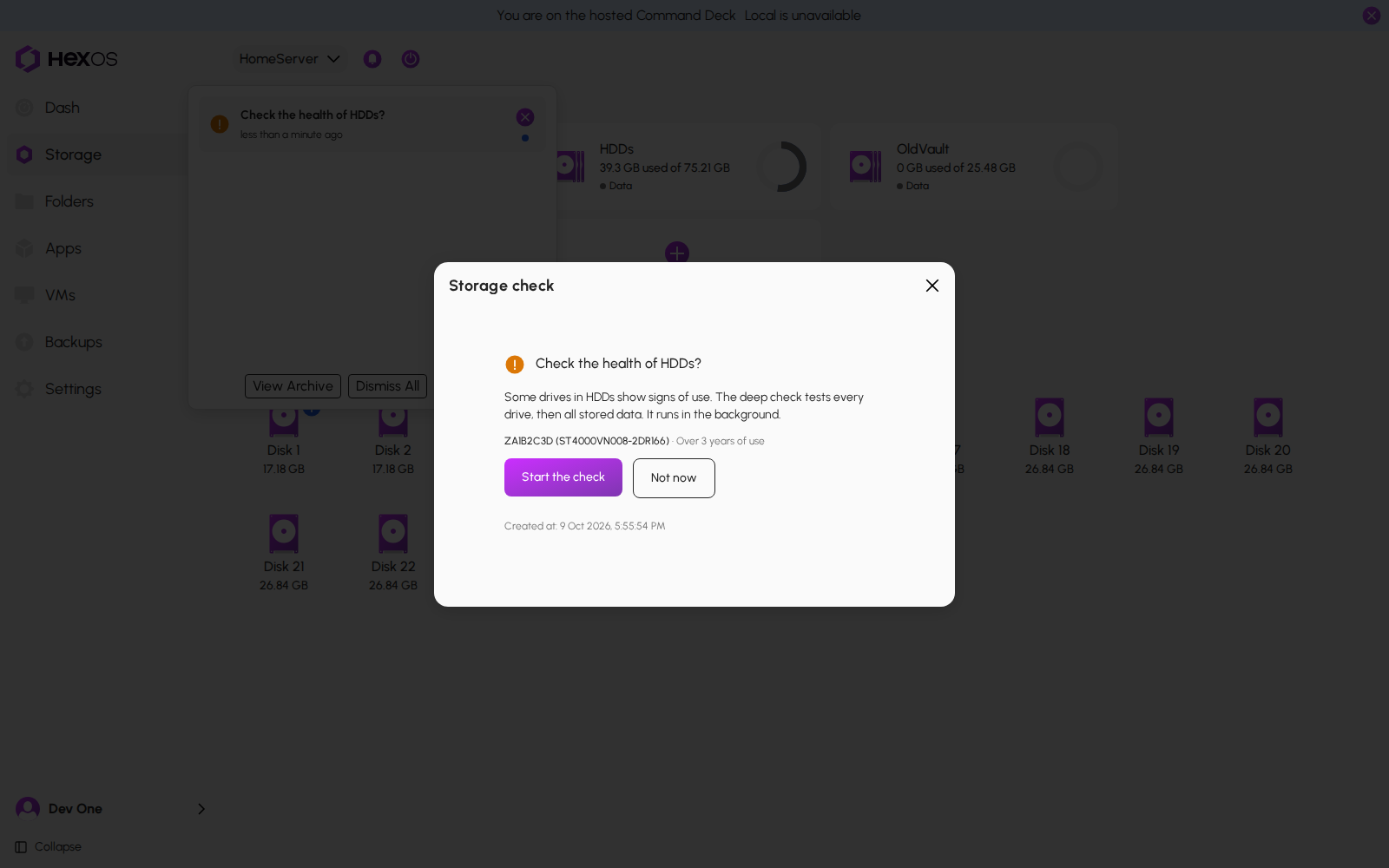
- For pools you already have. Outside the checks you request during setup, HexOS asks before checking an existing pool. If it notices a used or worn drive, a notice asks whether to check the pool, for example Check the health of Vault?, and lists the drives and why. Click Start the check or Not now. If you click Not now, HexOS does not ask again for the same reason for a month.
The offer to check an existing pool
¶ What happens during the check
- Every drive in the pool runs its own built-in self-test, all at the same time. A large hard drive can take most of a day.
- Then HexOS reads everything stored on the pool and confirms it is intact.
- The result is written up in the activity center.
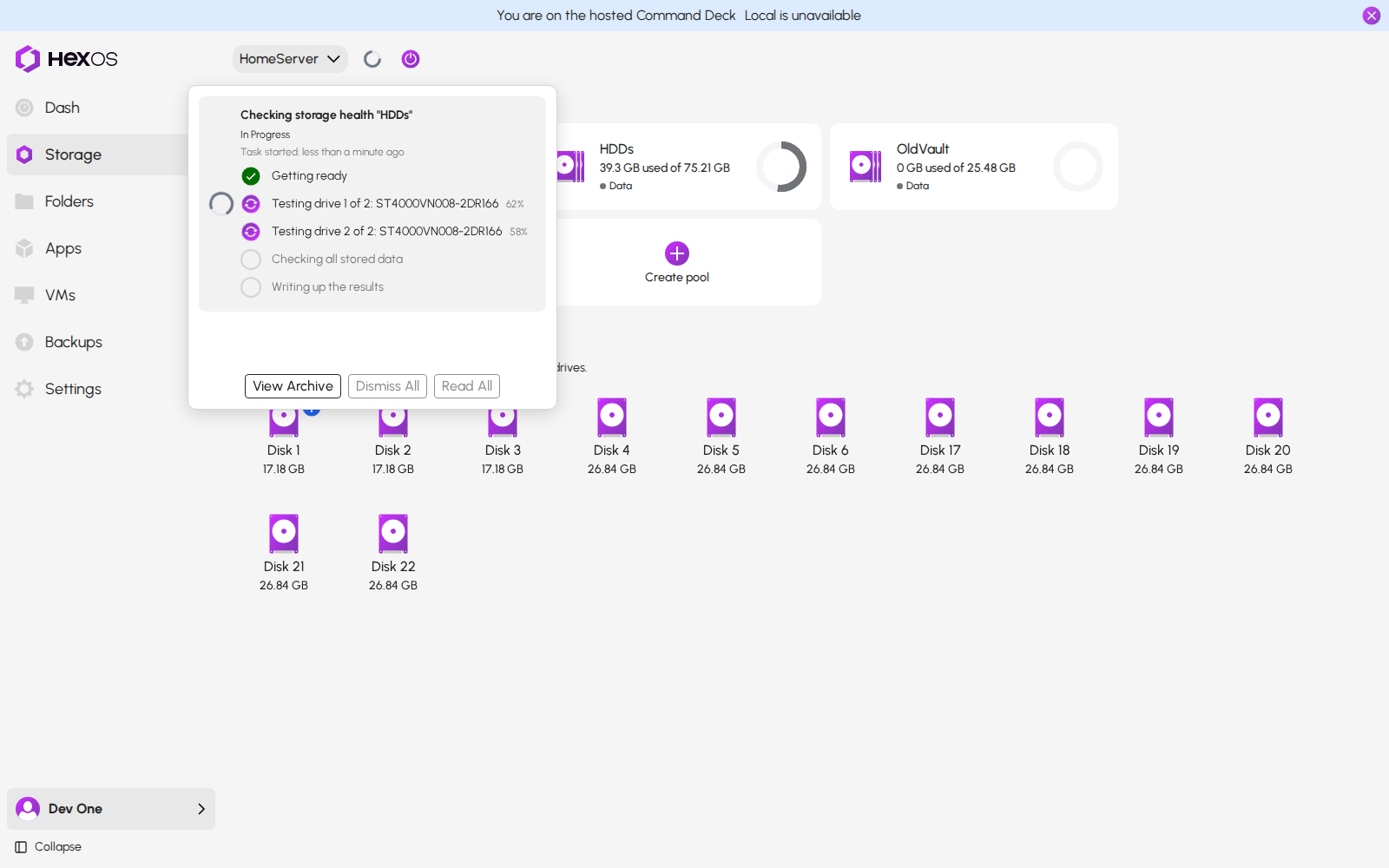
The activity center shows one row for the check, with a step for each drive and its progress. You can keep using your server while it runs. You can also close your browser: the check keeps going.
The deep check in the activity center
Info: If the whole server restarts during the check, the drives stop testing. The check ends as not finished, and you can run it again.
¶ The results
- Passed: every drive tested cleanly and all data checked out.
- Problem found: a drive failed its self-test, or the data check found errors. A drive that failed says Faulty on its tile on the Storage screen, or Check cable when a loose cable is the likely cause.
- Not finished: something got in the way, such as a restart, or a drive that cannot run a self-test. Run the check again when the server is settled.
Open the finished check's notice to see the report. It has a line for each drive and a line for the data check.
A deep check report
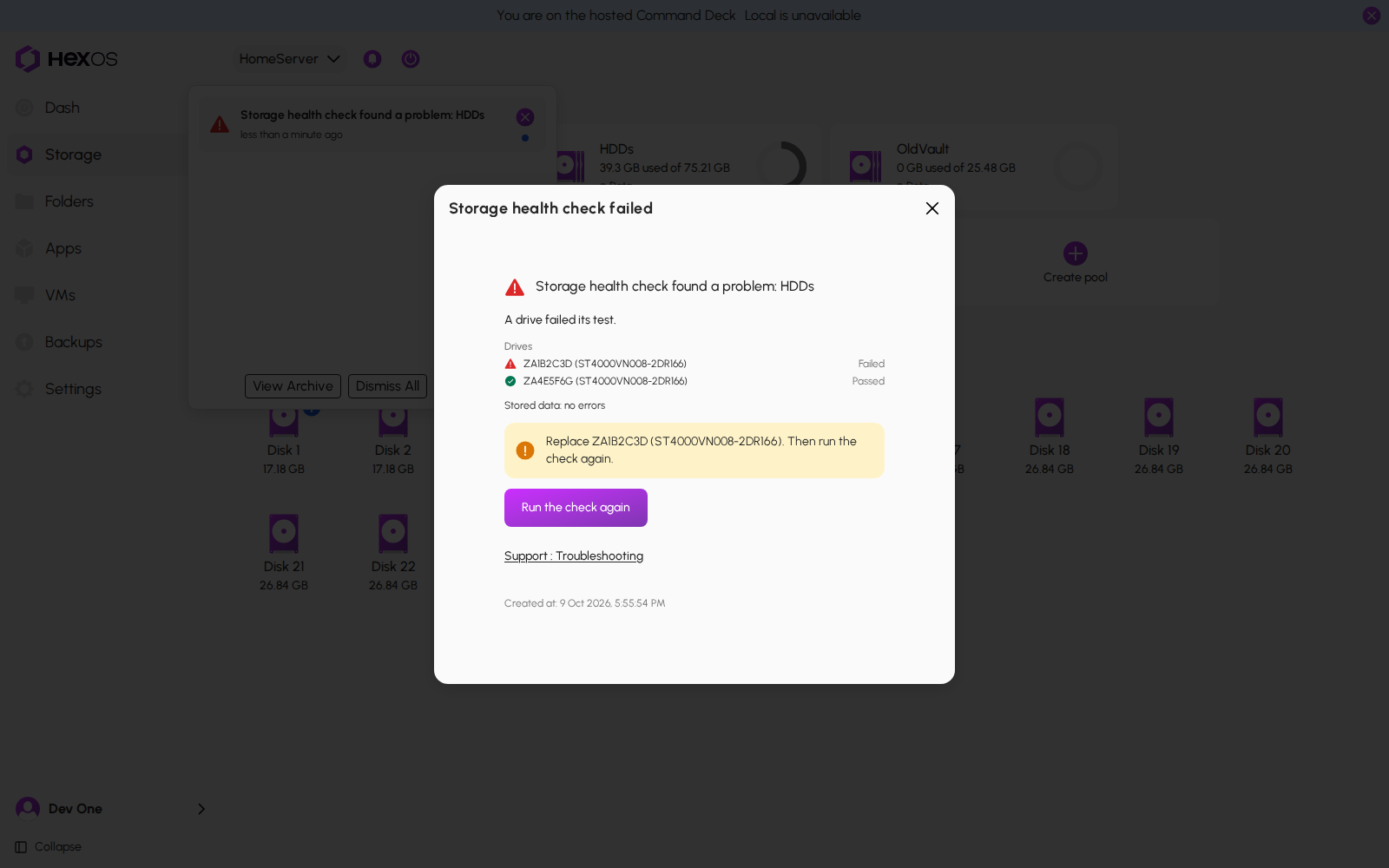
Warning: If a drive failed, replace it, then click Run the check again. See Drive failure.
¶ Keep using your pool
A deep check cannot be stopped from the Command Deck. It only reads your data, so it is safe to let it finish.
A check does not lock your pool. You can create shared folders, install apps and create virtual machine disks while it runs. You do not need to enable the pool or skip the check. Performance may be slower while the drives are busy.
Help: Questions about a check result? Ask in the HexOS Discord Community.