¶ USB network adapters
HexOS warns when your server's network connection runs through a USB adapter. To see the result, your server must share hardware data with HexOS. Open Settings > Health & Capabilities and click Run diagnostics. The report shows the adapter under Hardware advisories, with what the problem is and what to do about it. If your server has not logged that problem, the entry is titled Known issue, not seen on this server. Click Learn more in the entry to open this page.
A USB network adapter warning in diagnostics
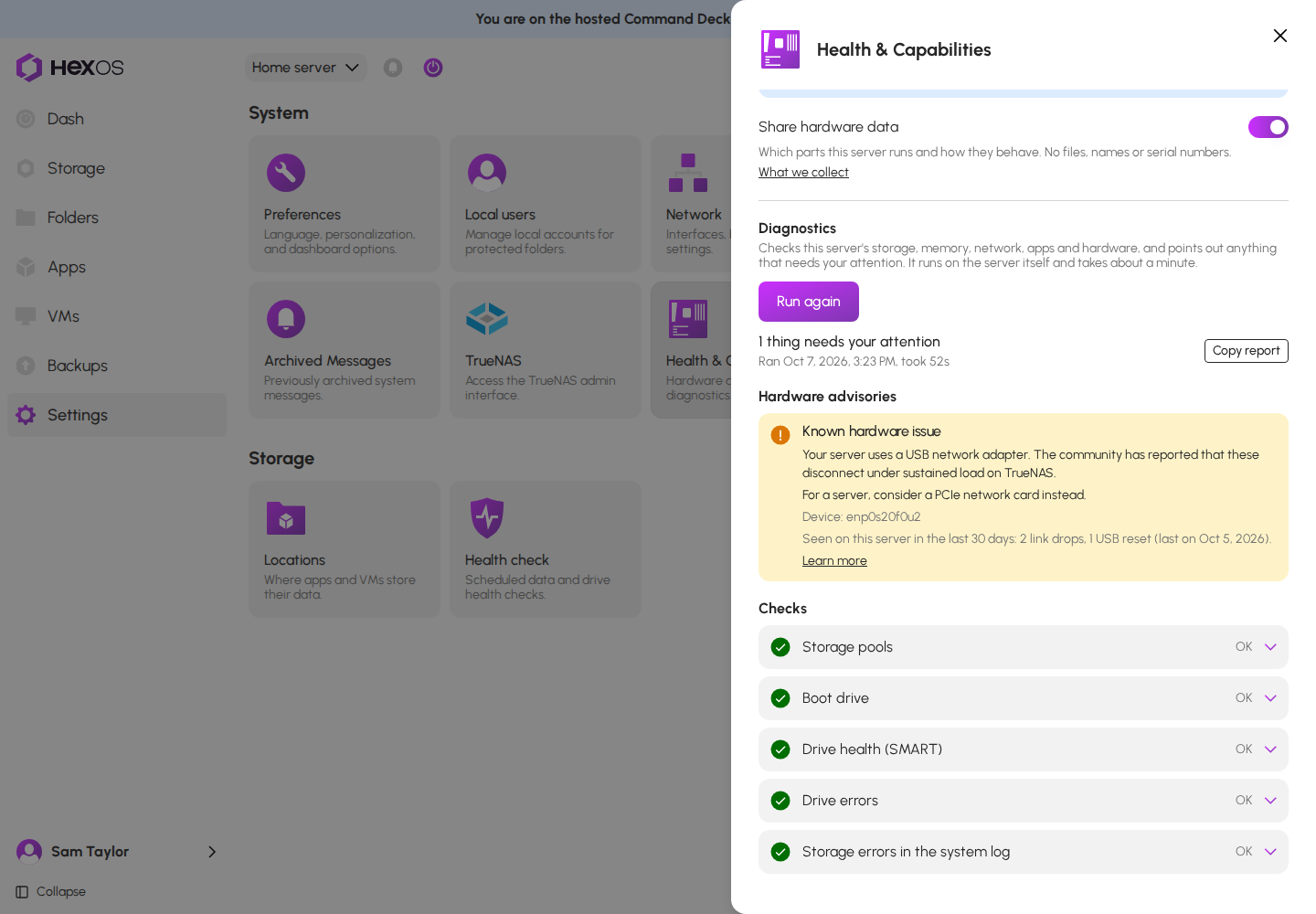
Info: Warnings on the dashboard are not shown for everyone yet. For now, the diagnostics report is where you see them. See Health & Capabilities.
A USB adapter is fine for occasional use, and on some small computers it is the only option. It is a poor fit for a server, which moves large amounts of data for hours at a time.
¶ Realtek USB adapters
Which adapters: Adapters built on the Realtek RTL8156 (2.5 gigabit) and RTL8153 (1 gigabit) chips. Most USB network adapters sold today use one of these.
The problem: The community has reported that these adapters overheat and drop their link during long transfers. Speeds on TrueNAS have been measured at a fraction of what the same adapter reaches on a desktop computer. It is fine for occasional use.
¶ Any USB adapter
The problem: USB network adapters in general have been reported to disconnect under sustained load on TrueNAS. The USB plug has no latch and can work loose, the adapter shares its USB port with everything else on that controller, and the drivers see less testing than those for cards inside the server.
¶ The recommended fix
For a server, use a network card that plugs into a slot inside the computer. See what to buy instead for the cards that work well with TrueNAS.
Tip: Keep the USB adapter as a spare. It is a good way to reach a server whose main network card has failed, or to update TrueNAS when the built-in card has no driver yet.
¶ After you change the adapter
- Shut the server down from the HexOS power menu and install the new card.
- Start the server. HexOS reads the parts again, and the warning is gone the next time you run diagnostics.
- If the server does not reconnect to the network, follow Connection issues.