¶ Encrypted folders
An encrypted folder keeps its files scrambled on your drives. Only the folder's key can turn them back into readable files. This page explains what that protects, how the key is kept, and how to lock, unlock and restore an encrypted folder.
New folders are encrypted by default. To encrypt a folder you already have, see Turn on encryption for a folder.
¶ How the key is kept
Each encrypted folder uses one of two ways to keep its key:
- Autogenerated (recommended): "HexOS keeps a copy of the key that only your sign-in can open." With End-to-end encryption, that copy also needs your recovery key. The folder unlocks by itself when your server starts.
- Manual: "Enter it after every restart. If it's lost, nobody can open the folder." You choose a passphrase of at least 8 characters.
A folder can also be left unencrypted (Don't encrypt). An unencrypted folder "Can only back up to your own servers."
Each server also has a recovery key, which locks the copies of its folder keys that HexOS keeps. You choose who keeps the recovery key: HexOS (Managed, the default) or only you (End-to-end encryption). See Recovery key and emergency kit.
¶ What encryption protects
| Autogenerated, recovery key Managed | Autogenerated, recovery key End-to-end encryption | Manual passphrase from the start | |
|---|---|---|---|
| Unlocks by itself when the server starts | Yes | Yes | No. You type the passphrase. |
| Can be locked from HexOS | No | No | Yes |
| A storage drive taken out of the server on its own can be read | No | No | No |
| Someone who takes the whole server, boot drive included, can read it | Yes. It unlocks when they start the server. | Yes. It unlocks when they start the server. | No. It stays locked after a restart. |
| HexOS can open the folder's key for a request signed in to your account | Yes | No, once the old keys are removed (see below). It needs your recovery key. | No. HexOS does not store the passphrase. |
| A buddy who stores your backup can read it | No | No | No |
| To open a backup after the server is lost, you need | Your HexOS sign-in | Your HexOS sign-in and your recovery key | Your HexOS sign-in and your passphrase |
The table is about files written while the folder is encrypted. A folder you encrypted later can leave pieces of its old unencrypted files on the drives until that space is used again, so erase a drive before you sell it or send it back.
Warning: Choose Manual if you need a folder to stay unreadable when someone takes the whole server. An autogenerated key is kept on the server's boot drive so the folder can unlock by itself, and that also unlocks it for whoever starts the server.
Danger: A Manual passphrase that is lost cannot be recovered by anyone, including HexOS. The folder and every backup of it stay unreadable. Keep the passphrase somewhere safe, away from the server.
A folder that switched from Autogenerated to Manual works like a Manual folder from then on. HexOS still keeps its earlier key copies. They no longer unlock the folder on your server, but they do open copies of the folder made before the switch, such as a buddy's backup until the next backup after the switch arrives, a backup on a paused connection, or a disk image. With Managed, HexOS can open those older copies for a request signed in to your account. With End-to-end encryption, they open only with your recovery key. The same applies to a folder you encrypted later with Manual, because the conversion runs on an autogenerated key until it finishes. While that conversion runs, your server holds the passphrase until the conversion finishes or is discarded; HexOS servers do not store it.
Old keys after a key change. A key change does not encrypt your files again: it changes the key that unlocks them. When a folder gets a new key (for example after you switch the recovery key to End-to-end encryption), HexOS keeps the old key until every backup of the folder has a backup made after the change. If HexOS could open the old key before the change (with Managed), it still can until then, for a request signed in to your account. A folder whose files do not change keeps its old key until they do, and a backup on a paused connection keeps it too. Settings > Recovery key lists the folders still waiting. HexOS's own database backups keep old keys until those backups expire. An old key still opens any copy of the folder made before the change, such as a disk image or a backup that never ran again. HexOS cannot encrypt an already encrypted folder again from the start.
Where each copy of a key is kept is shown in Where your keys are kept.
¶ The page of an encrypted folder
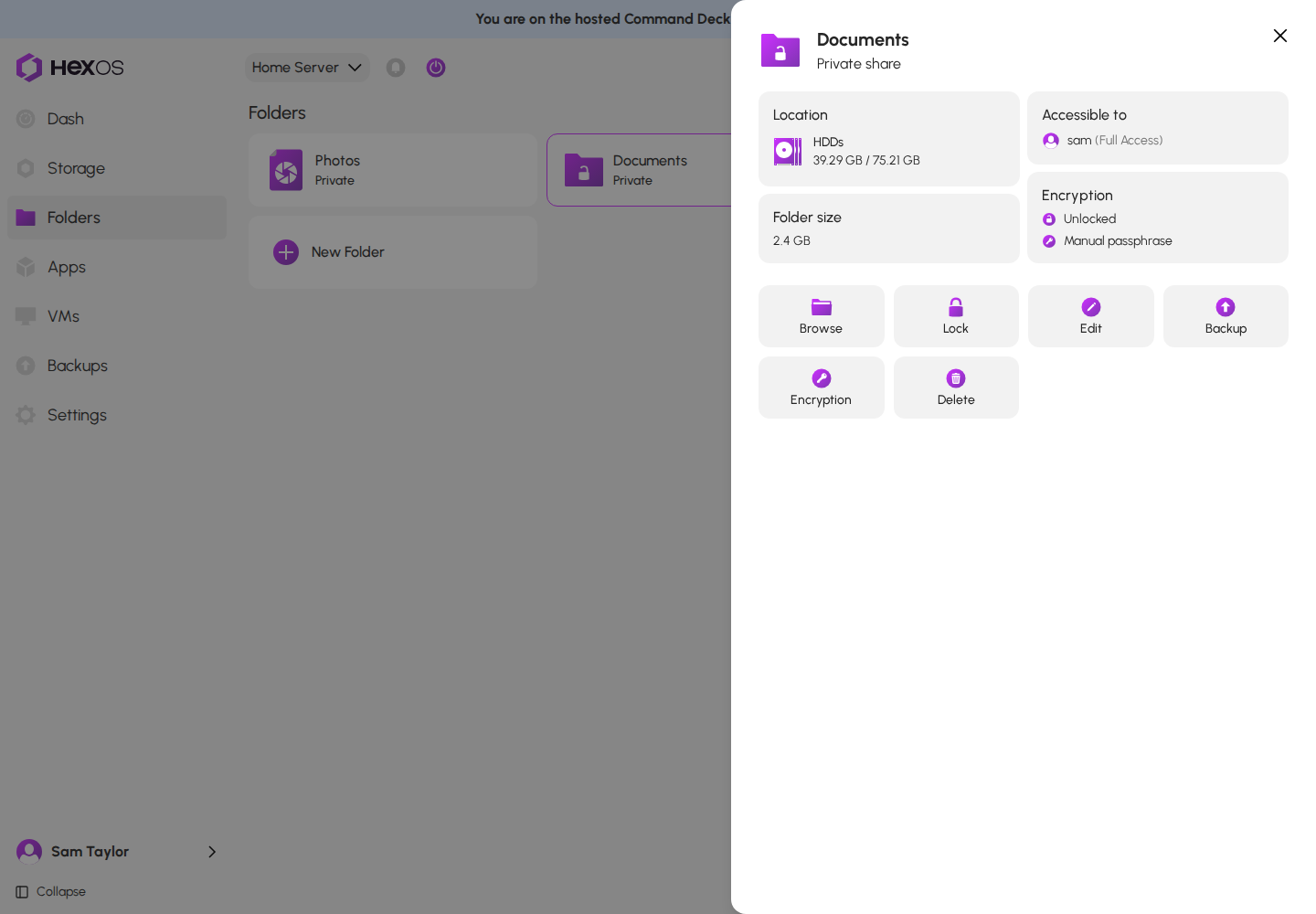
Open Folders and click the folder. An encrypted folder shows an Encryption card that says whether it is Locked or Unlocked, and whether it uses an Autogenerated key or a Manual passphrase.
Folder page of a folder with an autogenerated key
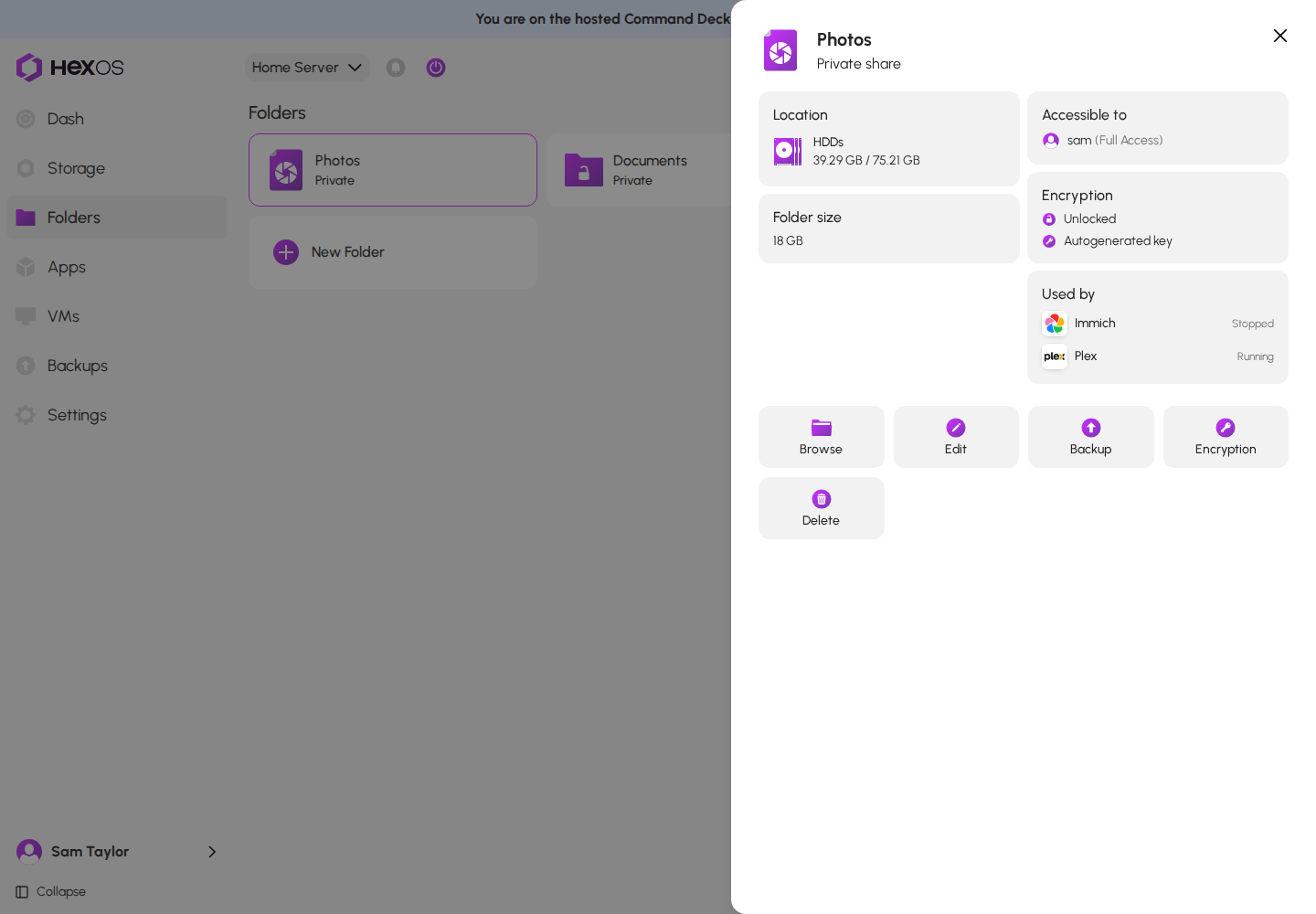
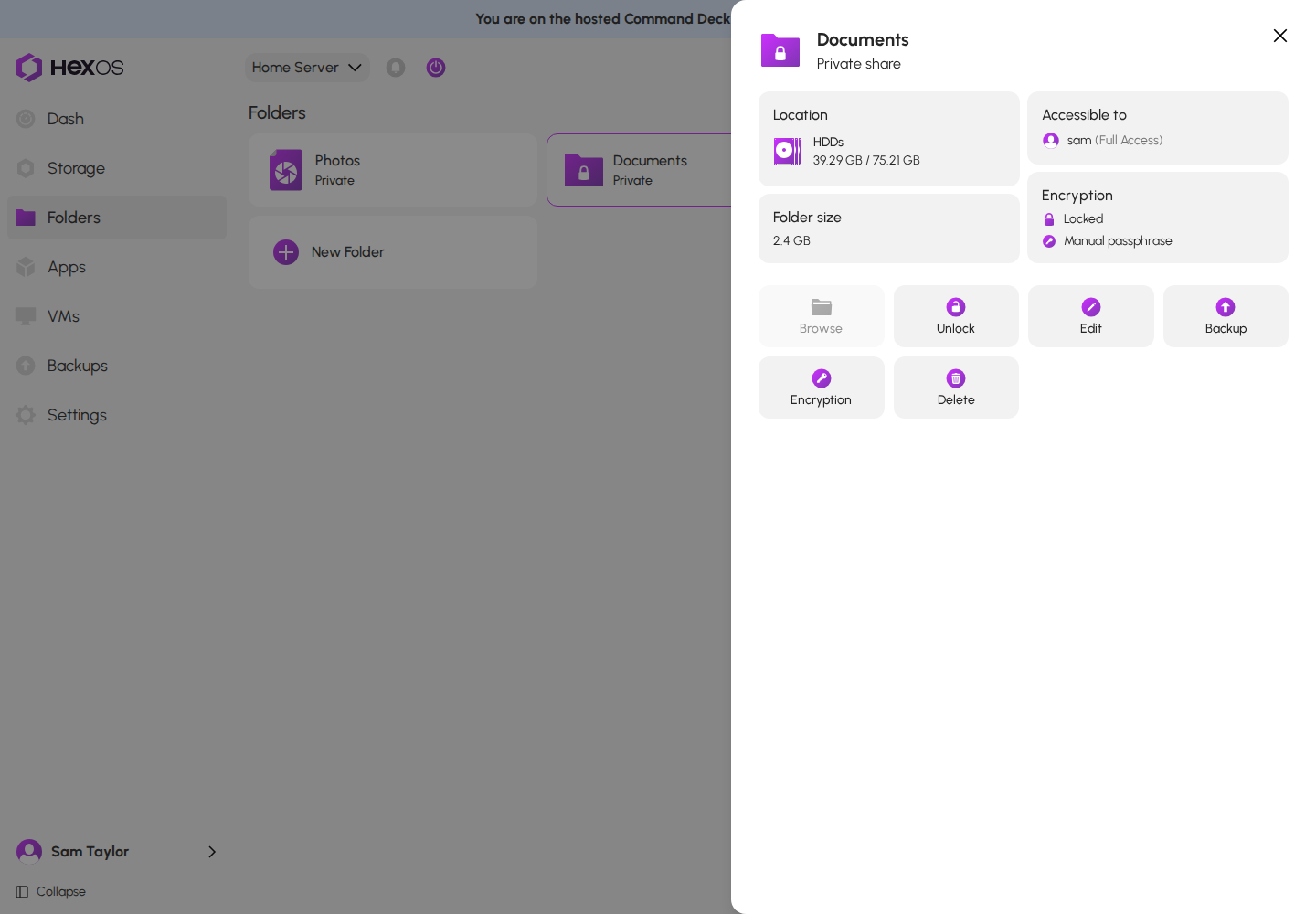
The tiles at the bottom of the page are Browse, Edit, Backup, Encryption and Delete. A folder with a manual passphrase also has a Lock tile (or Unlock while it is locked), right after Browse.
Folder page of a folder with a manual passphrase
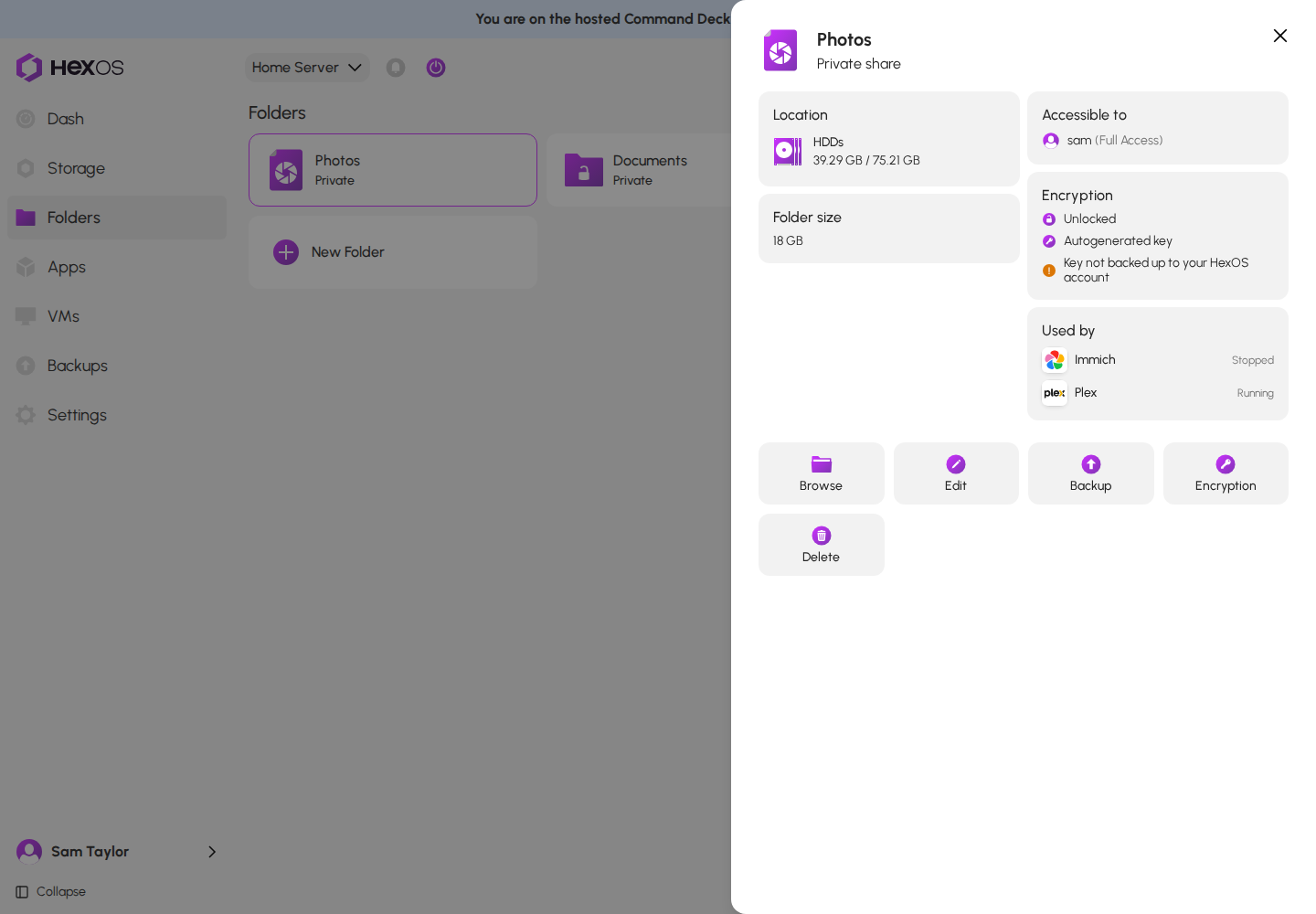
Key not backed up: if HexOS has no copy of an autogenerated folder's key, the card says Key not backed up to your HexOS account. This is rare. While the folder is unlocked, HexOS fixes it by itself when you open the folder's page: the line changes to Backing up the key to your HexOS account… and then goes away. If the line stays, make sure the server is online and open the page again.
Key not backed up warning on the Encryption card
A folder inside another encrypted folder uses that folder's key. Its card says "Inside {parent}, so its key can't be changed here", and it has no Encryption tile and no Lock tile. It locks and unlocks with the outer folder. When the outer folder can be locked, the page says "This folder uses the key of {parent}, so it locks and unlocks with {parent}."
¶ Change how a folder's key is kept
You can move a folder between Autogenerated and Manual at any time. Only the way the key is kept changes; your files are not encrypted again, so it finishes in seconds.
- Open the folder's page and click Encryption.
Encryption dialog
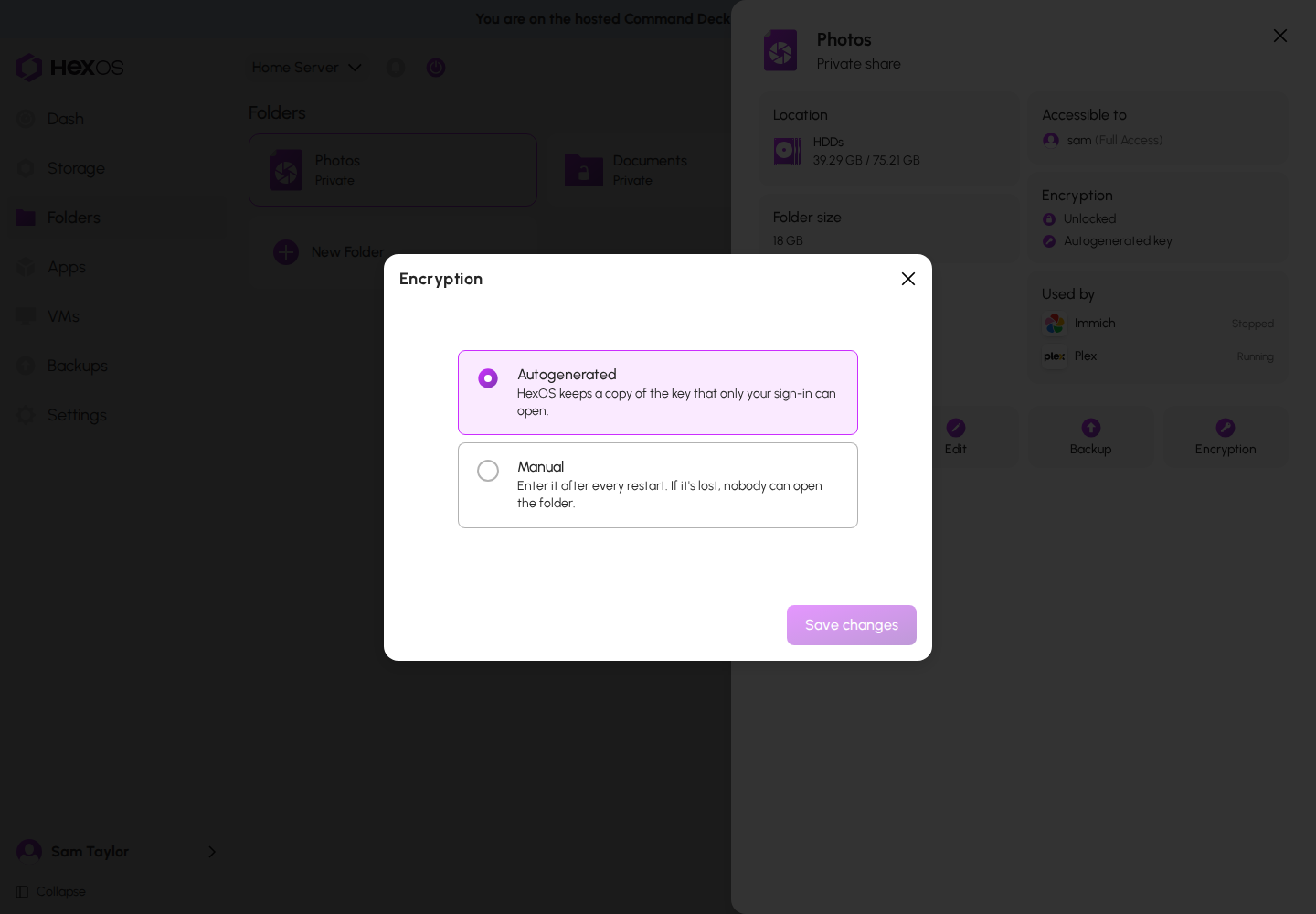
- Click the way you want the key kept:
- Manual: type the new passphrase in Passphrase and again in Confirm passphrase. It must be at least 8 characters.
- Autogenerated: if the folder is locked, type its Current passphrase.
Manual chosen, with the passphrase fields
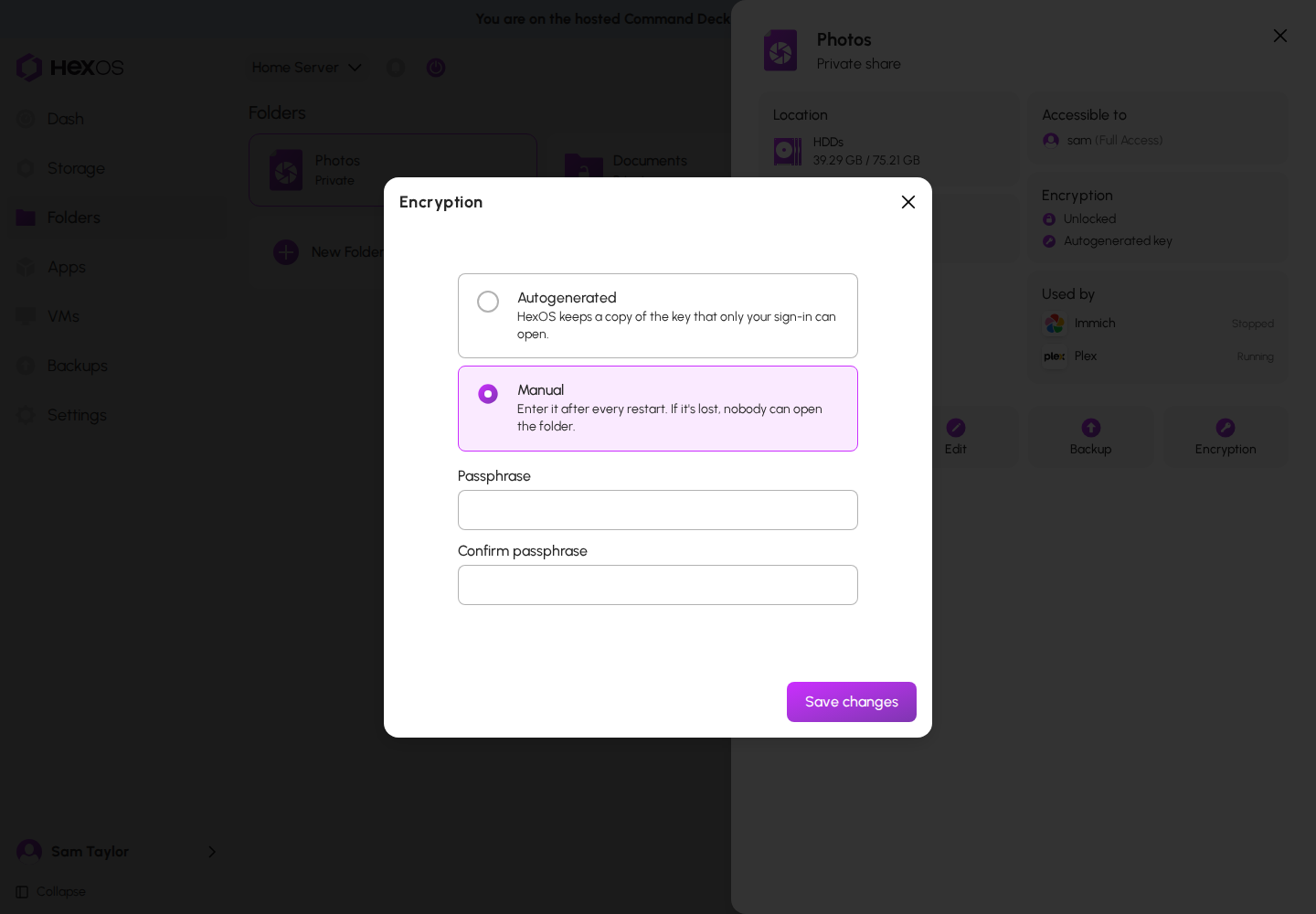
- Click Save changes. HexOS confirms with The folder now uses your passphrase or The folder's key is now autogenerated.
Things to know:
- A locked folder with an autogenerated key cannot change until it is unlocked: "Unlock the folder first, then change how its key is kept."
- Switching to Autogenerated means the folder unlocks by itself at every start, and HexOS keeps a locked copy of its key with your HexOS account. Keep the old passphrase until every backup of the folder has run since the switch: backups made before it still open only with the passphrase.
- Switching to Manual means you type the passphrase after every restart. HexOS keeps the folder's earlier key, which still opens copies made before the switch (see What encryption protects).
- The Encryption tile is off while the folder is being encrypted.
Warning: If the folder is backed up to a buddy, run a backup after you change how its key is kept, and check that it finishes. See Known issues.
¶ Lock and unlock a folder
Only a folder with a Manual passphrase can be locked from HexOS. A locked folder and its contents cannot be seen or opened by anyone on the network, and Browse is not available.
To lock it: open the folder's page and click Lock. HexOS confirms with Successfully locked folder.
You cannot lock a folder while a running VM reads it directly. HexOS says Folder in use by a virtual machine. Stop the VM first. See Direct folder access.
To unlock it:
- Open the folder's page and click Unlock.
Locked folder with the Unlock tile
- Type the folder's passphrase in Passphrase. If you want the folder to lock again by itself, choose a time in Lock After.
- Click Unlock. HexOS confirms with Successfully unlocked folder.
Unlock Folder dialog
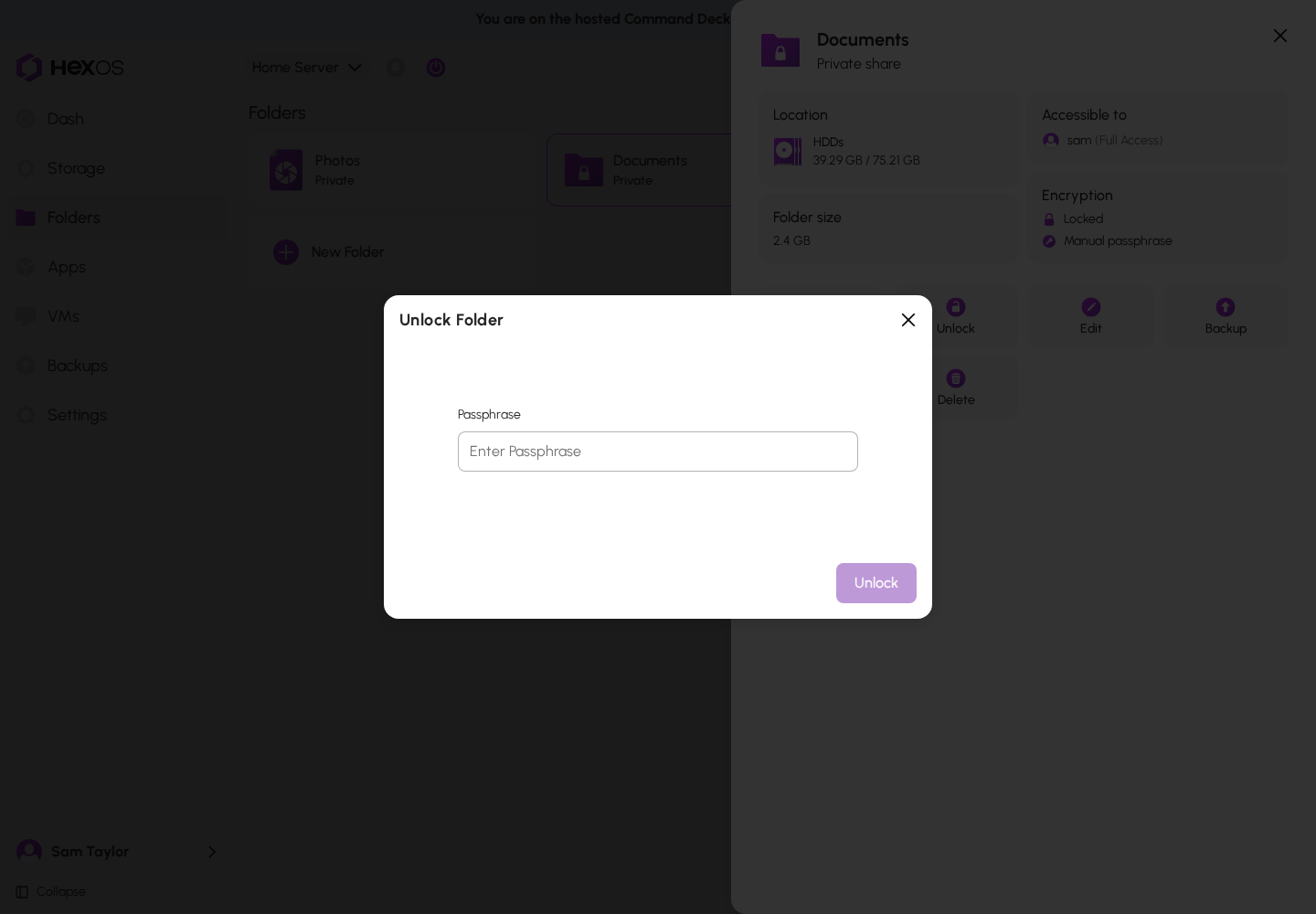
Info: Lock After works only while the folder's page stays open in your browser. If you leave the page, lock the folder yourself when you are done.
A folder with a manual passphrase is locked again every time the server restarts, until you unlock it.
A folder with an autogenerated key unlocks by itself and has no Lock tile. If one is ever locked (for example, because TrueNAS lost its copy of the key), the folder's page shows Unlock. Click it: HexOS opens the folder with your sign-in, and there is no passphrase to type. If the server's recovery key is kept by you, HexOS may ask for it (see Recovery key needed). If it fails, HexOS says why, or Couldn't unlock the folder.
A folder inside another encrypted folder locks and unlocks with that folder. If the outer folder is locked, the page says "This folder is inside {parent}, which is locked. Unlock {parent} first, then this folder."
¶ Folders with a passphrase
Folders encrypted before autogenerated keys existed use a passphrase, just like a folder with Manual:
- After every restart, the folder stays locked until you unlock it.
- You can lock and unlock it from the folder's page.
- When you restore a backup of it, HexOS asks for the passphrase.
- To have it unlock by itself and get a key copy with your HexOS account, switch it to Autogenerated (see Change how a folder's key is kept). Older backups of it still need the passphrase.
¶ Restore an encrypted folder
From a backup. A restored encrypted folder arrives locked. With an autogenerated key it unlocks by itself while you are signed in. With a passphrase, HexOS asks for it. If you keep the server's recovery key yourself, HexOS asks for it once. The steps are in Restore a folder.
After reinstalling HexOS or importing a pool. When HexOS finds folders on your pools that are not set up in HexOS yet, the Folders screen shows Found 3 folder(s) on your pools (with your number) and a Restore folders button.
Restore folders notice
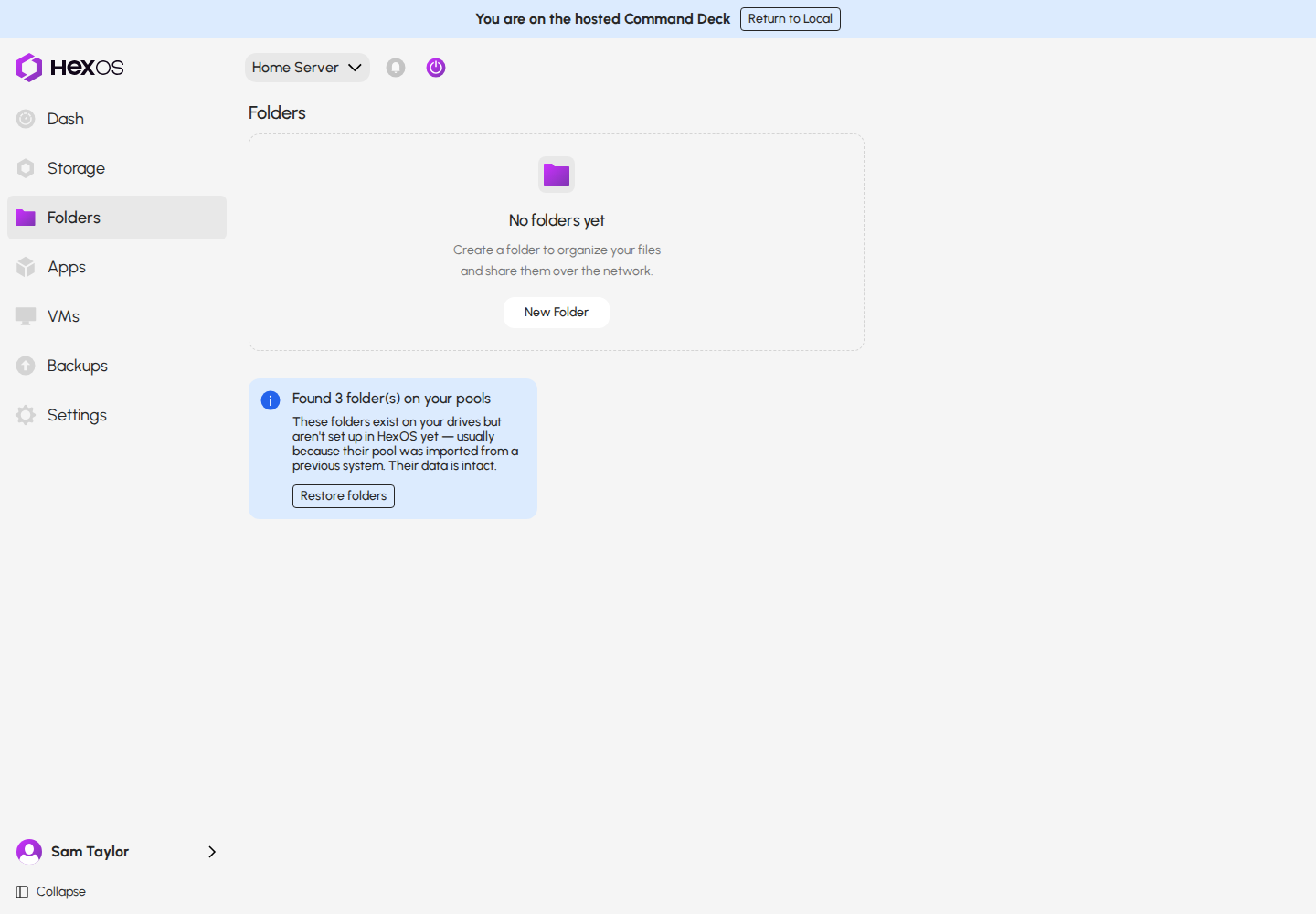
- Click Restore folders.
- Each locked folder shows what it needs:
- A folder with an autogenerated key says it is Encrypted and locked, and it unlocks with your HexOS account when you restore it. There is nothing to type. If you keep your recovery key yourself, HexOS asks for it once (see When HexOS asks for a recovery key).
- A folder with a passphrase says it is Encrypted and locked and asks for the passphrase. Typing it selects the folder.
- A folder encrypted with a key file made in TrueNAS says it Cannot be restored, because its key was stored on the previous system. Unlock it in TrueNAS with the key you exported, as described in Import pools to HexOS under "Import keys for encrypted data".
- Click Restore.
Restore folders dialog with encrypted folders
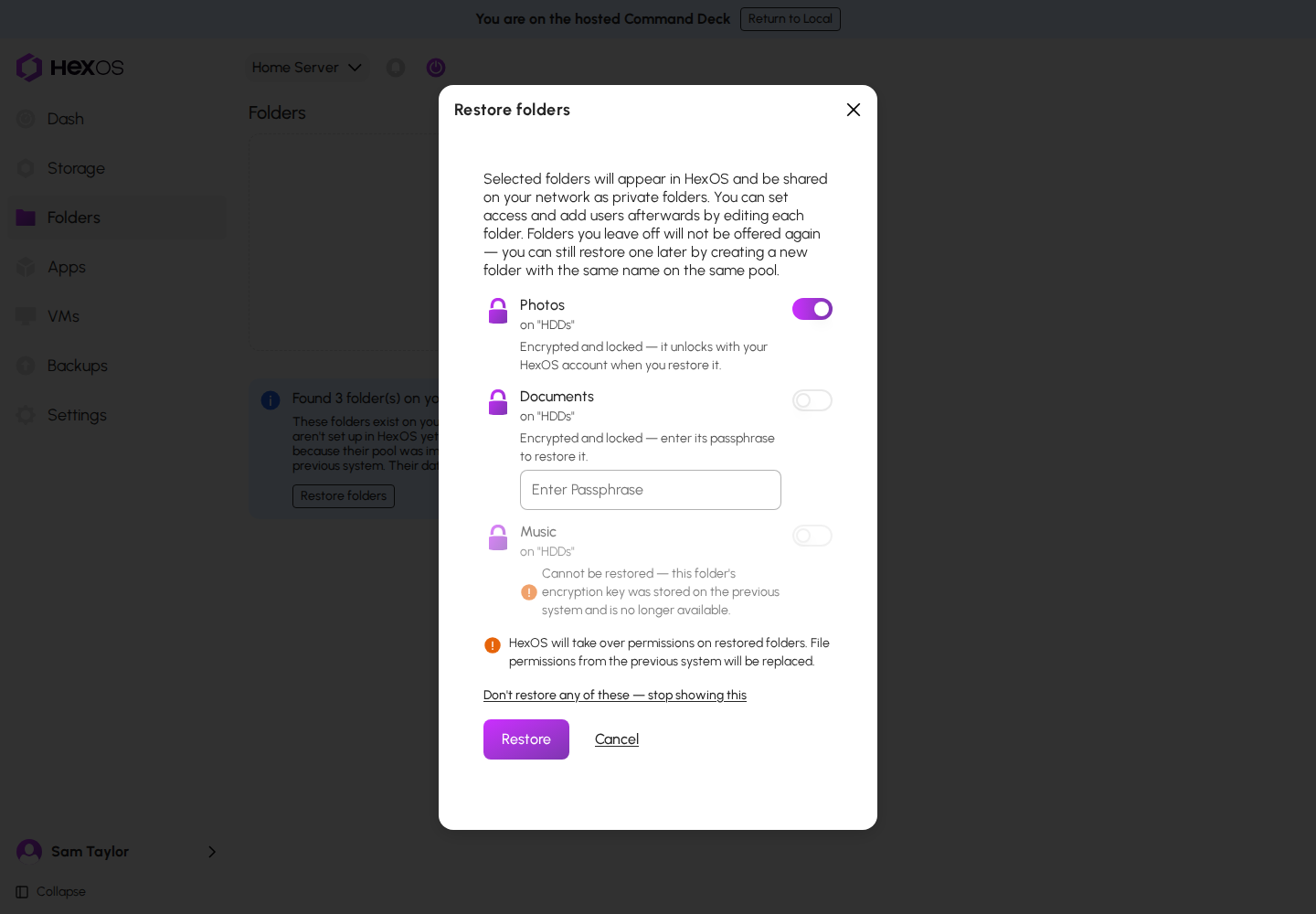
Info: "HexOS will take over permissions on restored folders. File permissions from the previous system will be replaced." Set each folder's access after it is restored.
¶ Buddy Backups of encrypted folders
A buddy's server stores your encrypted folder exactly as it is on your drives, and never gets a key. Your buddy cannot read your backup. A folder must be encrypted before it can be backed up to another person's server; if it is not, the backup offers to encrypt it (see Turn on encryption for a folder). How this works is in How Buddy Backups works.
¶ Messages you might see
| Message | What it means and what to do |
|---|---|
| Folder keys can't be stored right now, so nothing was encrypted. Try again in a few minutes. | HexOS could not save its copy of the new key, so nothing changed. Try again in a few minutes. |
| Folder keys were requested too many times in a short time. Wait a few minutes and try again. | To protect your keys, HexOS limits how often they can be opened. Wait a few minutes, then try again. |
| Your sign-in couldn't be confirmed for this folder's key. Sign in again and retry. | Sign out of the Command Deck, sign in again, and repeat what you were doing. |
| The server restarted before the folder's key was used. Nothing was encrypted; try again. | Nothing changed. Try again. |
| Unlock the folder before backing up its key to your HexOS account. | Unlock the folder, then open its page again. |
| This server's recovery key isn't set up yet. Open the server once while it's online, then try again. | Open the server in the Command Deck while it is online, then try again. |
| That isn't the recovery key this needs. Check it and try again. | Each server has its own recovery key. Use the Emergency kit of the server that HexOS names. |
| That doesn't look like a recovery key. Check for a typo and try again. | Check the key for a typing mistake. |
| That took too long, so nothing was changed. Start again. | Start the step again from the beginning. |
Help: If a message does not go away, contact HexOS support at [email protected] or ask on Discord.
¶ Known issues
These are known problems with folder encryption. A fix is planned for each.
- A new folder made from Settings uses the older folder dialog. In Settings > Locations, the New folder button opens an older dialog. There, encryption is off by default and only a passphrase is offered (Enable encryption, Encryption password). A folder made there with encryption is a folder with a manual passphrase.
Meanwhile: create the folder from Folders > New Folder, then choose it in Settings > Locations with Existing folder. For a folder already made in Settings, open its page and click Encryption to switch it to Autogenerated, or click Turn on if it is not encrypted. - "The folder contains other datasets, which can't be converted with it yet." is unclear. This message appears only when a dataset inside the folder already has encryption of its own. Datasets inside the folder that are not encrypted are converted with it and do not cause this message.
Meanwhile: contact HexOS support. - A folder in no backup can be reported as backed up. When your server cannot reach the HexOS servers, the folder's page can say "The folder is already backed up to one of your own servers. Remove it from that backup first, then encrypt it." even for a folder that is in no backup. HexOS does this on purpose to stay safe, but the words are wrong.
Meanwhile: if the folder is in no backup, check that the server shows as online in the Command Deck, wait a few minutes and open the folder's page again. - Changing the key of a folder backed up to a buddy is not fully tested yet. HexOS has not yet confirmed in testing that the next backup to a buddy always succeeds after a folder changes between Autogenerated and Manual.
Meanwhile: after you change how such a folder's key is kept, open the folder's page. Under Backing up to, open the backup's menu, click Back up now, then click Back up now again to confirm. Check that the backup finishes. - Editing a folder shows the wrong key type. When you edit an encrypted folder, the Review step says Manual passphrase even for a folder whose key is Autogenerated. Only the label is wrong; editing does not change how the key is kept.
Meanwhile: check the key type on the folder's page, under Encryption.