
Upgrading HexOS with TrueNAS 24.10.0 to TrueNAS 25.10.3
Overview
- With the HexOS update to 1.0 with Local UI any system still running older versions will need to upgrade TrueNAS to work with HexOS 1.0.
- This guide only applies to users on
TrueNAS SCALE version 24.10.2.1or older. - If you can access HexOS deck this guide does not apply to you
Finding your server ip address
Using a monitor connected to your server to find your ip address
- Connect a display to your server.
- When turned on the server will show your
ip address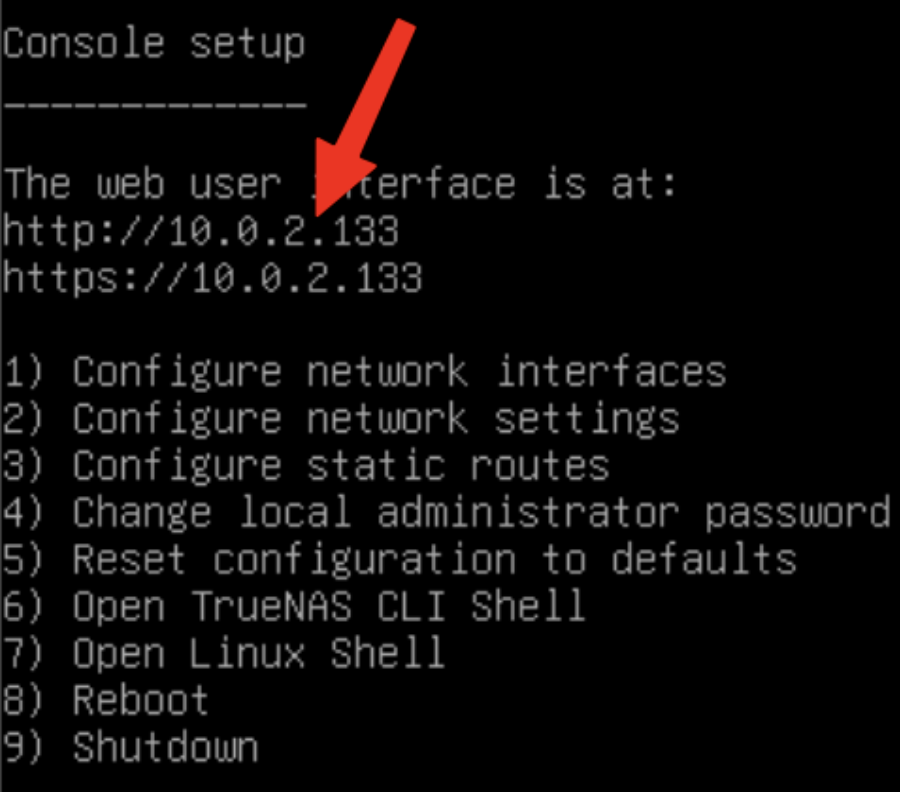
If you are unable to connect a monitor to your server you may be able to find the server ip address by logging into your router's web interface and looking at connected devices.
Logging into the TrueNAS WebUI
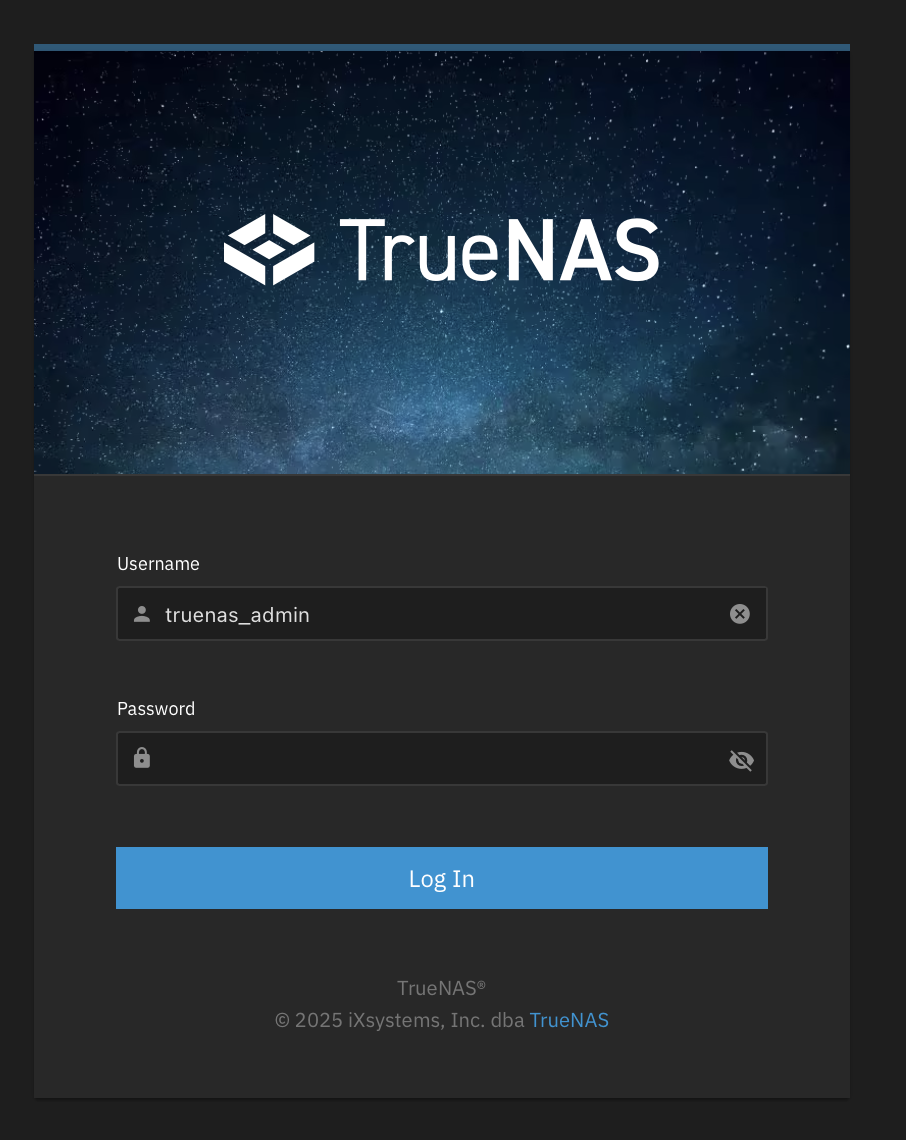
- Type the
ip addressinto your browser - Login
- The username will be
truenas_admin - The password will be what you selected when first installing HexOS
- The username will be
Updating Process
- Select the blue
Updates Availablebutton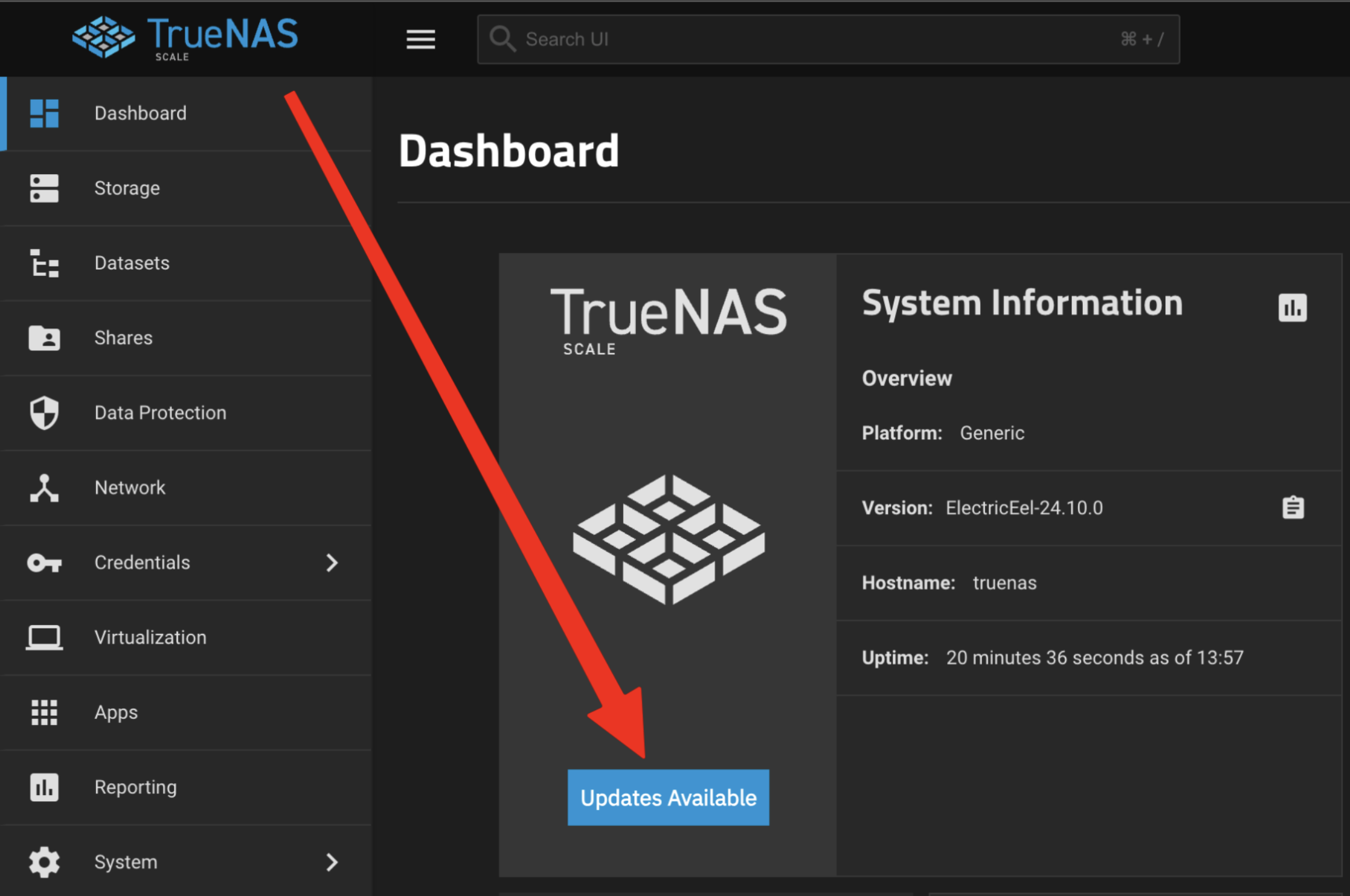
- Click the
Traindropdown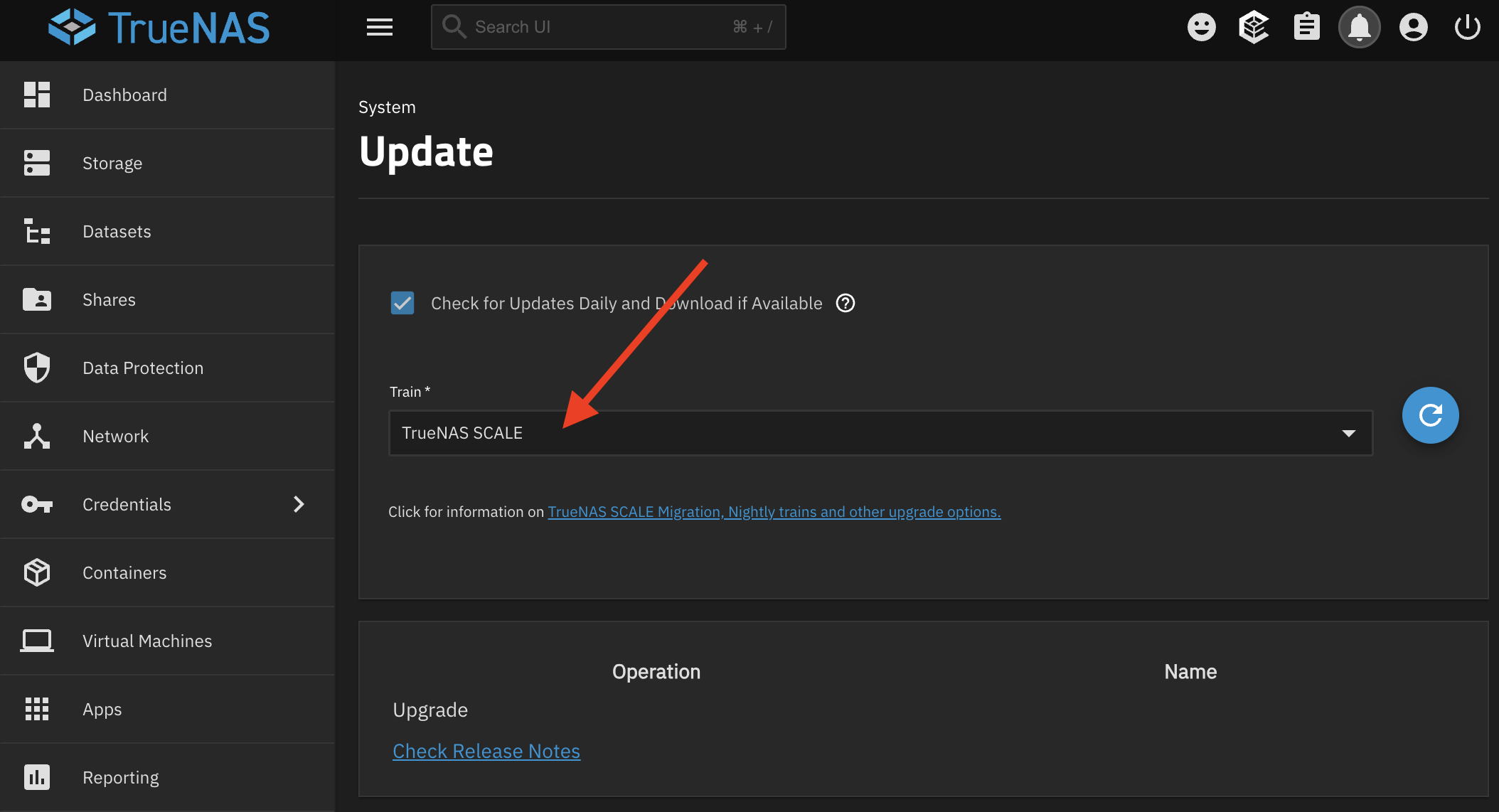
- Select
TrueNAS SCALE Goldeye 25.10in the dropdown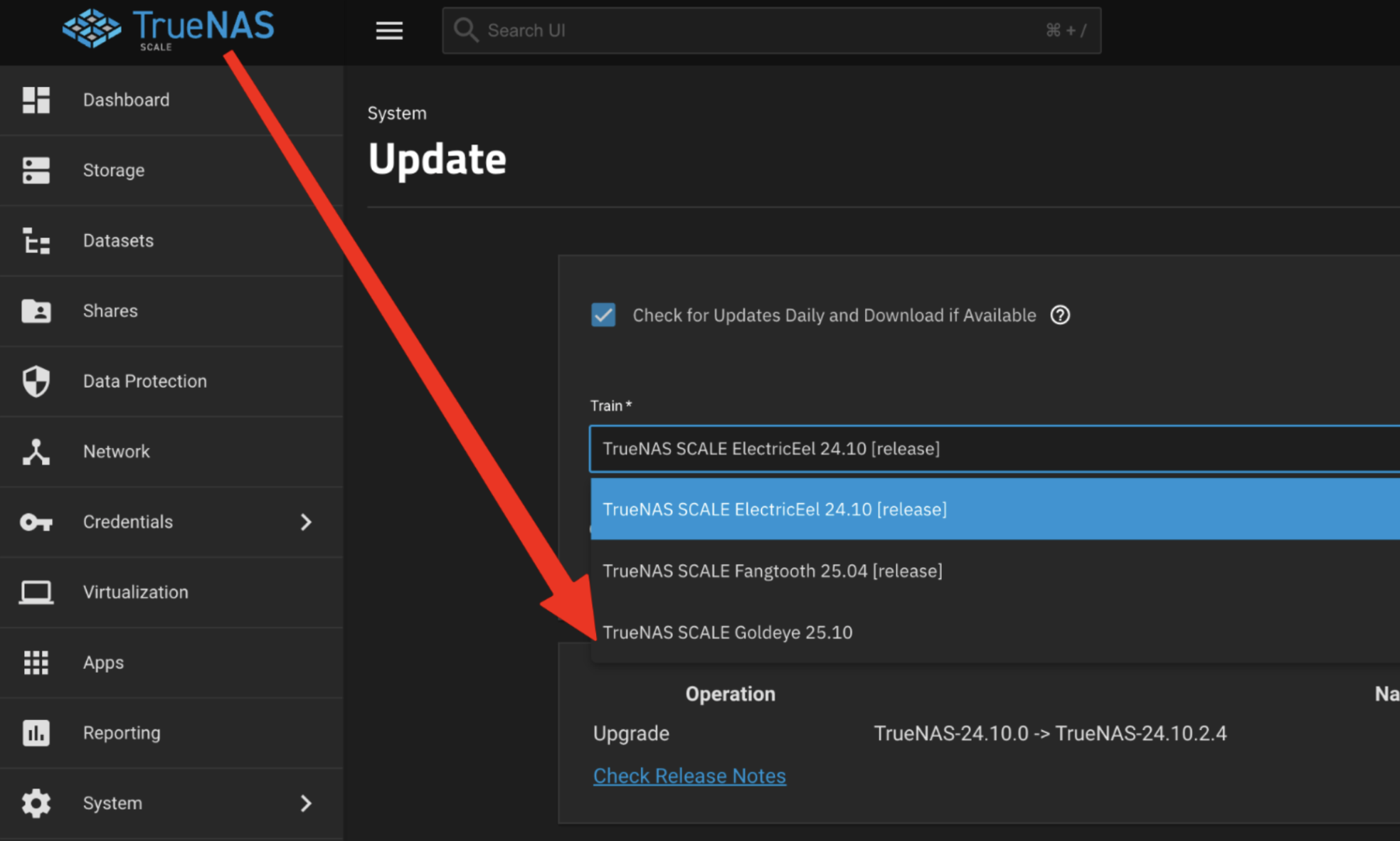
- Confirm changing the train
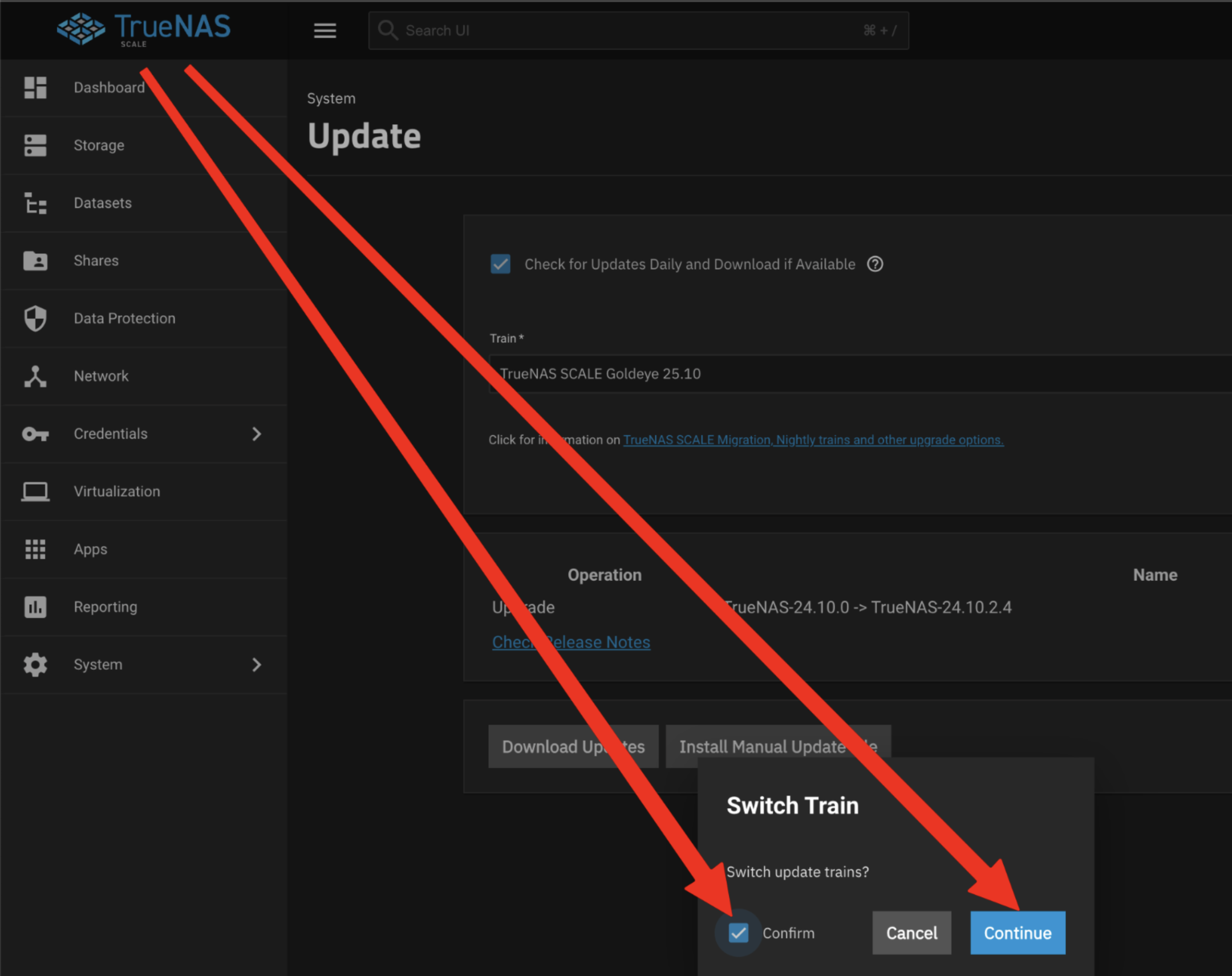
- Select the
Do not savebutton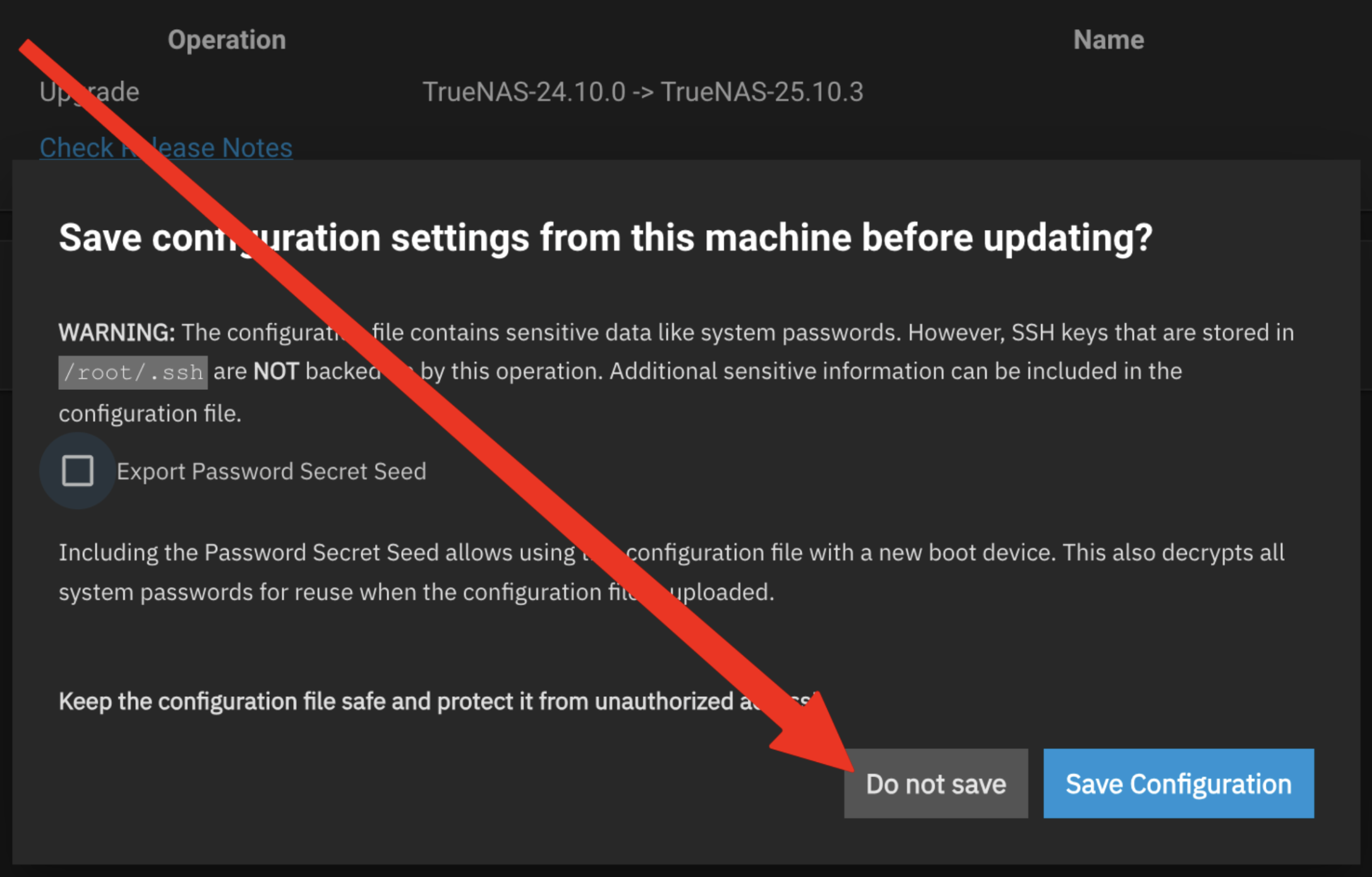
- Select
Apply updates and reboot system after downloadingand the clickDownload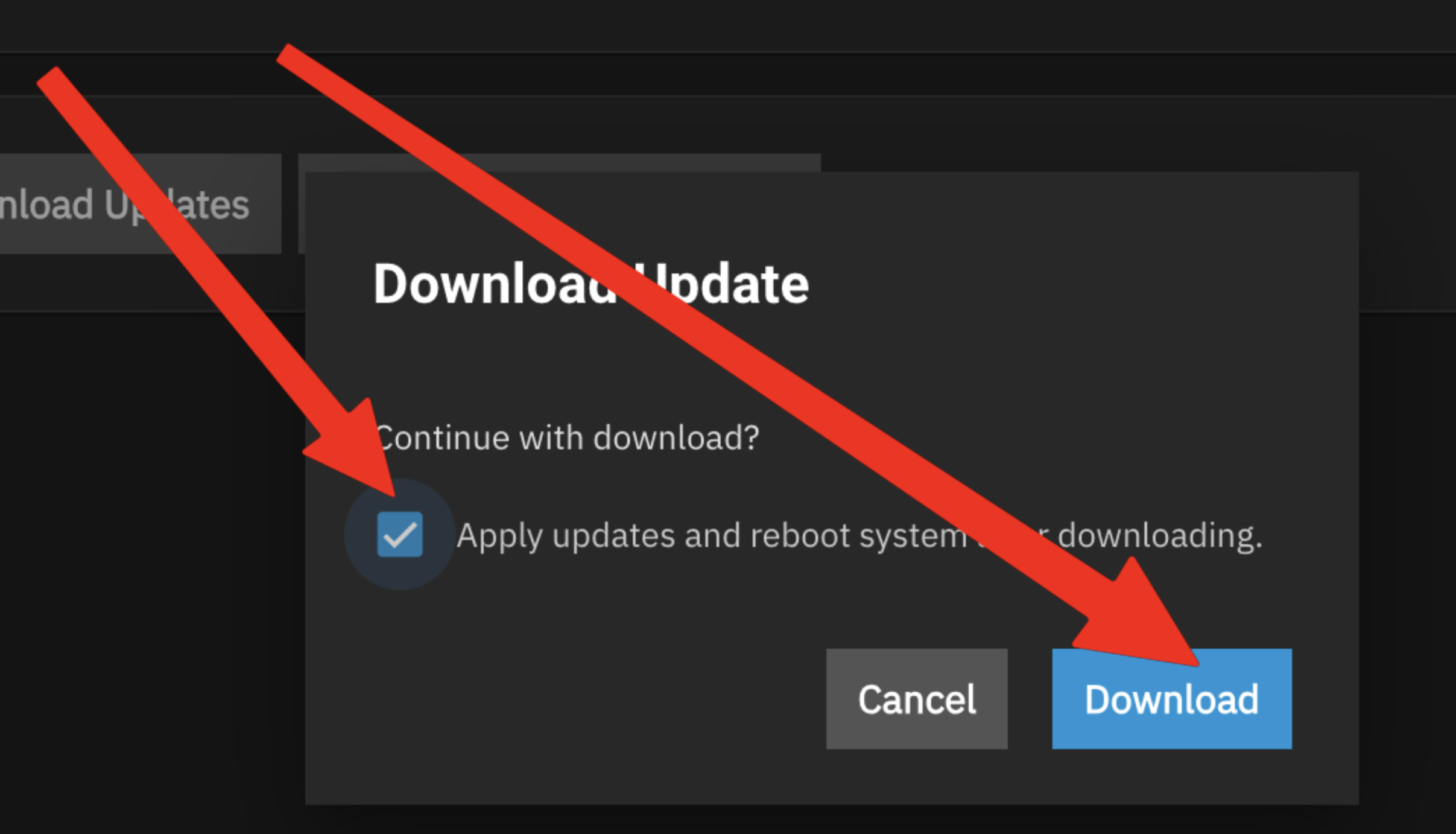
If you still can't connect to HexOS deck
If you are still having trouble claiming your server or connecting to HexOS deck please reach out to support@hexos.com